Hello again. I recently changed my edge 1040 to the new 1050. My previous gps would connect to xert and acquire signatures and bucket dayly plan. Now, with the new gps I get a connection error and I have to open the app on my phone and sync in order to get the day’s info. Does anyone have a solution?
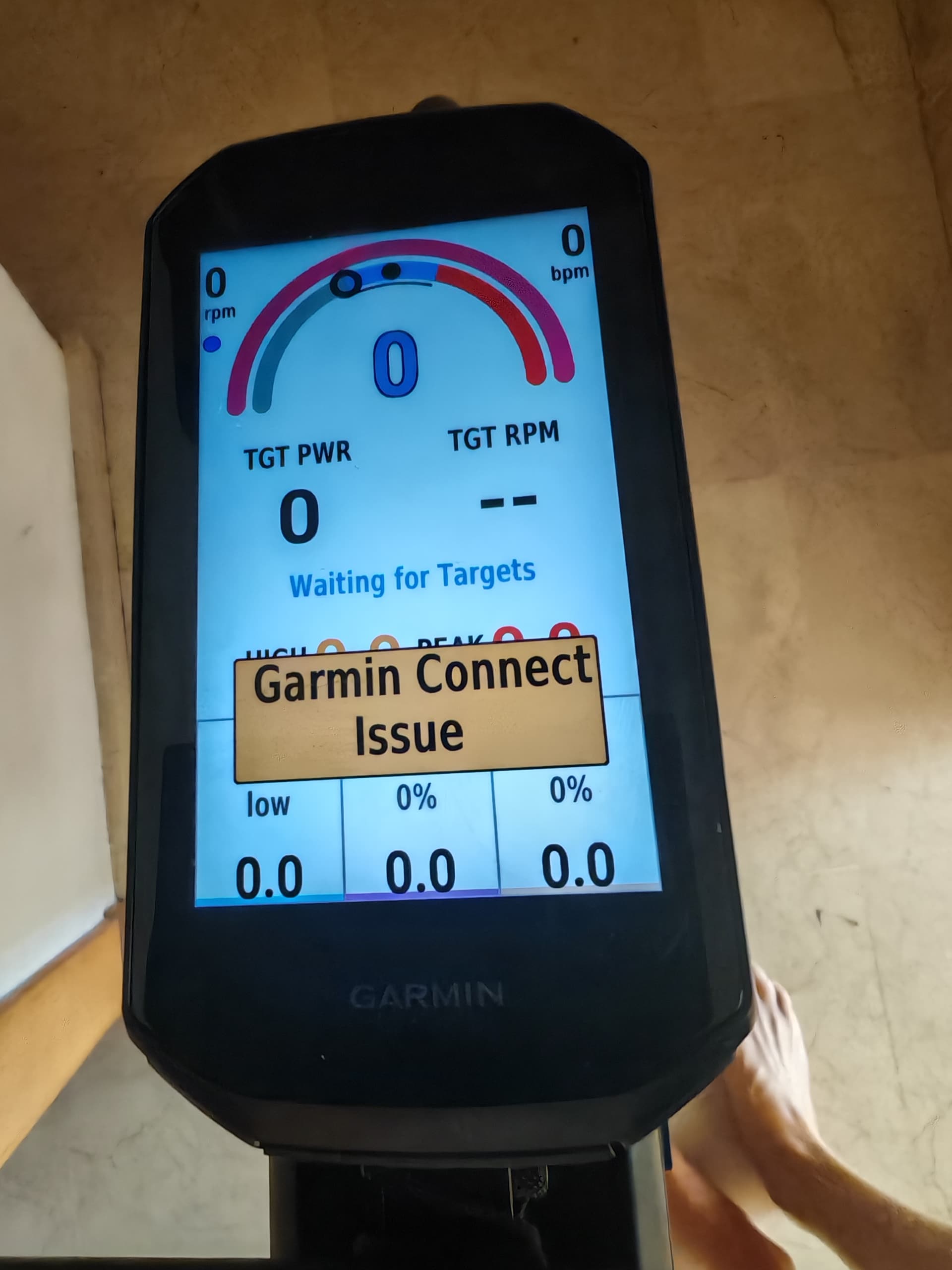
Hi @bikingviking, make sure that Garmin Connect is open & running on your mobile device before you start your ride! Our data fields connect to Xert’s server to fetch your signature & training targets using your device’s connection to your mobile phone via Garmin Connect.
For the latest generation of devices (540/840/1040 & 1050), the fetch should happen almost instantaneously!
Worked like a charm. I had the power saving mode on for the app. Thank you.
2 Likes
Note: If you start the activity just outside your home, your phone might still be connected to your WiFi network but with a weak signal. This may cause the data field to fail when downloading targets. If this happens, the data field will automatically retry shortly.
2 Likes
This is a good point HPB. I always turn off wifi when I am getting ready to get outside for a ride. Good reminder
@bikingviking I’ve just come across your post as I recently had a Breakthrough however my device (Edge 130) was still showing my old MPA. I use the device indoors when I’m using third party apps like MyWhoosh as my main outdoor device is a Wahoo. I couldn’t get it to change/update so I deleted the Connect IQ MPA Data Field and reinstalled it. However it’s now stuck on the ‘standard’ 1200w. So I tried it with Garmin Connect (as advised in your post by @ManofSteele ) connected to the device. I spun the pedals for 30 seconds or so but no update. I assume it takes a bit longer than what I allowed so will try again and be a bit more patient. Out of interest how long does it take to update on your Edge 1050?
1200 would indicate default entry with unsuccessful connection to XO server.
I’m not positive, but I believe when the data field is reinstalled you have to re-enter your username and password on Garmin Connect under the Connect IQ data field settings.
Normally, as long as phone is running GC in background, the MPA field should update within a few seconds.
Related topic with something else to try –
I’m using the “MPA and Power - Xert” on Garmin 1030 MPA always 1200 - Support - Xert Community Forum
1 Like