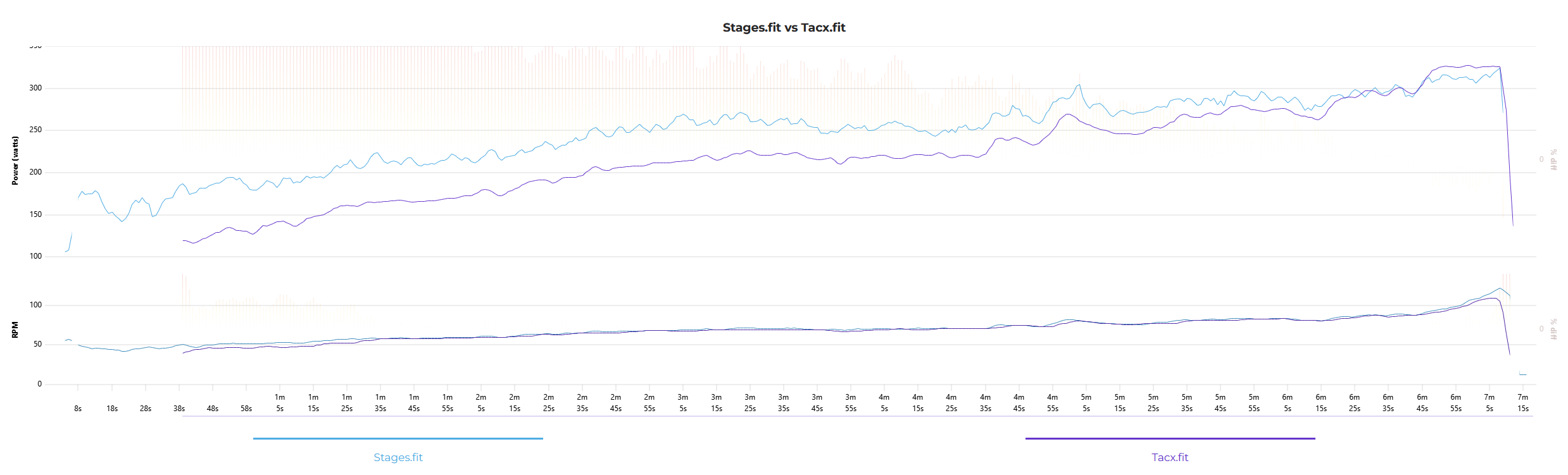
Anybody else use multiple power meters for power data in Xert? Ever bother to compare them? Here’s what I found with what used to be my 2 most used training platforms - a Tacx Vortex Smart and Stages single-sided crank based power meter. Pretty much useless for Xert.
1 Like
I checked my Assioma pedals against my Elite Direto trainer a few times and they were pretty much identical.
1 Like
One thing to keep in mind is drivetrain loss. You will usually read 2-3% lower power at the hub/trainer compared to the pedals.
1 Like
Wheel-on trainers are notorious for false readings of power and the Vortex Smart has a claimed accuracy of ±10%.
Combine that with a single-sided power meter and a left-right balance possibly in favor of the right leg and drivetrain power loss this is pretty much expected discrepancy.
1 Like
The point I was making was that if you haven’t checked, you don’t know.
BTW, my LEFT leg is considerably stronger than my RIGHT. Is that what you meant?
1 Like
I agree with that, and as you, my point was that you don’t really know what’s your correct numbers.
I guess leg strength can affect your balance. I checked my activities for the last three months and the average balance varies between 45/55 and 52/48 and my right leg is mainly the dominant one.
1 Like
I’m not sure the left/right balance metrics some power meters provide are very accurate. It probably depends a lot on the type. Off the top of my head, I would expect that pedal based power meters with strain gauges and accelerometers on each side are the best followed by dual crank arm based. I would expect spindle, spider, and hub based to be the worst and probably not very accurate at all actually.
Try pedaling with each leg separately. My right leg, for example, can barely even keep the crank going by itself and only for a short period of time at that. Left can pretty much pedal as long as I want. My situation is not common though (spinal cord injury).
I finally got a fancy new trainer that I can put my mountain bike on with it’s power meter. The trainer claims +/- 1% accuracy and my bike PM claims +/- 1.5%. So I measured it myself and, as expected, it’s just not true!
As far as I’m aware, there still is no standard method used to calibrate power meters. If there were, manufacturers would advertise that they meet such and such standard but they simply don’t!
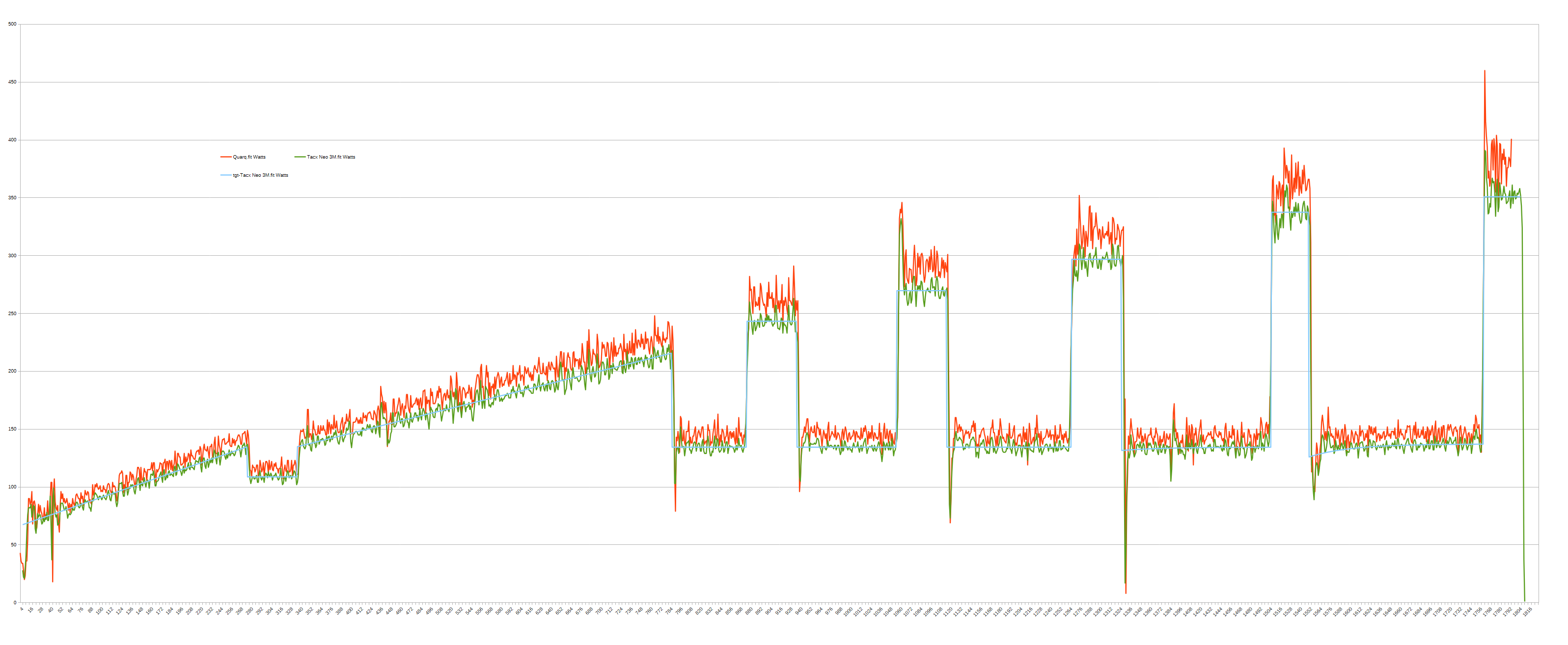
I’ve only done one small test so far but the power meters differ by about 8% around my TP and, as expected, varies linearly (near 0% at the lowest power values and increases linearly from there). I fully expect the difference to be nearly 20% (!!!) at my very modest peak power!
Just think about what this does to your training IF you use your trainer PM indoors and bike PM outdoors. Fortunately Zwift and Xert EBC both allow using your bike PM indoors to control the trainer. MyWhoosh does not.
Xert EBC is obviously the best app for indoor Xert SMART workouts but it’s essentially useless running on a tiny phone display so I mirror it to an Apple TV. The problem is that it only uses Portrait Mode orientation so only the middle third of my 46” workout TV display is used. So lame! Is it really that hard to support Landscape Mode in the Xert EBC? Shouldn’t be more than a single day task! 
Anyway, back on topic, below is a quick graphic showing the power discrepancy once again proving my original point that if you don’t test your power meters you just don’t know!
I may try adjusting the Slope (calibration) on my bike PM to match the trainer PM as closely as possible. I don’t think it’s possible (or really desirable) to change the calibration on the trainer PM. This problem goes away if I use my bike PM to control the trainer but that means I have to use my phone as a Bluetooth bridge for Zwift. It works just fine that way but does add delay which sometimes seems to interfere with trainer control. I’ve seen no direct evidence of data dropouts which would also cause control issues, but I’ve really only just started to look at all this stuff again.
Correct, most PM’s companion app allow you to modify the slope and/or offset (if it reads consistently X W high across all intensities). If you’re using pedal-based PM, also be sure that crank length is set correctly!
FWIW, I always use bridging for all my BT sensors to Zwift on ATV and haven’t ever noticed any delay.
2 Likes
Maybe try without using a BT bridge to see if trainer control seems any smoother. It could very well be the new trainer causing the surging I am experiencing but I suspect it’s delays in the control loop mostly caused by the BT bridge. I am also using Zwift (and ERG) for most workouts, so there could be more delay there as well (if trainer control isn’t entirely within the companion app which I don’t think it can be from a control system standpoint).
Next time I do some testing, I’ll try to remember to test the power meters with no bridge to see if I still notice the surging. I also should compare Zwift to Xert EBC trainer control.
1 Like
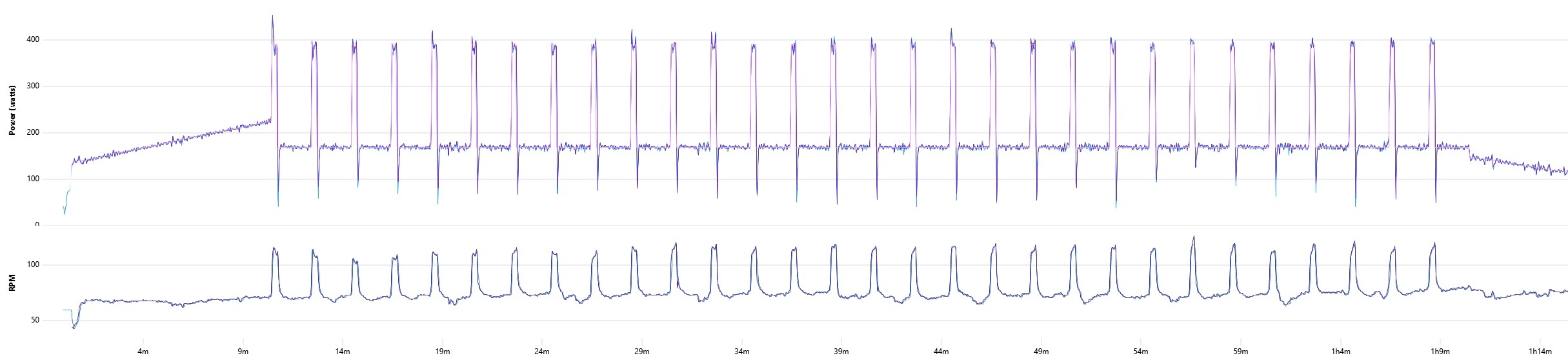
Amazing what a little calibration can do. The difference was about 7.5%. The next question is whether it lasts (especially on a MTB) and if the calibration is accurate at higher power numbers (it really should be even if I can’t produce them!).

1 Like
On the old IoS app there is the option to increase or decrease the reported power from the turbo. Very useful but for some reason the capablity was not included on the EBC players. I’m just very careful not to “update” the app incase the feature disappears. I have to increase the power reported by 7 % for it to match my power meter of truth (Assiomas). The net result gives plus or minus a couple of % overall depending in the intensity of the session. I’ve got a cheap turbo!
1 Like
That would be a useful tool.
It would also be useful if the Xert EBC app could Record data without having to Play a Workout. There aren’t many apps that do that (most require Power Control be active), so it can sometimes be tricky to gather the data you want to compare. I’ve been using a combination of the Xert EBC, Zwift, and TrainerDay to collect the data that I need.
Another option would be if the Xert EBC app would simply allow us to Add multiple data streams but specify which to use for what purpose. It currently only allows a single data stream for Cadence and Power Meter. Multiple streams could be handled by just adding another Tag named Record Only in addition to the existing Power Meter, Power Control, Cadence, Speed, and Heart Rate.
I haven’t been able to find a general purpose app to Record whatever data I want. TrainerDay requires a Workout be Played, just like Xert EBC so you have to be sure to select one long enough to allow for recording all the data you want to compare. At least I think that was the problem I had the other day when TrainerDay stopped recording after exactly 20 minutes each time. Either that or it times out after not sending Power Control for 20 minutes or the update yesterday fixed it.
Anyway, here’s my Workout from today where you can clearly see how closely my power meters match now! I plan to keep using the trainer PM as a reference because I don’t think I can change it and probably wouldn’t if I could anyway. It seems like the most likely to remain stable over time. I’ll be testing my MTB power meter outdoors this weekend to see if the Calibration holds. So far so good.
PS. I’m using a nice utility at https://compare-the-watts.com/ to make these pretty graphs. Super easy and the author may make some changes we discussed to make it even better soon!
[quote=“brianrhamilton, post:13, topic:47686”]
It would also be useful if the **Xert EBC app could Record data without having to Play a Workout**
[/quote
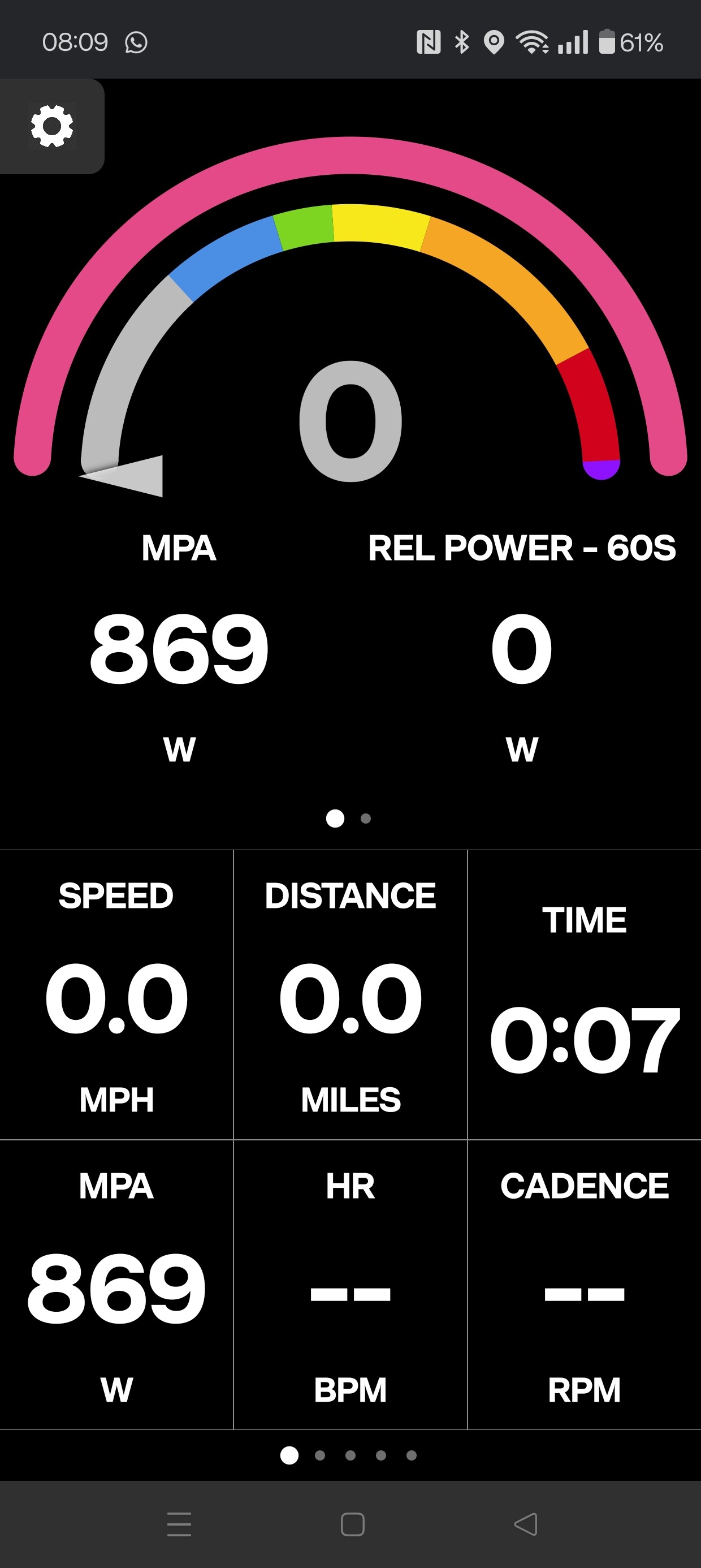
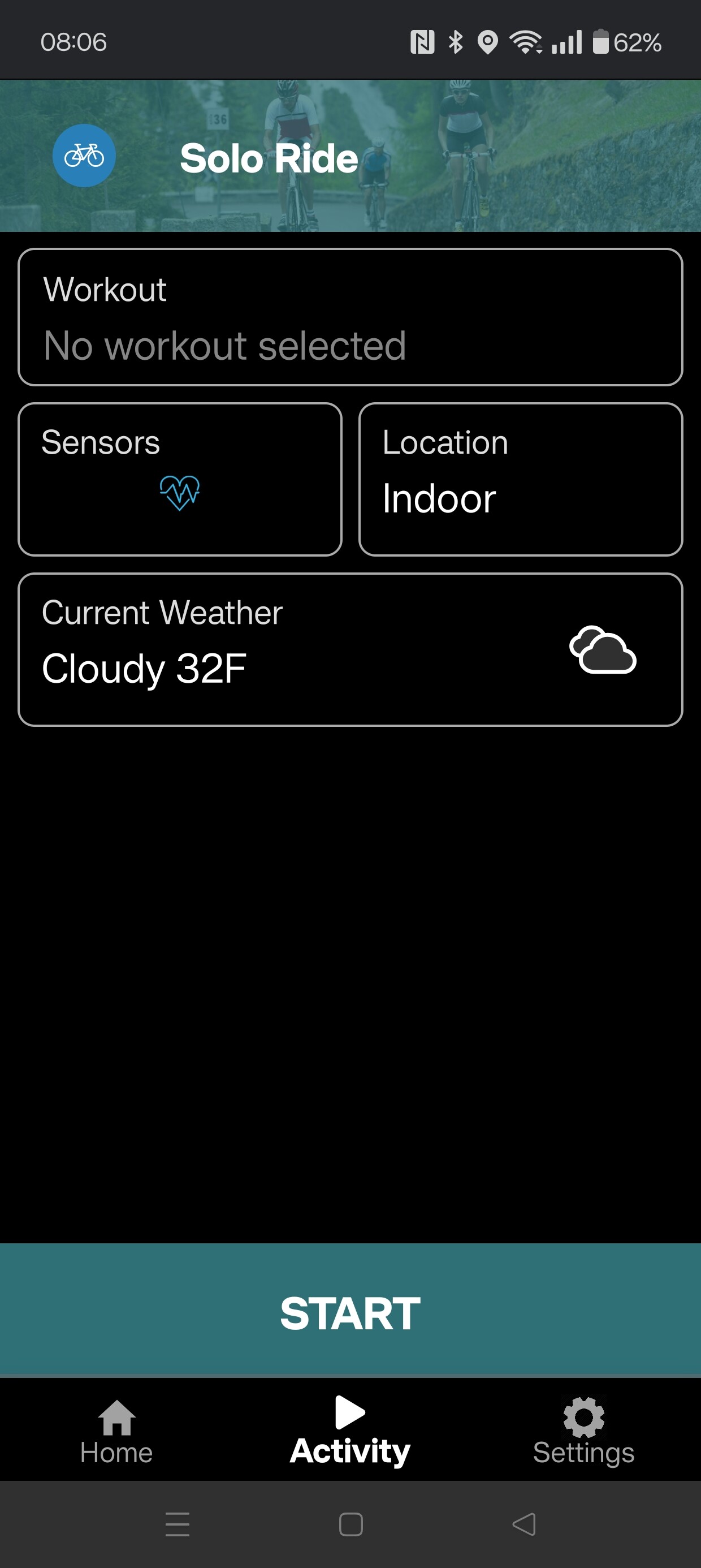
Will it not record if you just start an activity without selecting a workout?
I pressed Activity then Start and is started recording.
1 Like
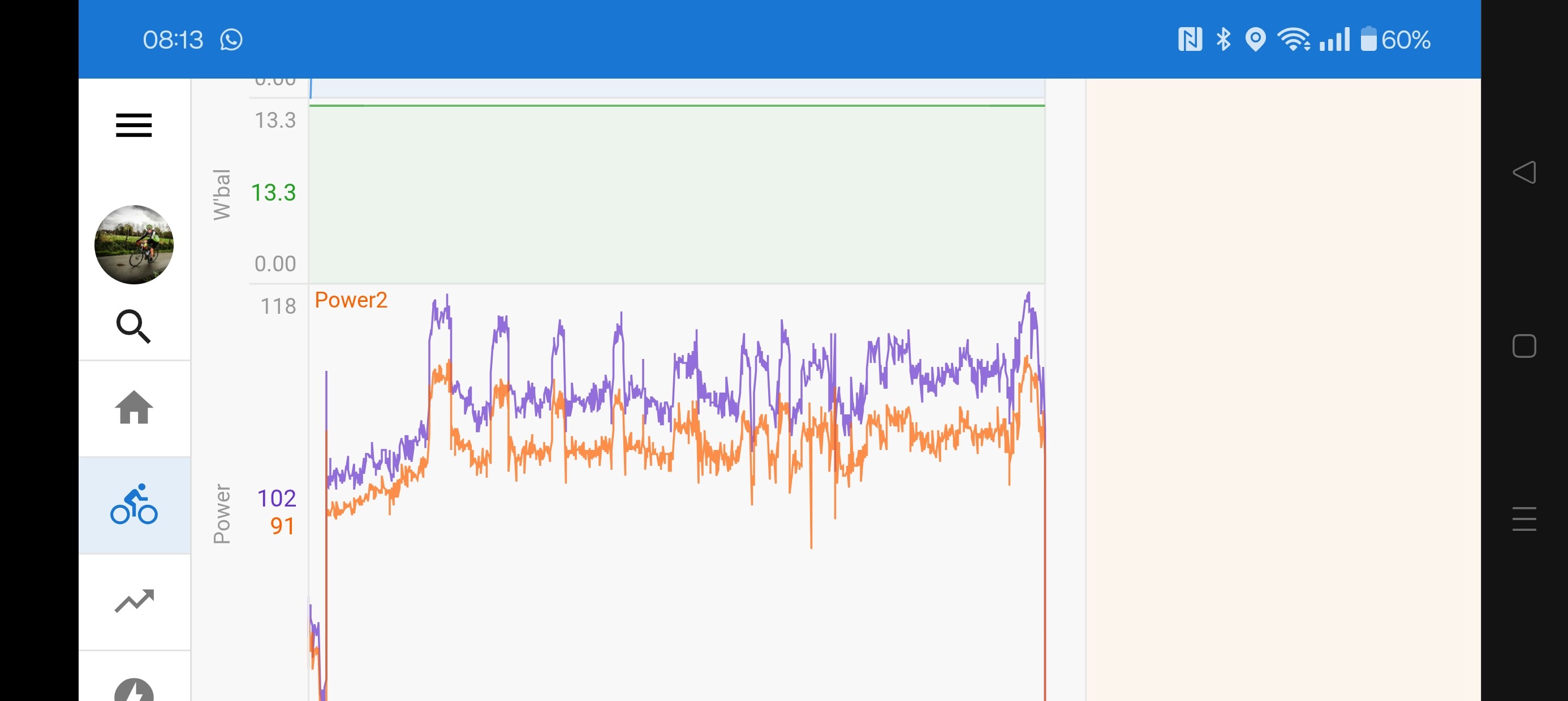
If you’ve got a Garmin and use Intervals you can enable a separate power stream and show it on the same graph just using one Garmin and app from their IQ store You can see why I like the old IoS player with that variance!
1 Like
What is the name of the Garmin app?
I use the iOS Xert EBC app so you go to Train, select a Workout, then press Play. There is no way to just Start recording data as far as I know - it is always Playing a Workout. Yes, it will record whatever data streams you have configured but only a single power meter stream (named Power Source) as far as I know. Maybe it can record an additional power meter stream using the ANT+ Adapter stream? I don’t have any way to use ANT+ although I think my trainer and bike computer both do have support for that piece of ancient history. 
PS. Oh, maybe you’re talking about Ride instead of Train (at least as seen on the iOS app)? I just clicked on that option for the first time ever! I can’t see where to specify the data sources though…
PPS. OK, I think it uses the same Sources set under Settings like when using Activities. Unfortunately limited to a single power meter source as far as I can tell. Still another useful tool though - thanks for getting me to look a little more!
Check out this app from the Garmin Connect IQ Store Connect IQ Store | Watch Faces and Apps | Garmin
1 Like
Whilst quite ancient Ant+ is very useful. I find it a lot more stable than BLE for some reason and you don’t have to worry about an application hanging on to a BlLE connection if you don’t shut it down properly.
1 Like
Speaking of accuracy vs RPE, I see mixed reviews by Cog users with some reverting back to cassettes.
Anyone gone down that rabbit hole?
Is it possible to be accurate but feel wrong?
1 Like