Gotta say I only recently returned to Xert but I’m loving the new UI/UX. It’s a huge improvement.
2 Likes
Update: Weekly Stats 
There were some errors in the calculation of weekly stats (total XSS, weekly hours, etc.) that included past planned activities into the final calculations. I can assure you this was just a visual bug in the front end and didn’t have any impact on the training/recovery calculations - those are handled in another function elsewhere in the code 
However, we’ve made a change that should address those issues!
Update: Merging Activities 
We’ve noticed that some folks are having trouble merging multiple activities together. This might be due to a technical snag if you’re syncing data from Strava. The feature is designed to combine two .fit files. The problem is that Strava doesn’t actually send us the .fit file, so we can’t merge activities that come to us from Strava. We’re looking into whether there’s anything else we can do about this.
For now, the best way to go is to check that your training platforms sync the original activity file directly to Xert. If you’re using Wahoo, Hammerhead, Zwift or similar, make sure your finished activities end up directly in Xert, rather than syncing them to Strava and then from Strava into Xert.
By doing this, you should be able to merge the two activity files in Xert and then send the merged activities to Strava as one complete activity, if you’d like.
4 Likes
Hi all, we’re keeping things moving with more updates based on continued feedback! 
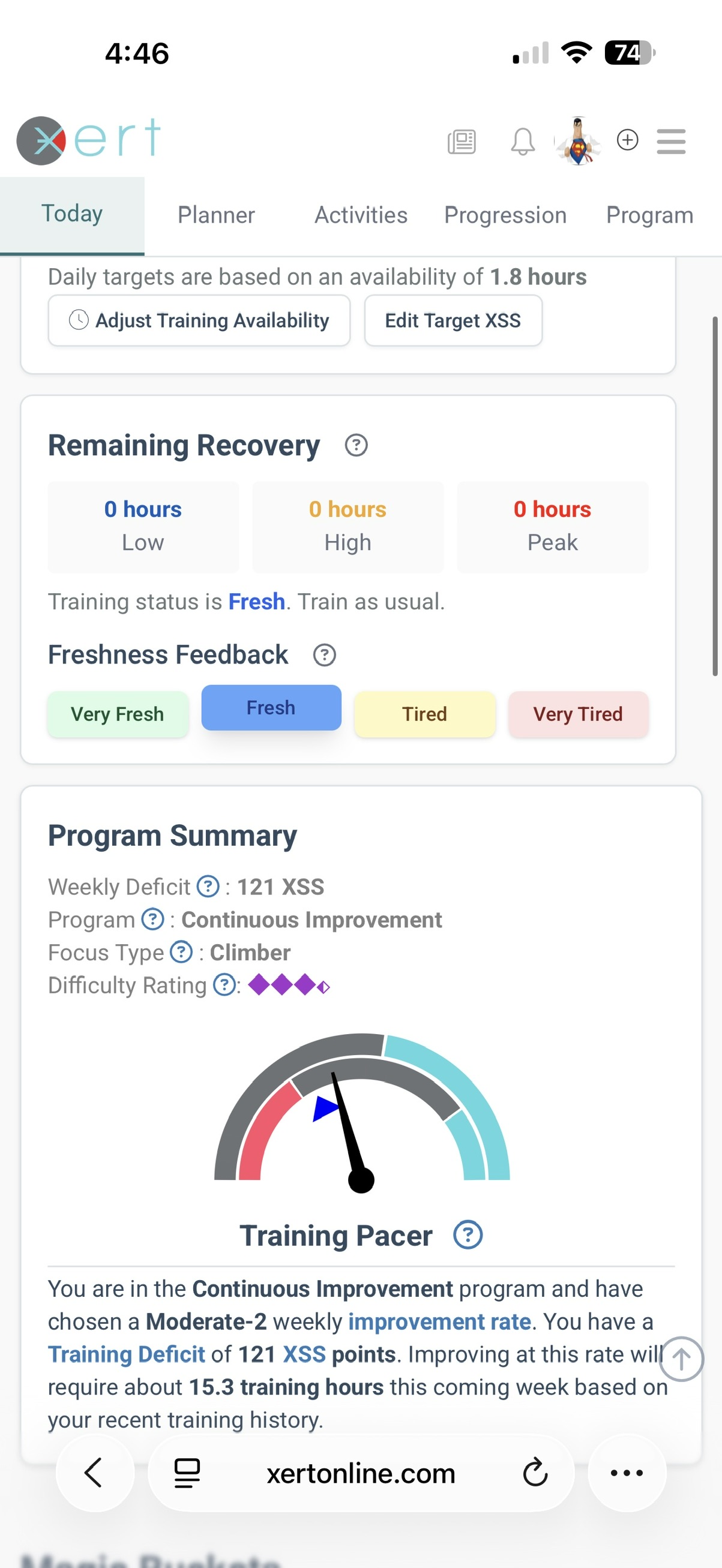
Update: XATA Training Pacer widget support added for Mobile browser.
If you’re training with XATA, you’ll notice the familiar Training Pacer on the Today page using your mobile browser, just below the Recommended Recovery & Freshness Feedback:
Update: Removed Checkbox from Activities that cannot be merged.
Xert can only merge activities that have their .fit file synced directly to Xert. Activities that are synced to Xert via Strava can’t be merged & won’t have a checkbox next to them when you’re choosing activities to merge. Ideally this helps eliminate confusion about why some activities cannot be merged.
Cheers!
3 Likes
I don’t pre schedule workouts in Xert. I head to my workout area and select player on the Xert website. Using my Xert Android app I look for the 1st workout I want to do, press play. Previously, it would populate in the player on my computer. Now it does nothing. As mentioned in my original message, I will do 2 or 3 workouts in a row depending on how I feel that day. It’s important for me to be able to select a workout on my phone and have it show up in the player.
Luc
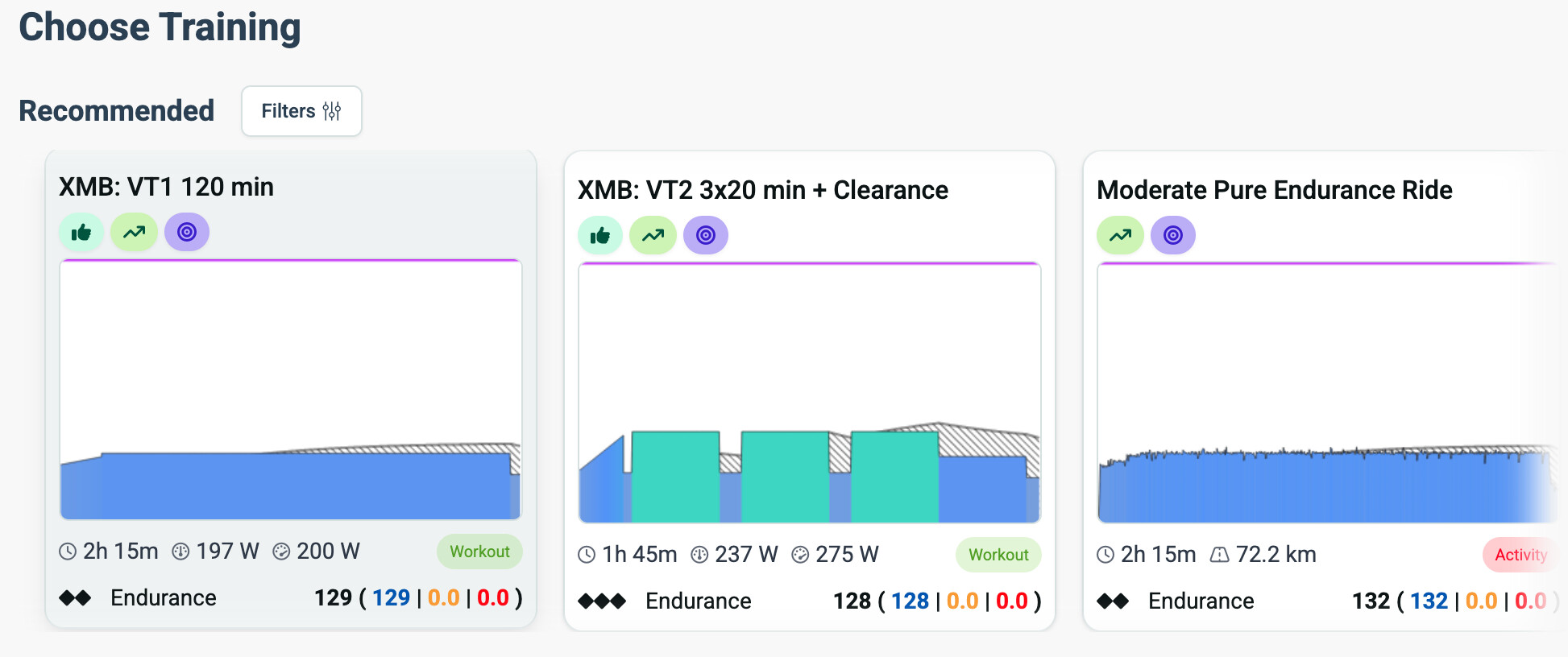
Under “Choose Training → Recommended” I do not the option to only see Workouts. Can you please add that to the filter?
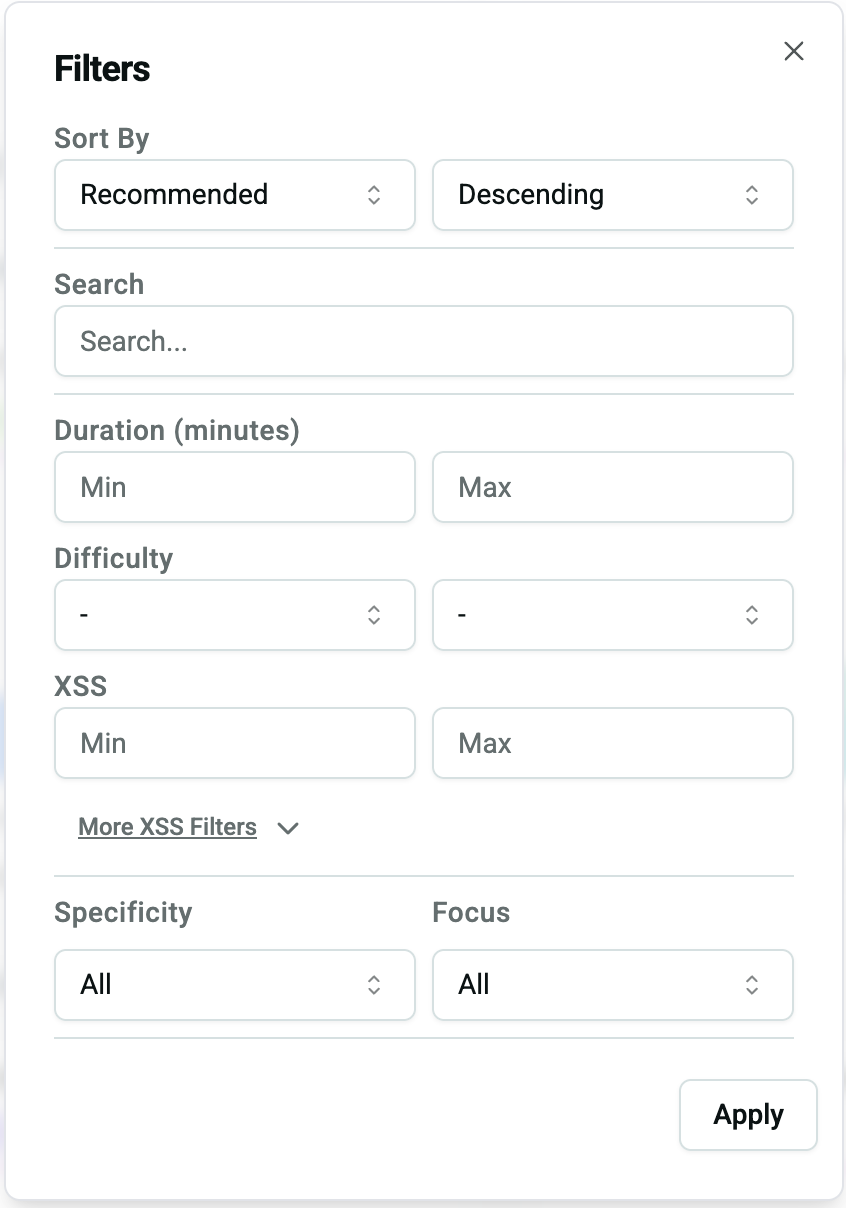
@hpbieker Activity Type is there but at the bottom.
My preference would include these changes.
- Activity Type buttons are moved to top of frame.
- Middle section scrolls (like it works now) but Reset is moved to bottom of frame.
- New Set Detaults button added to bottom that toggles to Clear Defaults if enabled.
Mockup –
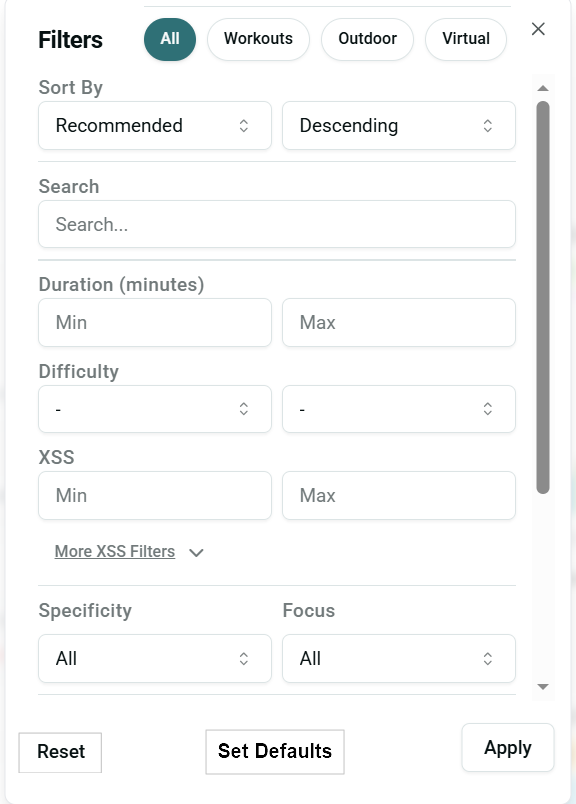
Or  Set Defaults tick box.
Yes, I agree about the activity type moving to the top!
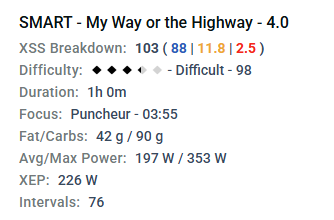
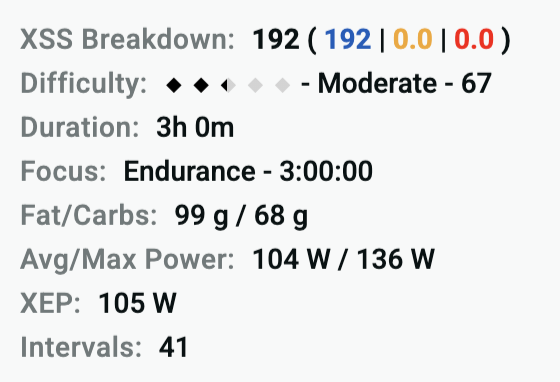
I noticed that XEP has been removed from the workout details screen, is this part of the UX update?
Just wondering why it was removed as I found it a useful metric.
Edit: Same for diff score too, used to be numeric but now just a diamond value…?
And the focus duration number was there before but now removed…
1 Like
I think they should be added back in, XEP has a place alongside avg power and maybe difficulty score and focus duration time could be mouse overs?
Overall though it’s nicer to have all the data there to compare workouts.
@ManofSteele - What are the chances of adding to the backlog?
On XFAI: where can I find the “training explanation” of todays training? I can only see it for the next three days, but not for todays forecast.
It’s not the most important feature ever. But sometimes I want to take a look on the prescribed power for my XMB-bouts or be prepared on how hard I have to ride to finish my low intensity training in time.
On HIT days the power target is shown under the Magic Buckets section on the Today page.
On LIT days the XMB target watts is mid-way between 75-100% LTP. I.e. ~88%.
1 Like
Update: A few smaller changes rolled out yesterday evening. Summary Below:
-
Fixed issue where a manually assigned forecasted workout was not being sent to Workout Players when automatic WOTD option was disabled
-
Assortment of fixes for issues related to Workout Player selection, resetting, & sending.
-
Fixed an issue where past planned activities were displayed on the Forecast & Progression Charts.
-
Fixed an issue where duplicate activities were not correctly being identified (@perreb, FYI)
-
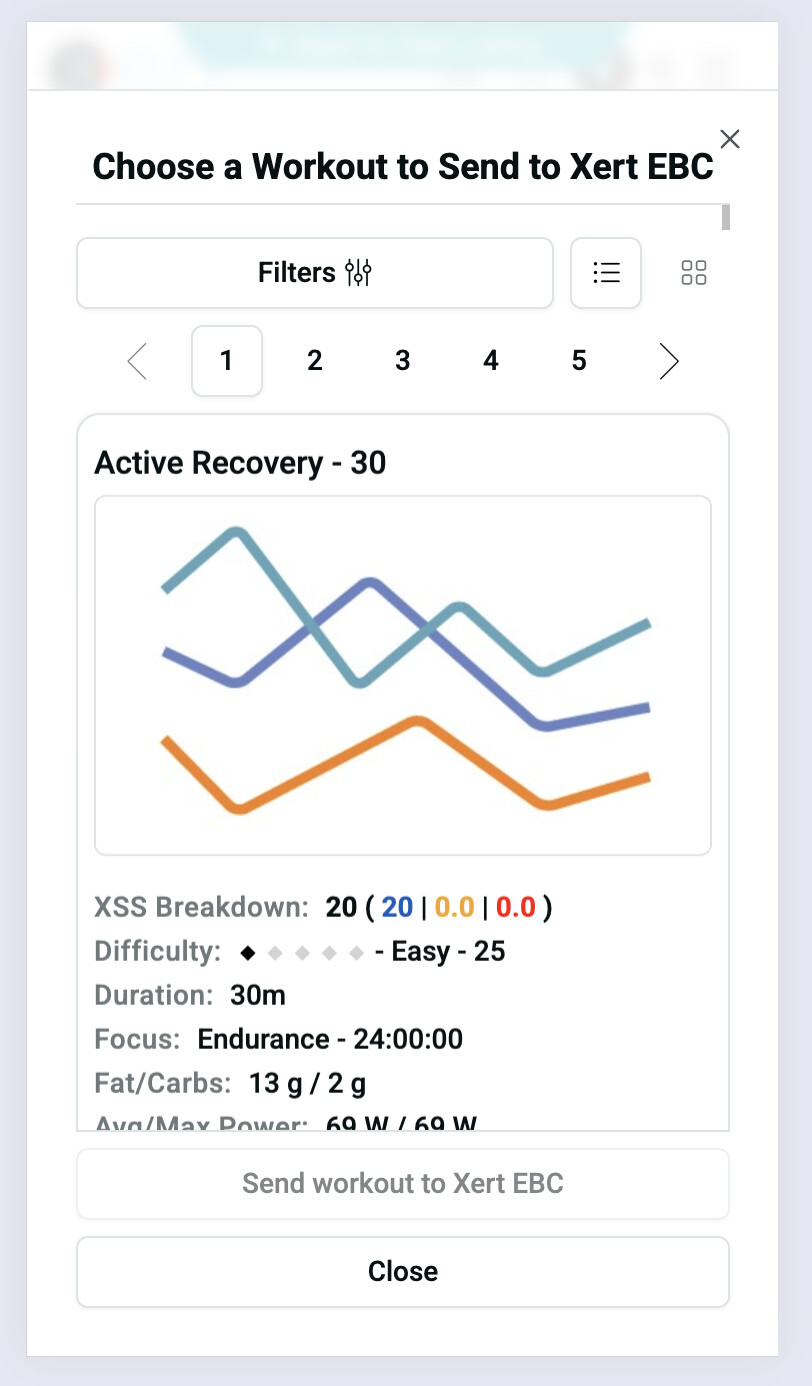
The Choose Workout Modal has been updated to make it easier to close on mobile devices. A new area at the top of the modal allows users to tap to close it, and a “close” button has also been added. The updated design should better convey that the modal is open on the same page rather than being a separate page.
-
Workout Details has been updated to include difficulty number, focus duration number, & XEP (thanks for the feedback @colincostello & @scongiundi )
-
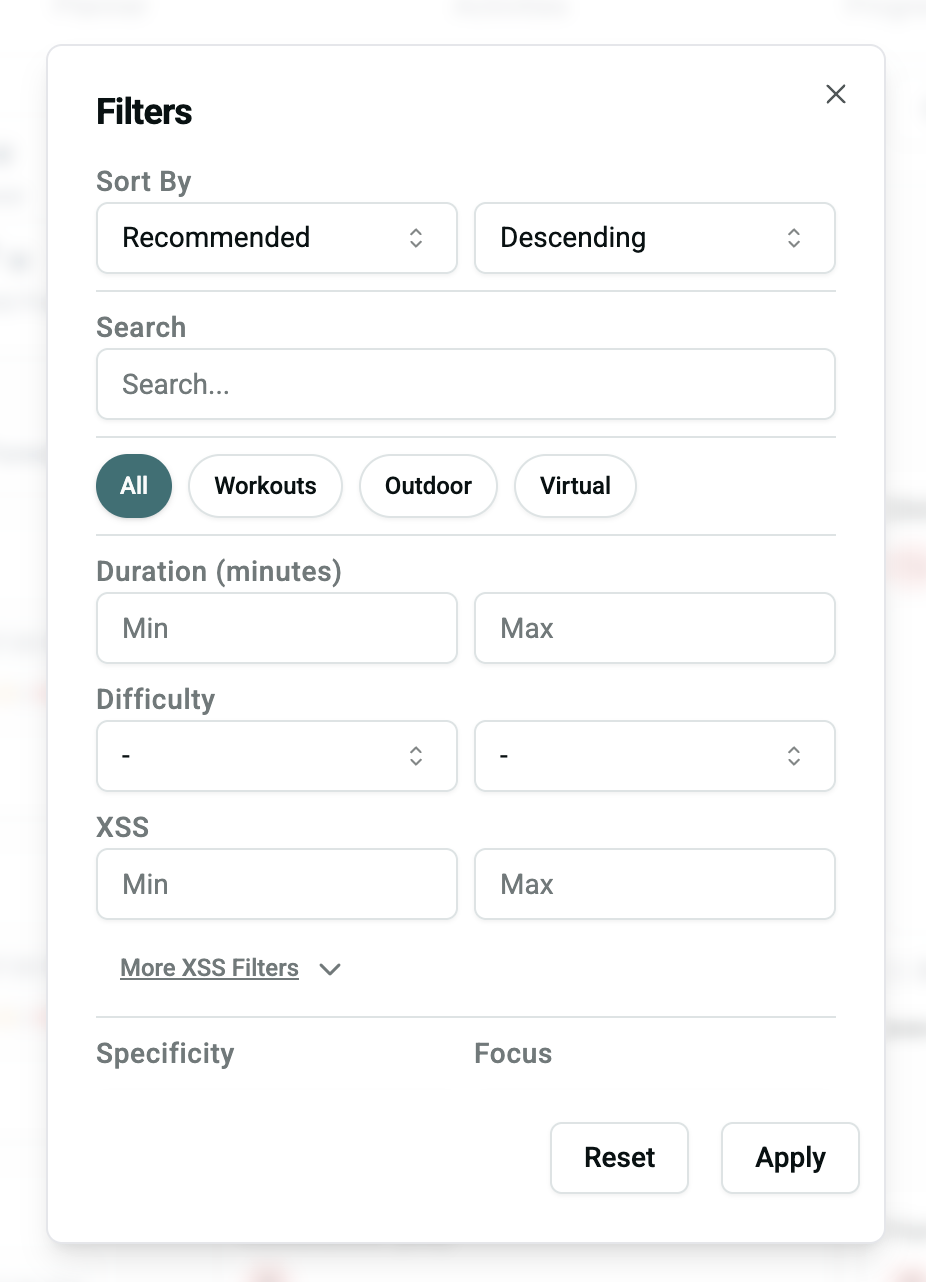
Updated Filter modal so that activity type filters are near the top (“workout”, “outdoor”, “virtual”) and so that the “reset” button is always visible at the bottom of the modal with the “apply” button
-
The Recovery Summary section has been updated for clarity. The coloured text has been removed to reduce confusion between the L/H/P systems (Blue, Yellow, Red, respectively) and the Training Status Colours (Fresh, Tired, Very Tired).
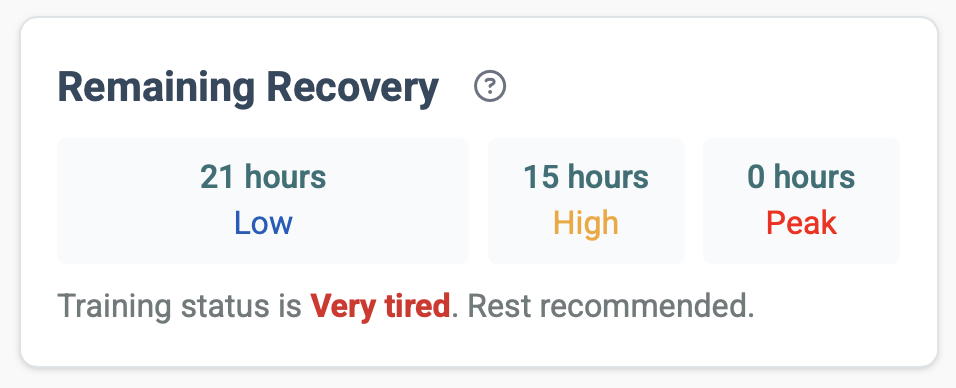
For clarity, Training Status is determined by recovery needs:
- If Low recovery < 0 hrs and High & Peak recovery < 0 hrs, form is Fresh (Blue Stars)
- If Low recovery < 0 hrs and High & Peak recovery > 0 hrs, form is Tired (Yellow Stars)
- If Low recovery > 0 hrs, form is Very Tired (Red Stars), regardless of High/Peak status.
4 Likes
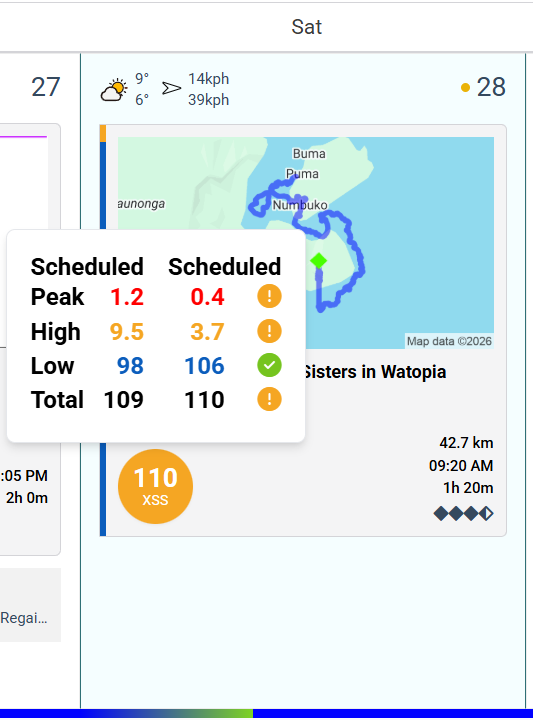
Maybe another small display bug on the planner screen:
After a workout syncs a completed activity shows scheduled and scheduled instead of forecasted and scheduled; I’m assuming this is incorrect:
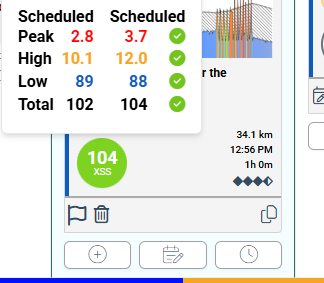
update: this occurs when I sync a single activity, for >1 activities it shows forecasted
Edit: Sorry what I forecasted and completed 
1 Like
Good stuff, thanks @ManofSteele
Another one on planner: (maybe I should be reporting this to support, please advise?)
in my history I noticed there are some dups, these are identical from EBC app:
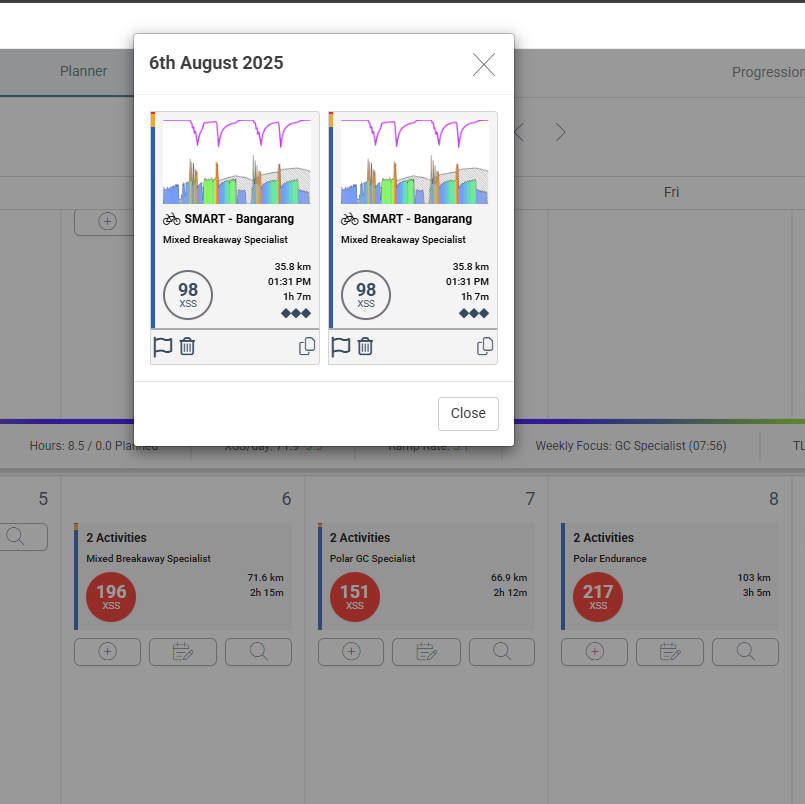
Dupe detection recently updated. You can verify by removing and re uploading one of these.
This is historical from 06/08/2025 so to some extent is now irrelevant in terms of my signature, can I treat it as an artifact in the data, and there are more previously they weren’t previously dups and I only synced the workout once from EBC in the first place; somewhere the system has created a dupe, why would that be?
Only annoying thing is yoy comparison of TL