Major UI/UX Update - Orchestrate Your Training

:tada: What’s New in Xert: Orchestrate Your Training

We’ve been busy making Xert a better hub for your training - a place where your activities, workouts, and devices come together in a cleaner, smarter, and more usable way.

This update focuses heavily on UI/UX and usability, improving how you manage your training day to day, especially if you’re training across multiple apps and devices.

Quick Video Summary: https://youtu.be/UoNaXI6lN2I

Explore what’s all new below :backhand_index_pointing_down:


:artist_palette: Major UI/UX & Usability Improvements

We’ve made significant improvements to the areas of the app you interact with most:

  • Major updates to the user interface and common workflows
  • Clearer layouts and smoother interactions, including on mobile!
  • Easier access to the information that matters today

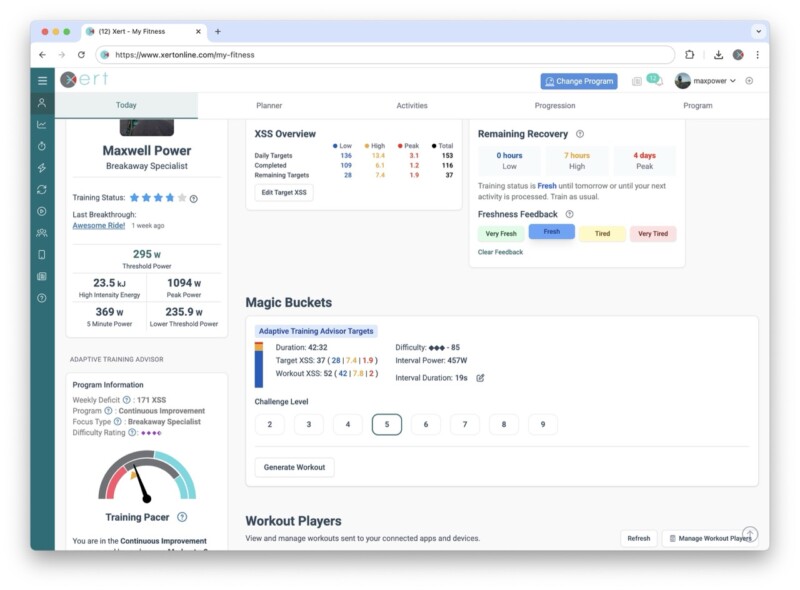
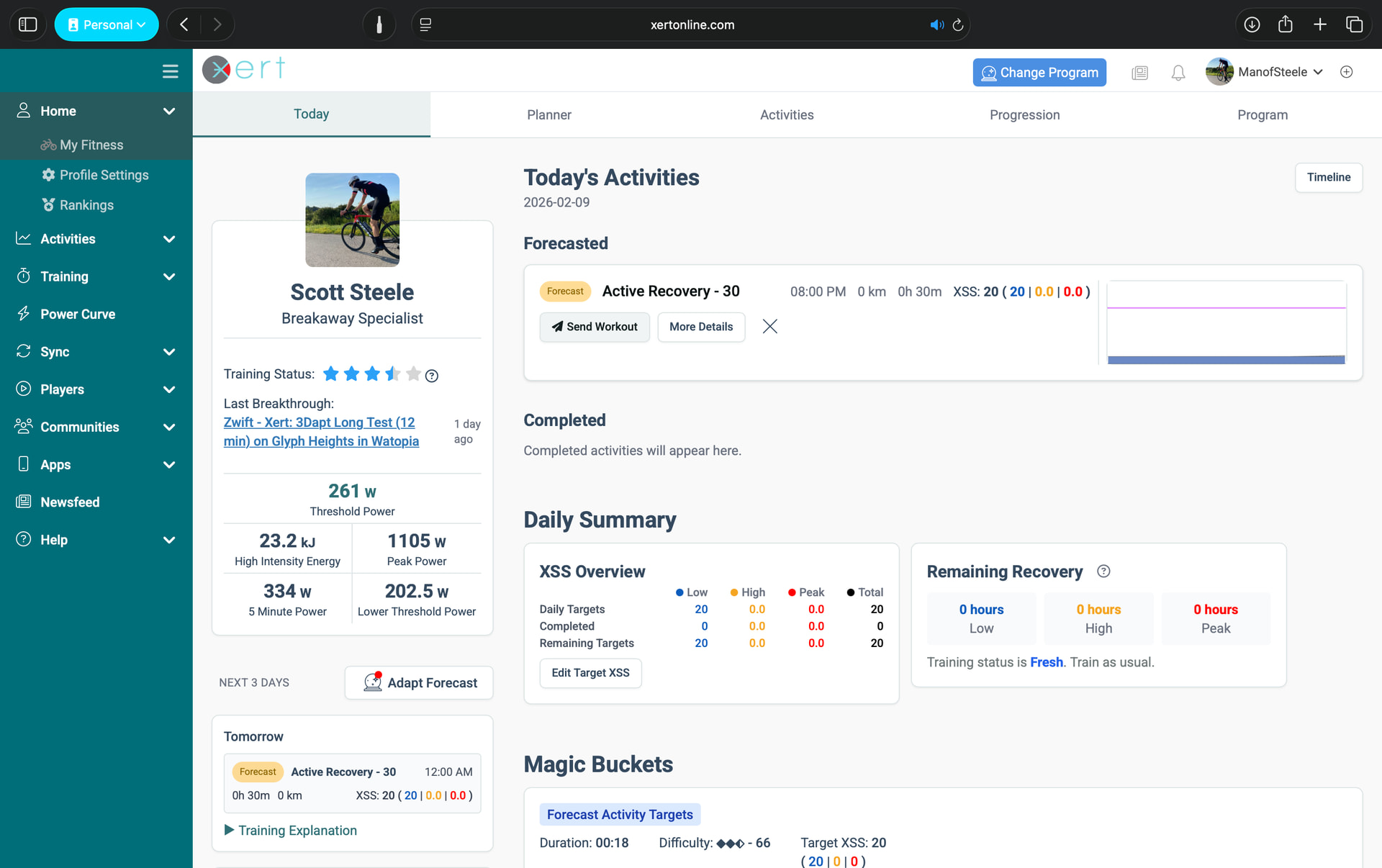
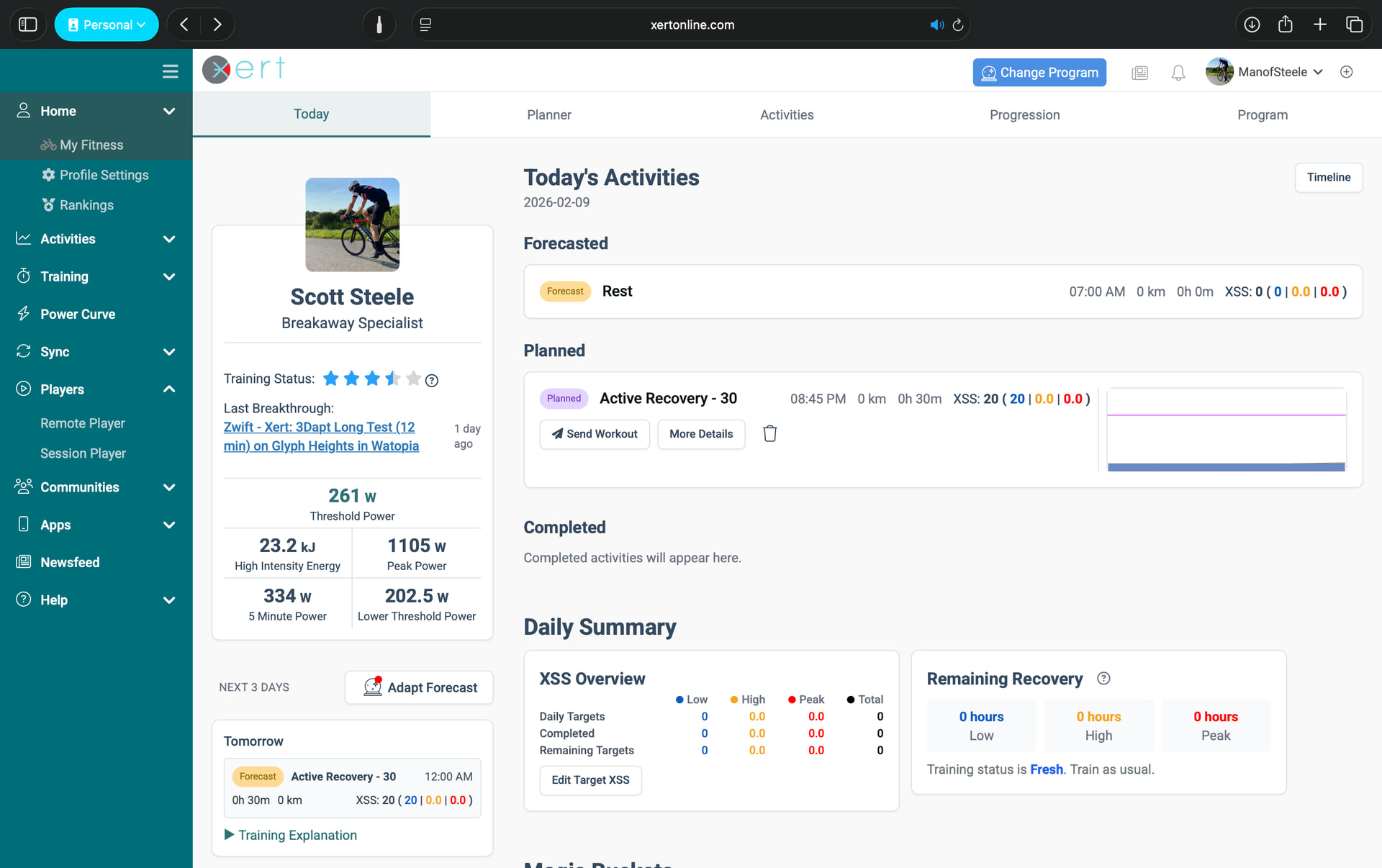
:date: The New “Today” Page: Your Daily Command Center
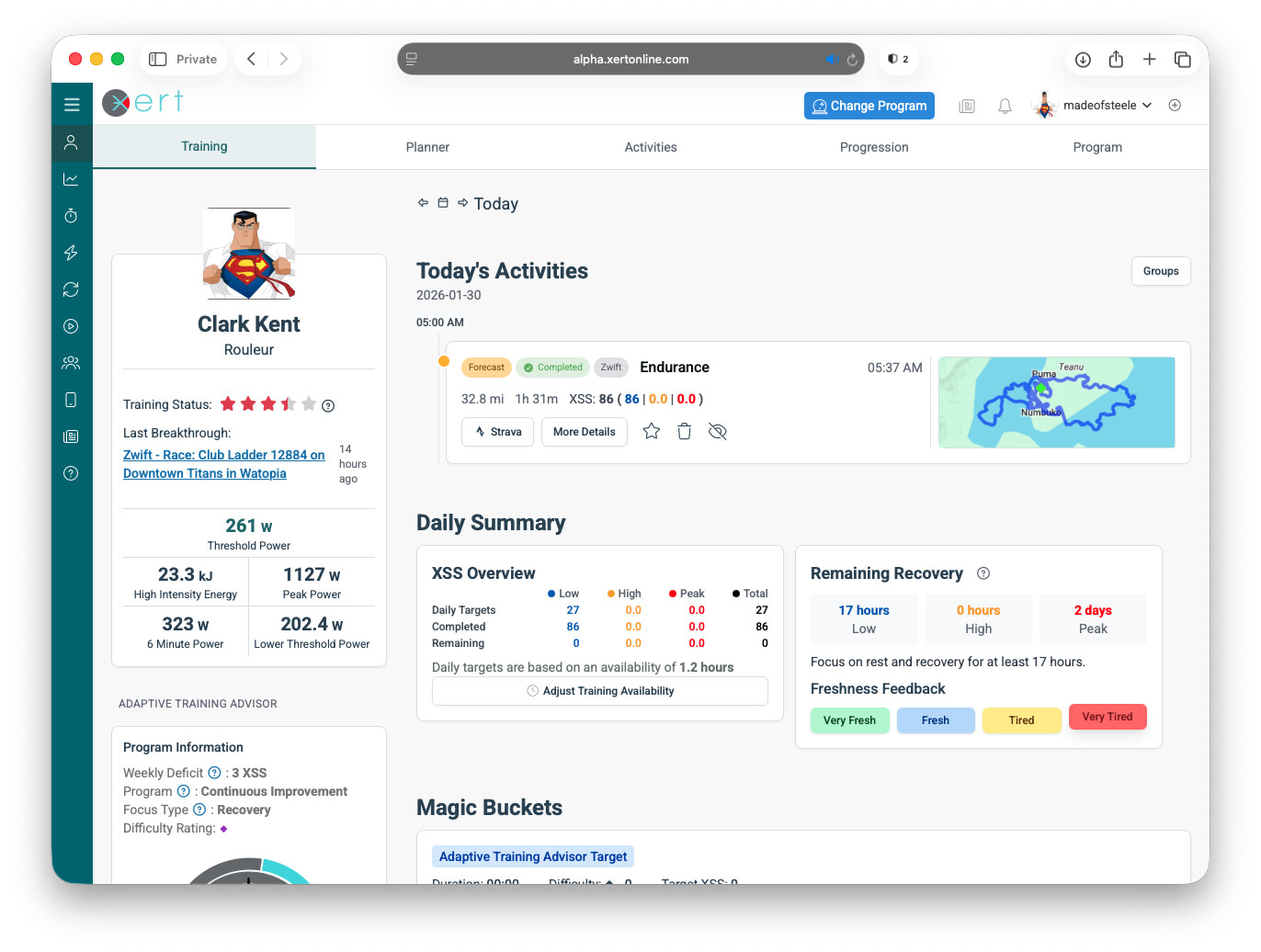
Whether you’re using Forecast AI (XFAI) or the Adaptive Training Advisor (XATA), the Today page is now the heart of the web app:

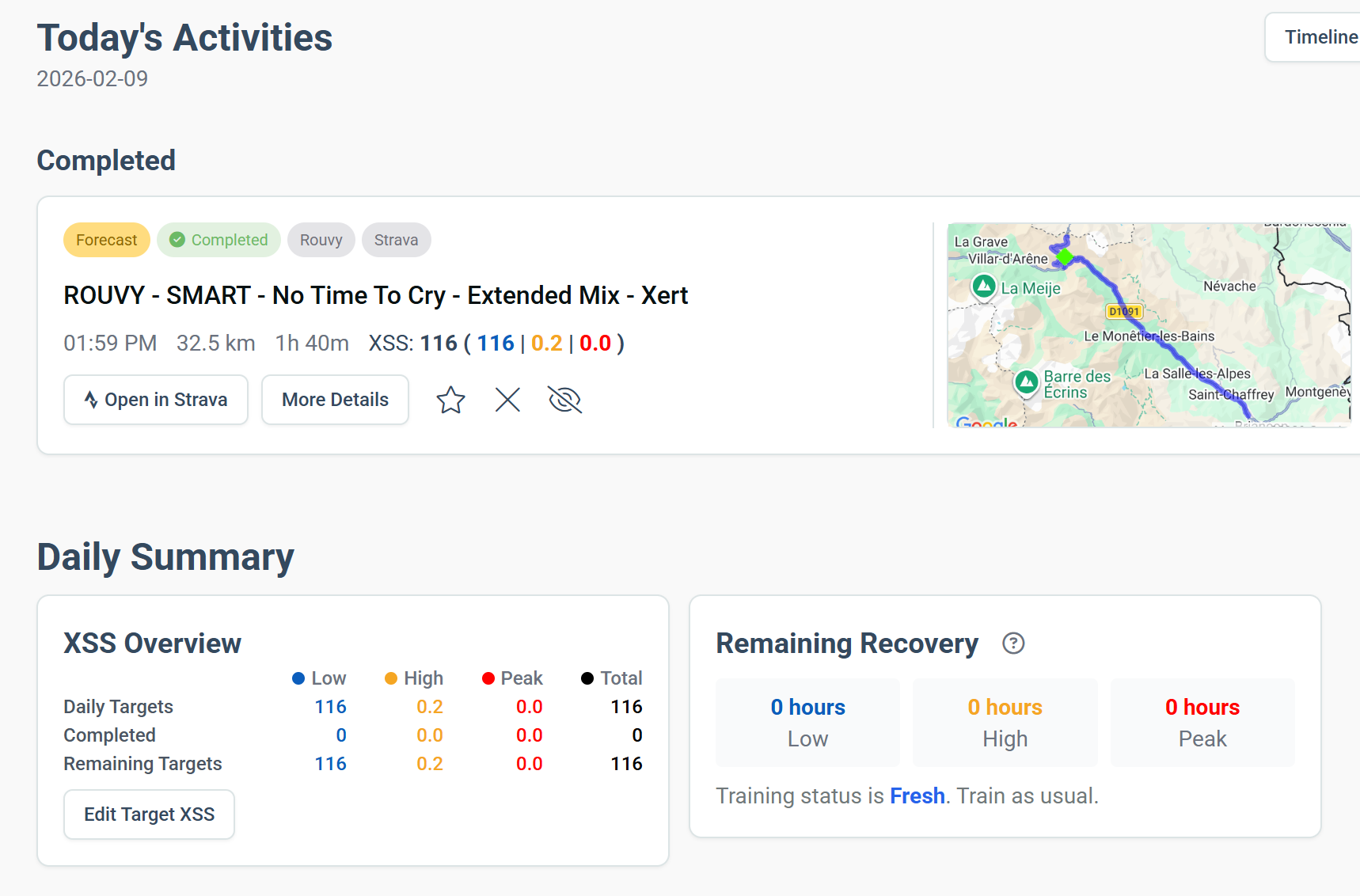
  • See forecasted, planned, and completed activities together
  • Match (or un-match) completed activities with planned or forecasted sessions
  • Group activities by type or view them on a timeline
  • View a daily summary showing:
    • Daily XSS targets
    • Completed XSS
    • Remaining XSS
  • See Magic Buckets targets, recovery demands, and current training status at a glance
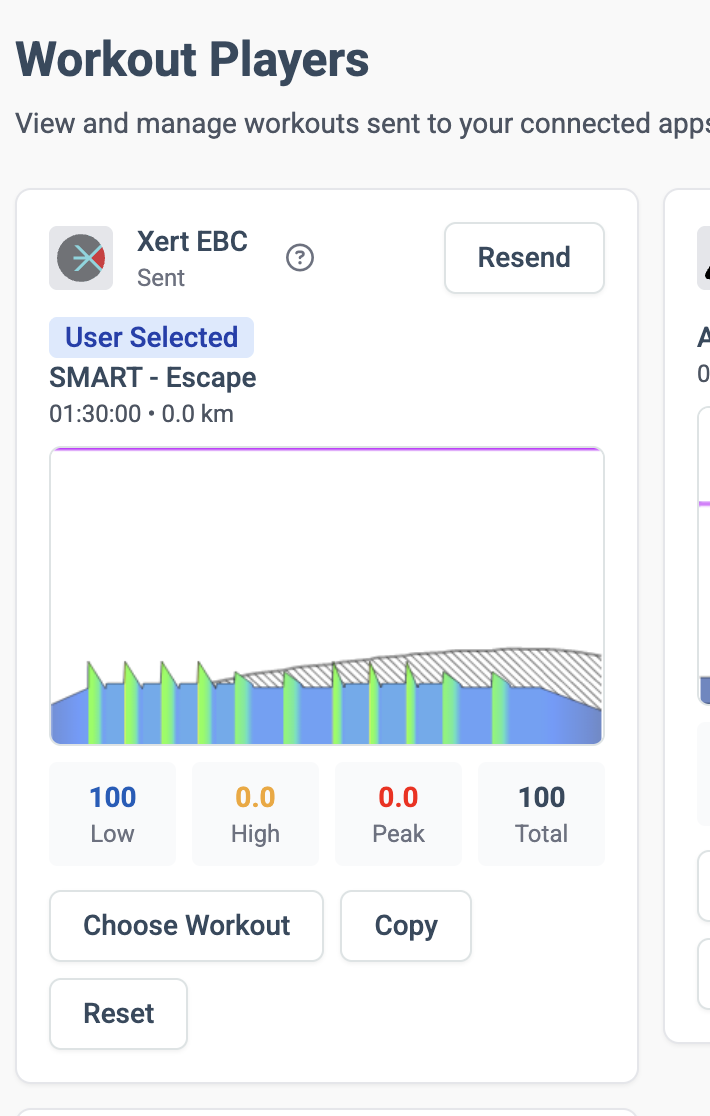
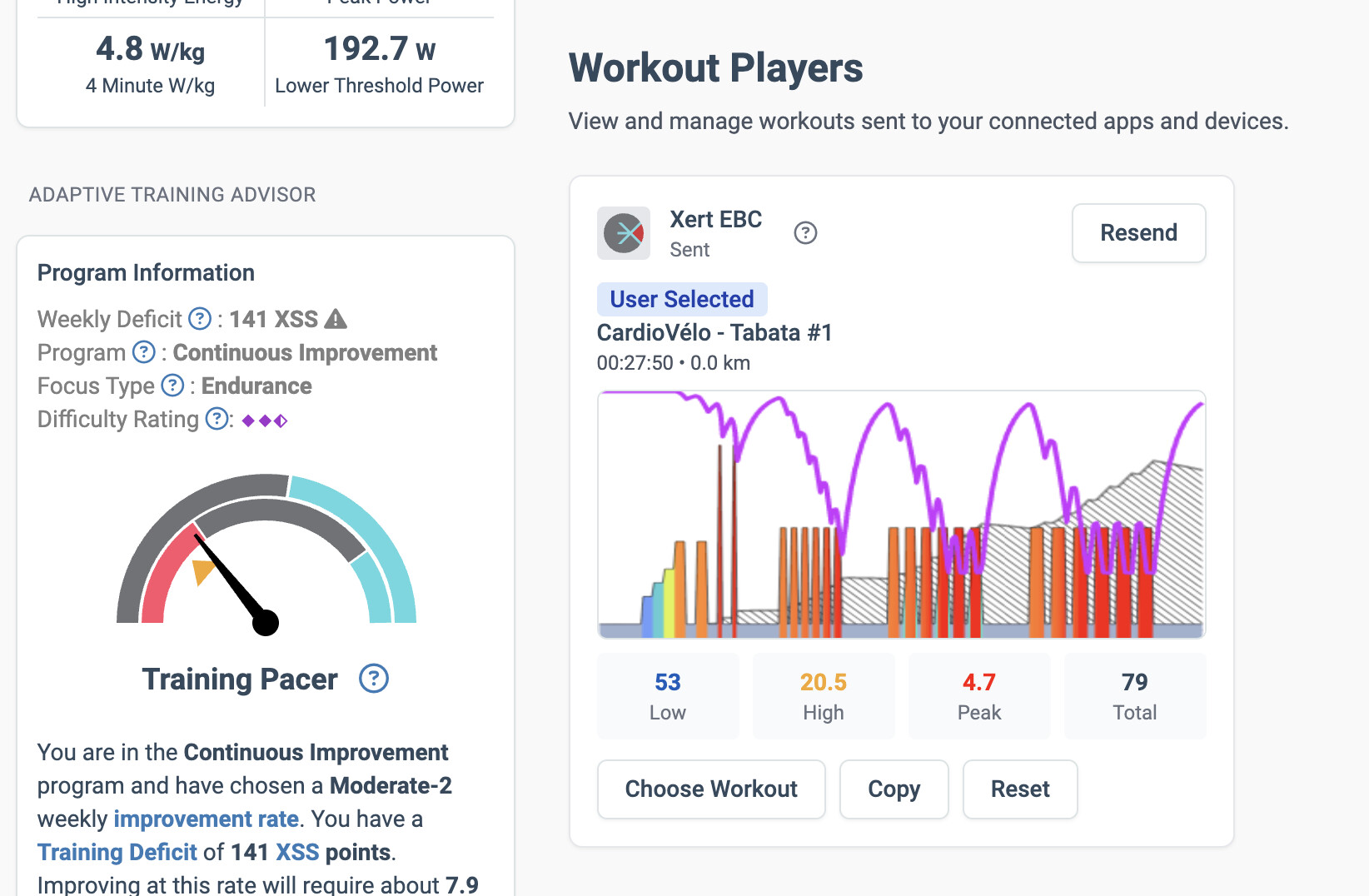
  • Recommended workouts and workout players are just a scroll down the page

:bucket: Magic Buckets Built Right In

The Magic Buckets feature is now fully integrated into the Today page:

  • View your XSS targets for a free ride, or
  • Generate a structured workout
    • Customize the challenge level and interval duration, if you’d like

:brain: Improved Adaptive Training Advisor Freshness Feedback
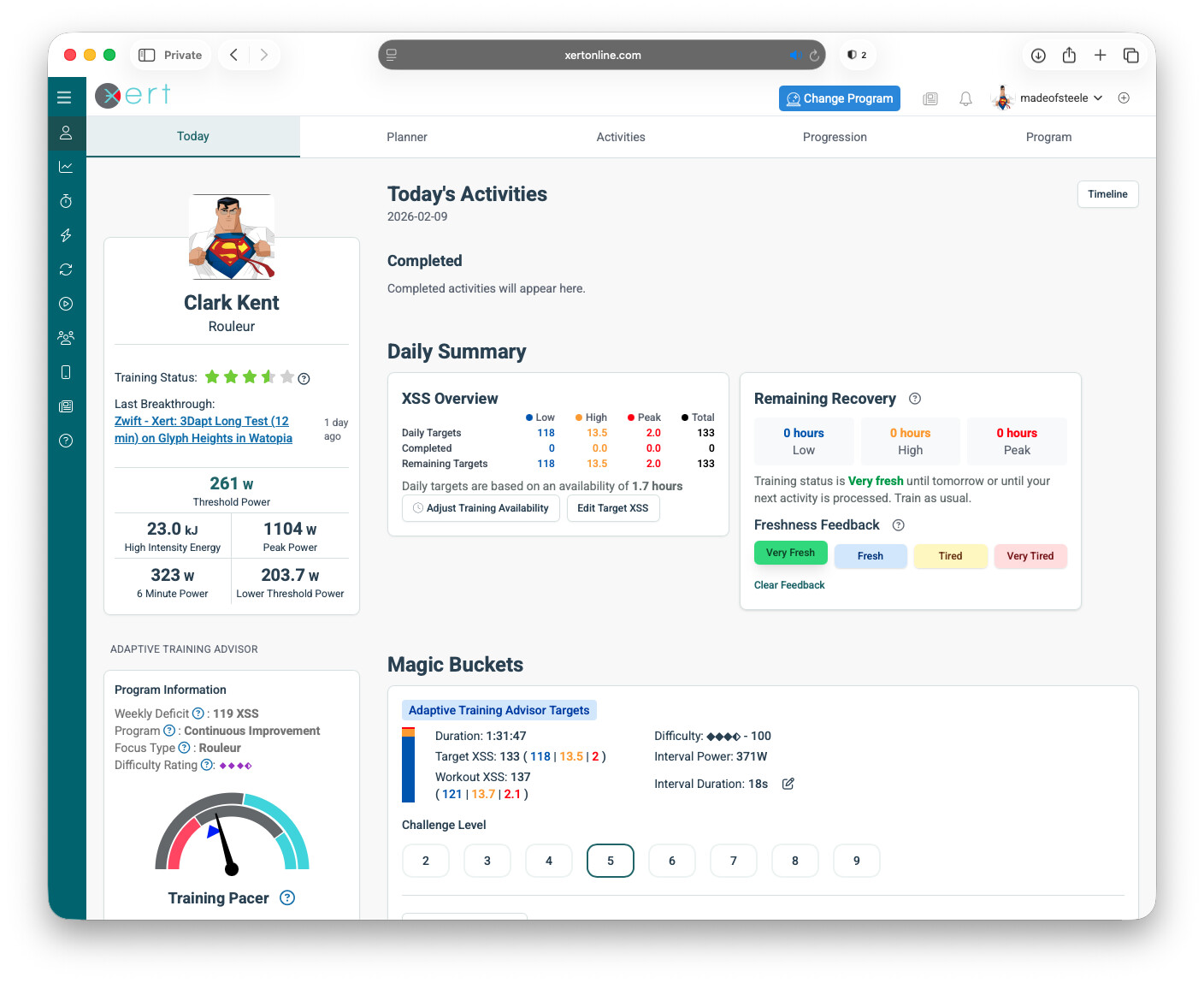
Freshness Feedback for XATA programs has been improved:

  • Simpler, more direct input
  • More predictable adjustments to daily training
  • Clearer changes to recommended XSS targets when freshness is adjusted

:person_lifting_weights: Refreshed Workouts & Recommended Training
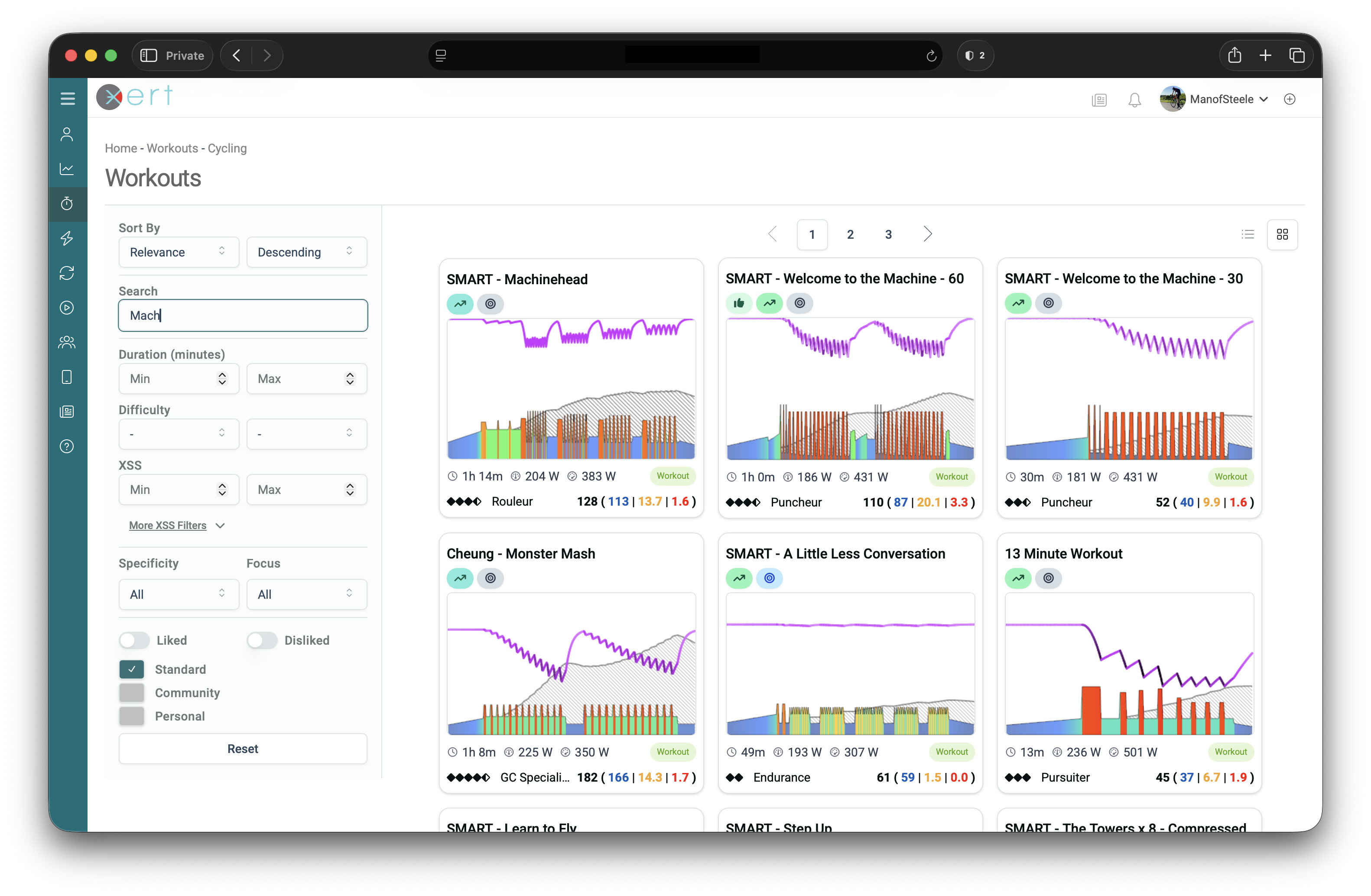
Finding the right workout is now faster and clearer:

  • Refreshed, cleaner workout interface
  • Improved workout previews
  • New filters for Low / High / Peak XSS
  • Easier browsing and faster loading

:counterclockwise_arrows_button: Smarter Activity Management

Xert is now much better at handling the real-world messiness of training data:

Duplicate Activity Detection
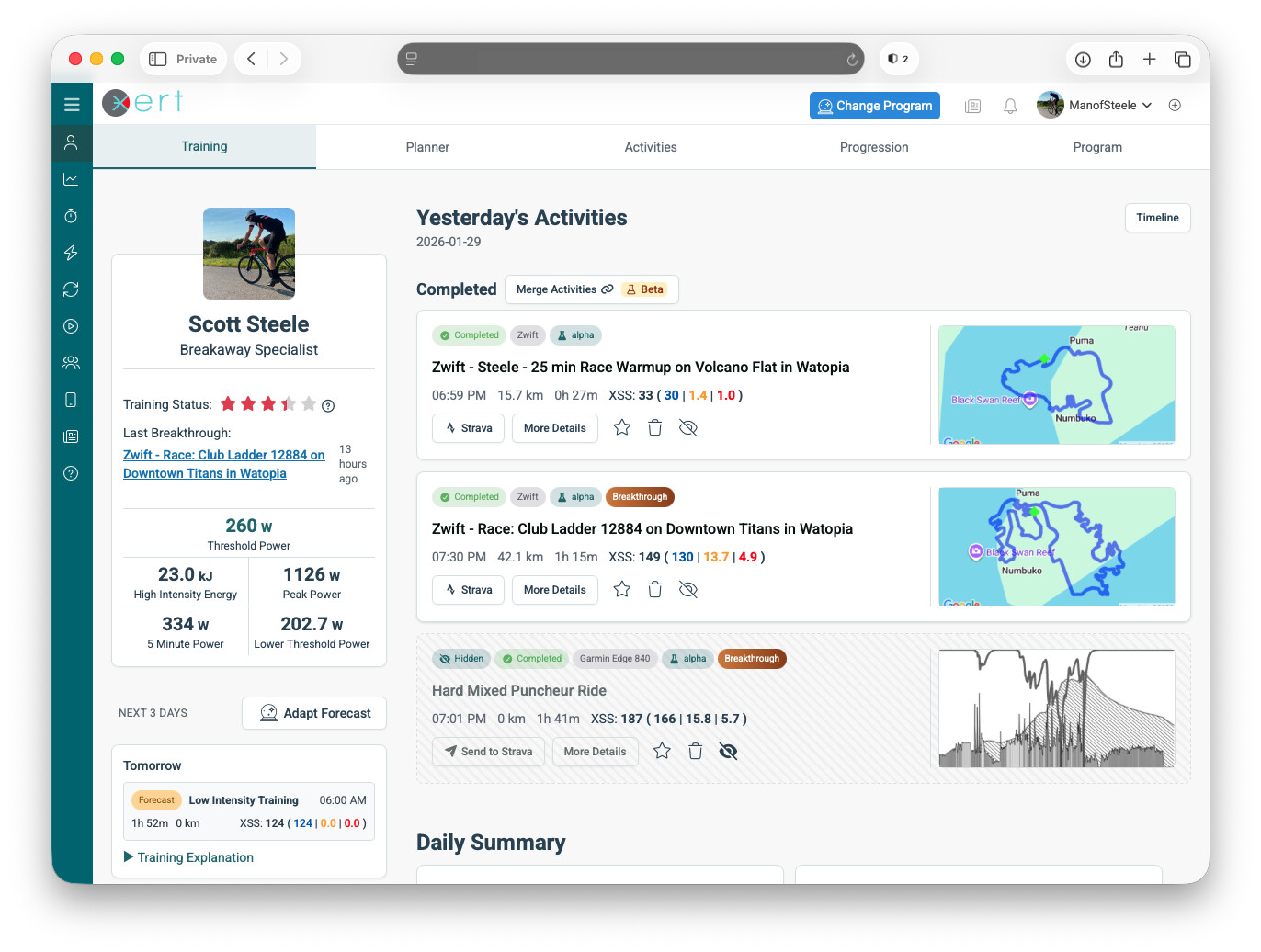
  • Automatically detects duplicate activities
  • Ideal for athletes who dual-record (e.g. Zwift + Garmin)
  • Choose the master file used for breakthroughs, XSS, and signature tracking
  • Duplicates are hidden and no longer count toward training targets

Activity Merging
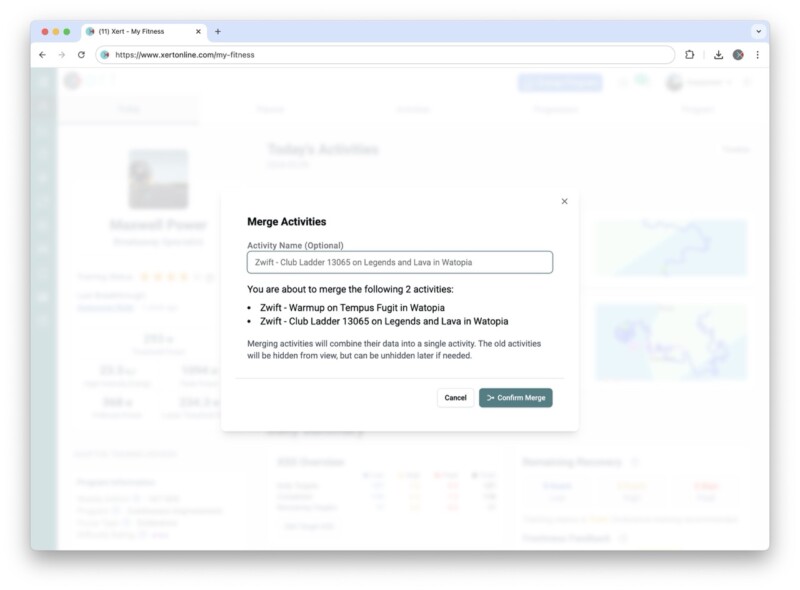
  • Merge multiple activity files into one complete activity
  • Ideal for combining warmup, ride/race, and cooldown files
  • Treats sessions that belong together as a single ride

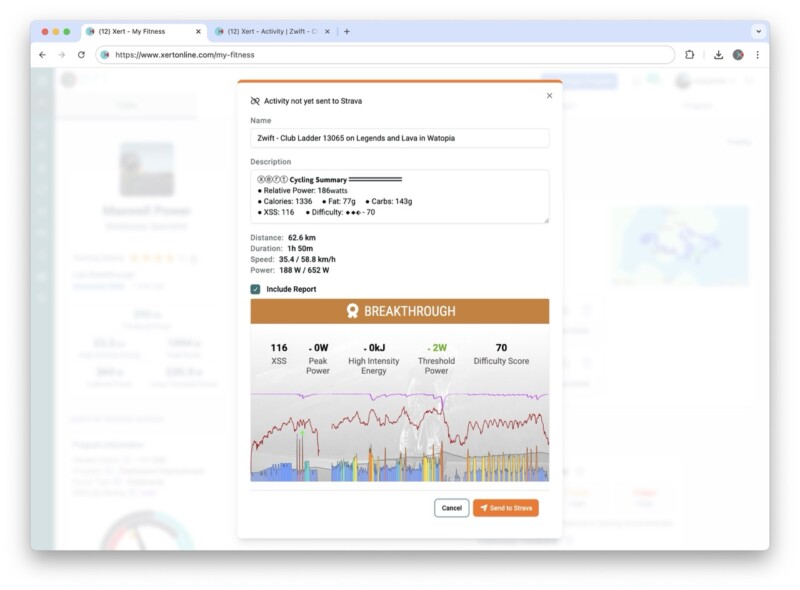
:person_biking: Improved Strava Integration

Managing Strava uploads is now faster and more flexible:

  • Send or re-send activities to Strava directly from the Today page
  • Edit ride titles and descriptions/notes before uploading
  • Attach relevant report images (Breakthrough, Workout, & Forecast AI reports)
  • Merge multiple activities and send them to Strava as one clean upload

Be sure to disable the Sync New Xert Activities to Strava on the Strava Sync page for greater control and management.


:hammer_and_wrench: Plus Lots of Polish

  • Assorted bug fixes
  • Performance and sync improvements

:rocket: In Summary

This update is all about reducing friction - less time managing files, screens, and data, and more time focusing on the training that actually moves you forward.

For more details, read our Blog Post: Orchestrate your Training – Xert

As always, we’d love to hear your feedback. Let us know what you think, and thanks for training with Xert! :raising_hands:

12 Likes

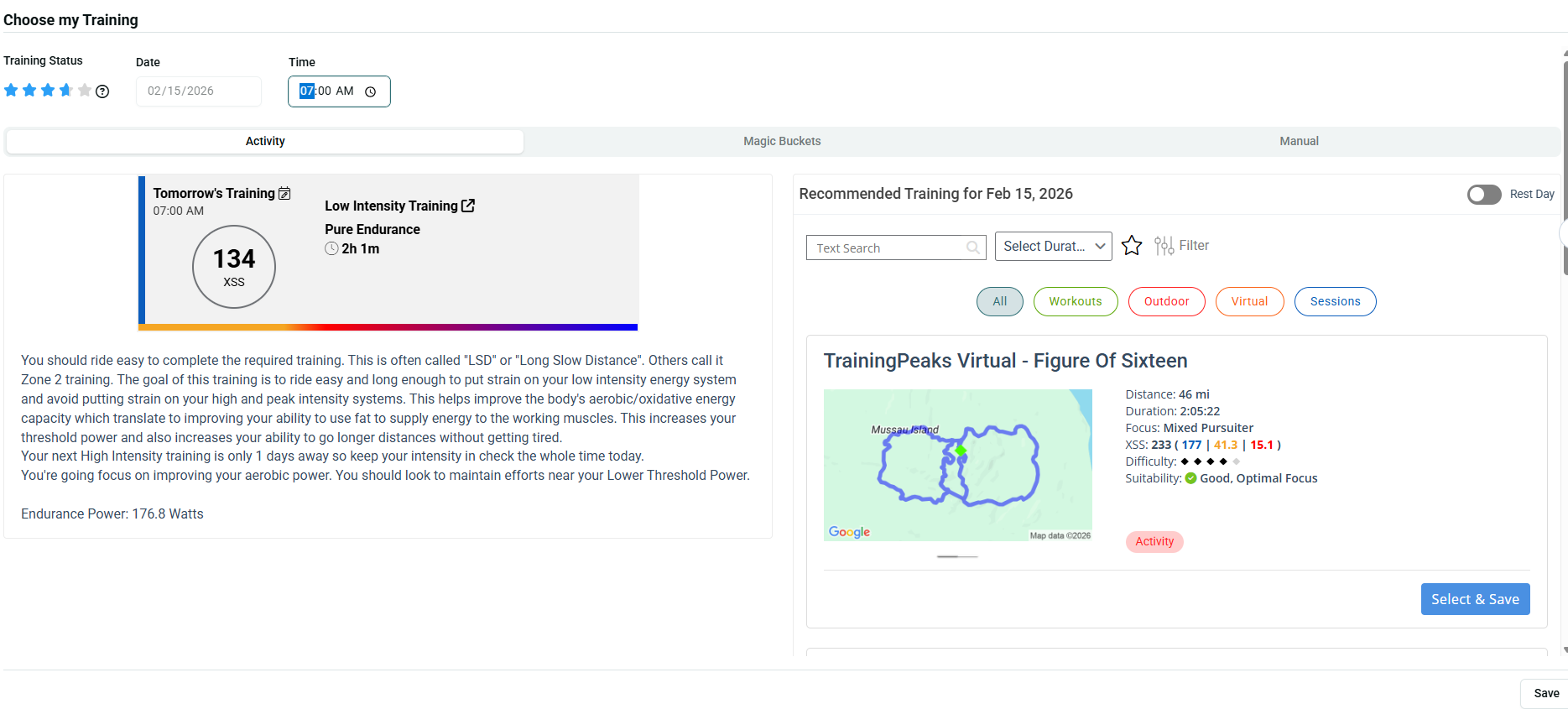
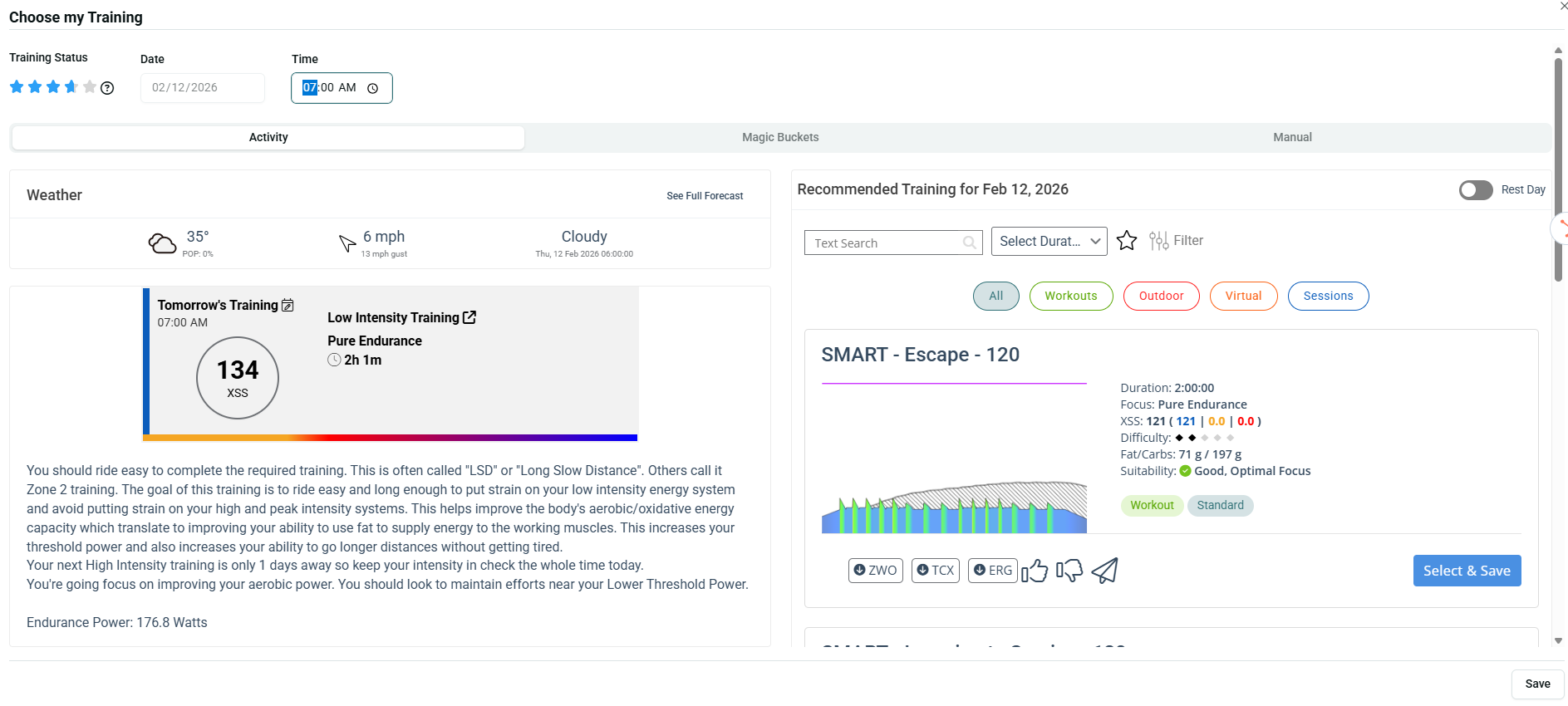
Seems like Im running into a bug here. When I go into the planner to try and select workout for each day this week is just keeps opening tomorrows workout. The date listed will be correct but it will only show tomorrows window with XSS forcasted circle and workout type.

Selected Sunday

Selected Thursday

1 Like

+1 for Zwift merge for warm up and workouts.

5 Likes

Working on it…

1 Like

Today screen looks great!

Bit confused though. Both myself and a friend who also uses Xert are seeing a ‘completed’ activity, but the XSS Overview shows 0 XSS Completed? Are we missing something?

Looking into it. Should be included in Completed section.

1 Like

Might be because your activity was processed before the update went in and the new matching logic is a bit different. If you delete and re-sync, does it go away?

Hi !

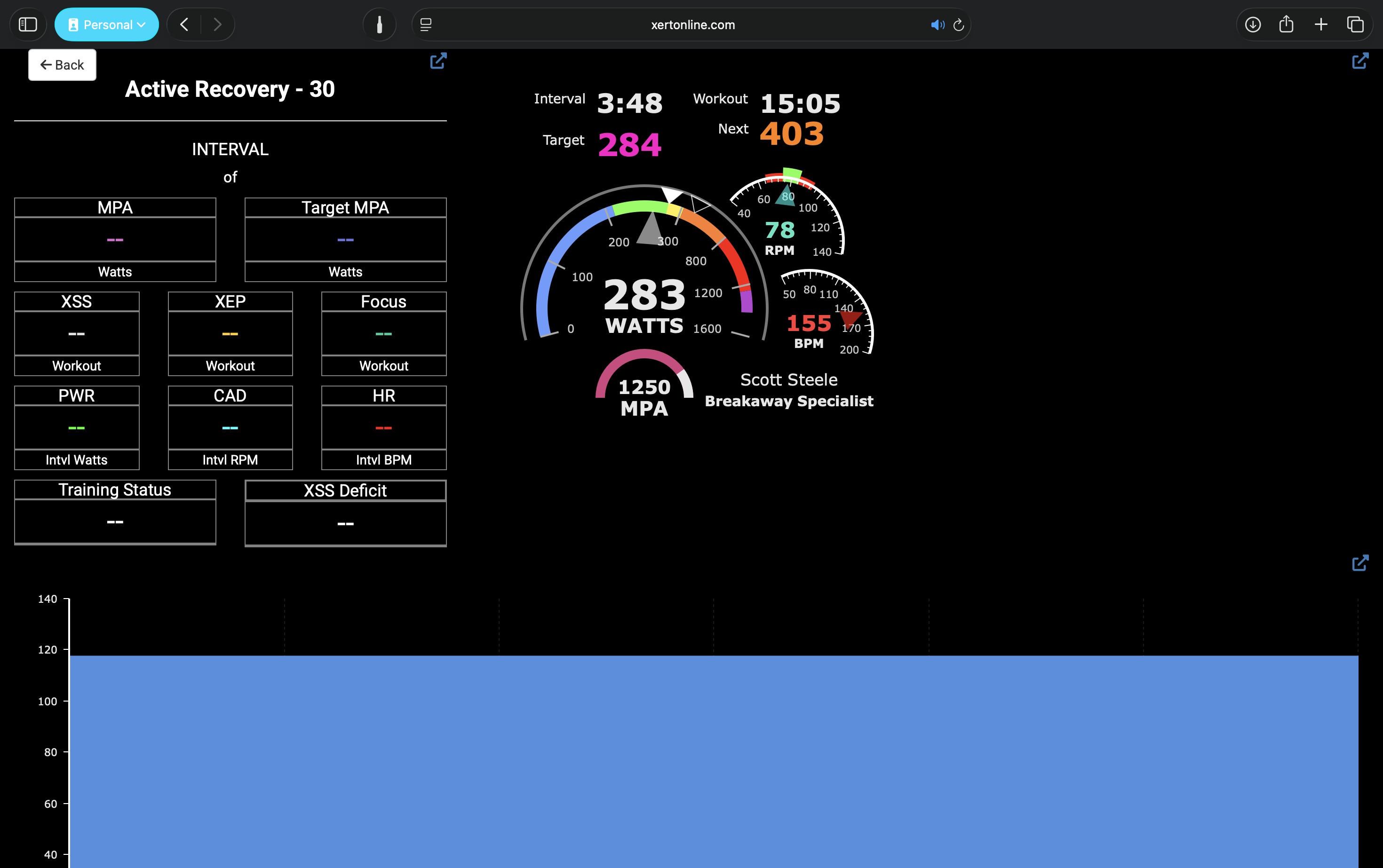
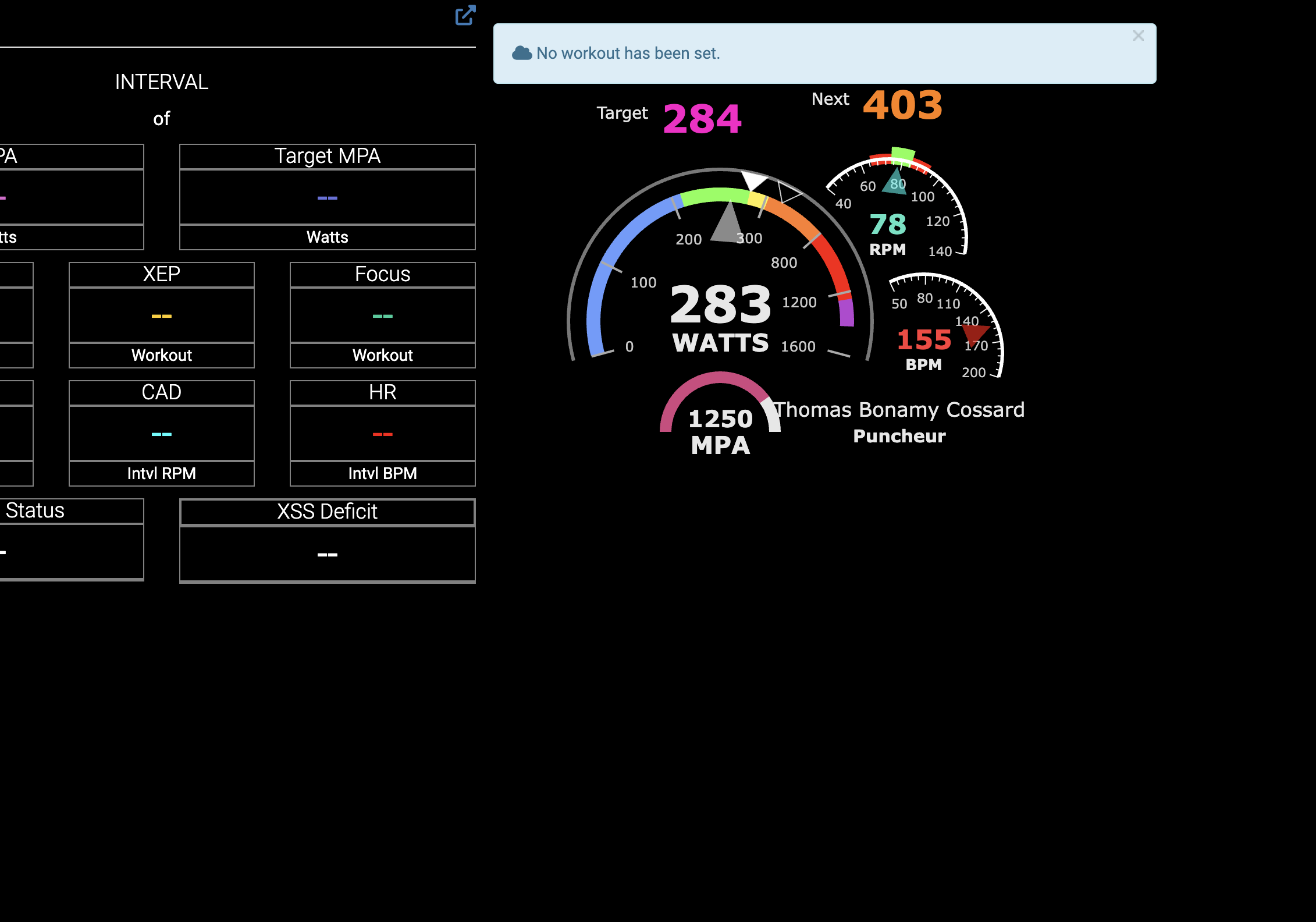
Love the new update. Although I came across a problem. The remote player doesn’t work anymore. After clicking on "play now” in a workout, when I go on remote player, the graphic doesn’t appear and it says No workout as been sent.

I hope this will be fix soon because I use the remote player to teach my classes at school.

Thanks !

Try again! You can either assign the workout to your forecast (if you’re following an XFAI plan) or schedule for today:

Either should load the workout in the remote player:

If that’s not happening, do send our support team step by step instructions of what you’re doing and we can take a closer look! Cheers!

Ok so If I set it up as planned it will work. But it’s a major hassle as I teach 2-3 classes a day at different hours of the day. If I complete it and it dissapear it will be very annoying to do the same manoeuver everytime…

Sending it straight away was way easier

Thanks for the feedback! Perhaps it would be best if selecting a workout for EBC on the page would update the Remote/Session players with the chosen workout - I think that should be easy to make work.

That would make it easy to find/send your workout and also have it updated on the page:

Cheers!

Tried that to. I see it on my workout players, I see it like that, but when I go to my remote player, it still says the same thing : that no workout as been sent. It seems like the like between the play now button or send workout is broken with the remote player itself..

Bonjour,

Merci pour cette belle amélioration de l’interface, je découvre et rencontre déjà un os.

Cependant je remarque quelque chose de curieux sur les propositions d’entrainements lorsque je modifie mon information de fraicheur quotidienne

Lorsque je mets “frais”, j’ai une proposition d’entrainement MB avec un challenge de 9 et quand je mets “très frais” j’ai une proposition d’entrainement MB avec un challenge de 5.

ça ne me semble pas logique ou bien il y a quelque chose que je ne comprends pas bien.

Voici un lien vidéo qui montre ce que j’essaye de vous expliquer :grin:

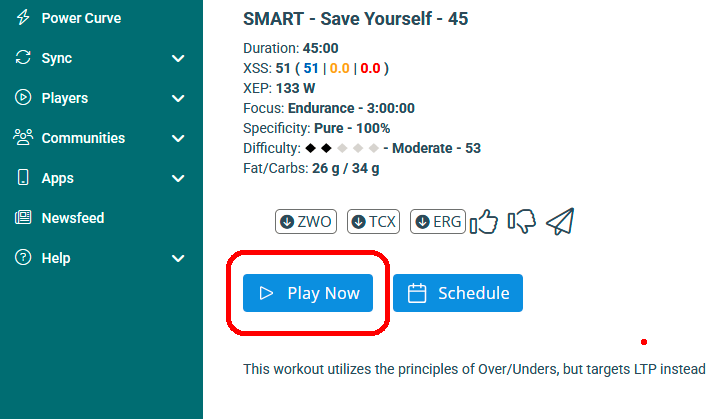
same thing.. when you are in workout view and there are two options play now or schedule. If you hit play now nothing useful happens. It says the workout is ready but it does not appear to show up in the player so how do you use the play now button and what should it do when pressed??? in past it seemed to act on the players as the chosen workout that is not what happens now.

I would assume play now menas it can be run in EBC and in player at the same time without any further button pressing.

Completed four Rouvy rides and sent them to Xert. The merge worked well but the distance total was well out. Should have been 52km but it thought 75 km which is what was sent to Strava.

I quite liked it though and will try again tomorrow

@tbcossard @skinner_ron We’ve made it so that any workout sent to EBC will be prepared for the Remote/Session Player.

So from the Today page, head to EBC and choose a workout, then filter or search for your workout. Once you click the ‘Send to Xert EBC’ button, the remote player will display that workout :slight_smile:

Thanks John, could you kindly send a note to our support team so we can take a closer look? Include the original .fit files from Rouvy, if possible! TY!

the One BIG question I have is what is the Play Now button in the workout view supposed to do:

Functionally, this button has been deprecated as it’s no longer necessary. We can probably remove it entirely as it’s no longer needed. It would be better to only have ‘Send To…’ and the ‘Add to Calendar’ options on this page. Added to our Backlog :slight_smile:

1 Like

Should be fixed now! Cheers!