Just noticed if you have a duplicate ride the system aggregates to a combined total XSS value on the progress tab, even if I delete the dupe.
Update appreciated as looks great. Quick question, how can I stop my previously completed IRL and Zwift activities being suggested as Workouts. I am on a ATA programme (Base, Build, Peak) and the next suggested workouts is swamped with unstructured rides, Zwift Races, etc. Ideally just my ATA suggested workouts show. Huge thanks. Update looks super.
2 Likes
Nice job everyone! Looks great! Are you planning to bring these updates to the mobile app as well or should we using the mobile friendly page vs. native app?
1 Like
Rode on Zwift today while dual recording on Garmin.
Started Garmin first, then selected TdZ Stage 6 on Zwift, finished that, rode around in Richmond for another hour, saved that activity on Zwift, then rode a few more cooldown minutes before saving the Garmin recording.
Duplicate logic worked flawlessly. So flawless I didn’t think my Zwift ride got synced to Xert. Then I saw the View duplicates arrow under Completed on the Today page.
Since my Zwift activity was sandwiched within the Garmin recording, the Garmin recording took precedent and the completed Moderate Polar Puncheur Ride got pushed to Strava.
No more messing around deleting dupes. 

Glad you’re liking the update!
When you’re reviewing the suggested trainings, you can use the ‘WORKOUT’ filter to only show structured workouts. This works from the Today page under Recommended Trainings (shown below) or in the planner when you go to plan training for upcoming days.
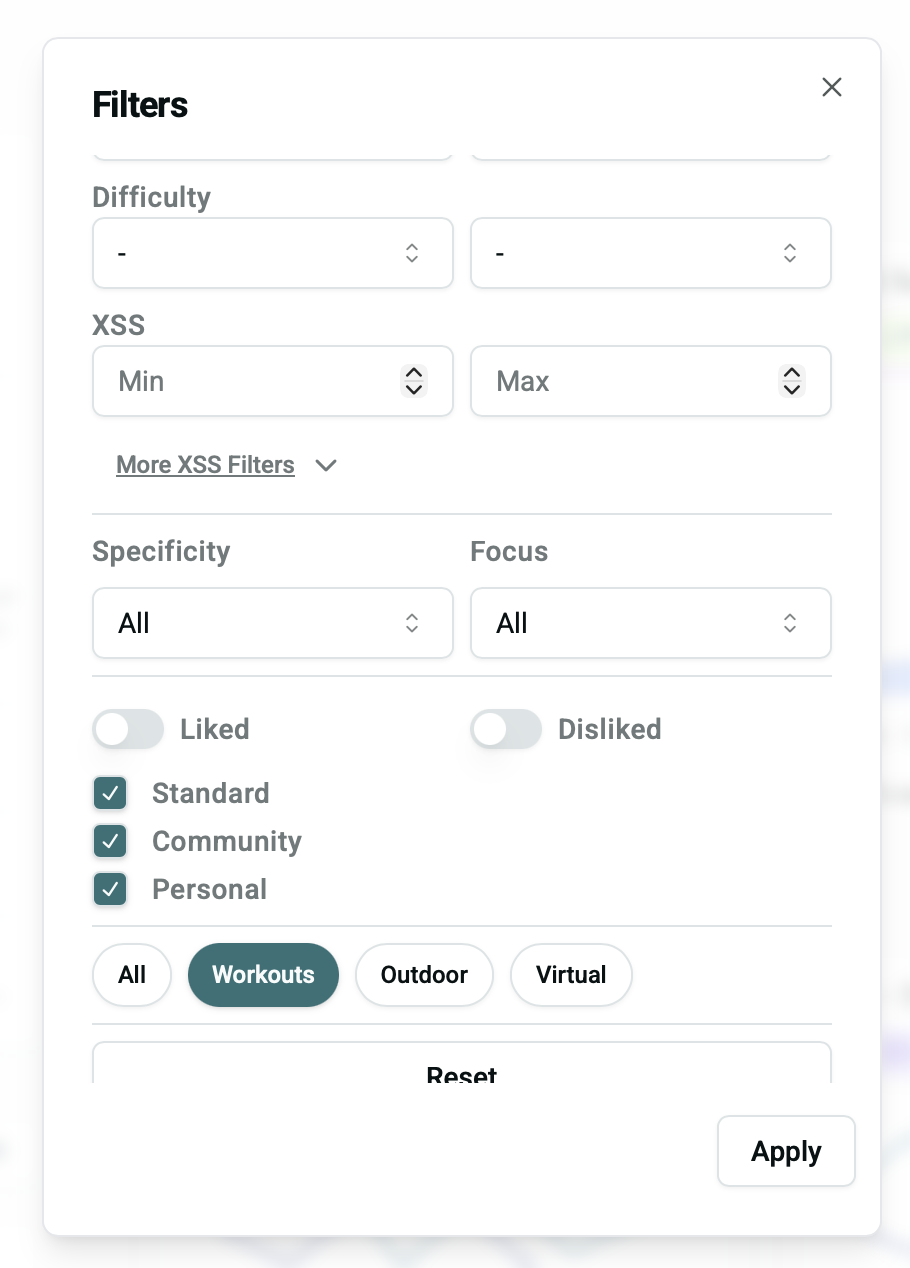
The idea is that you could use Outdoor or Virtual if you want to see previous outdoor/virtual rides that you’ve done that align with the training recommendations (e.g. a particular route that you rode or a group ride that you participated in that achieves your desired training for the day).
The goal is that many of these features (today page, adapt forecast/manage program, etc.) will be added to the mobile app… For now, the web app - which is now much better optimized for mobile browsers - is the best way to manage your training.
For now, the app is mostly to record workouts & do some very light analysis.
2 Likes
I tried it !
You guys are AMAZING ! Everything works perfectly !!! Thank you so much for your quick answer and actions !!!
1 Like
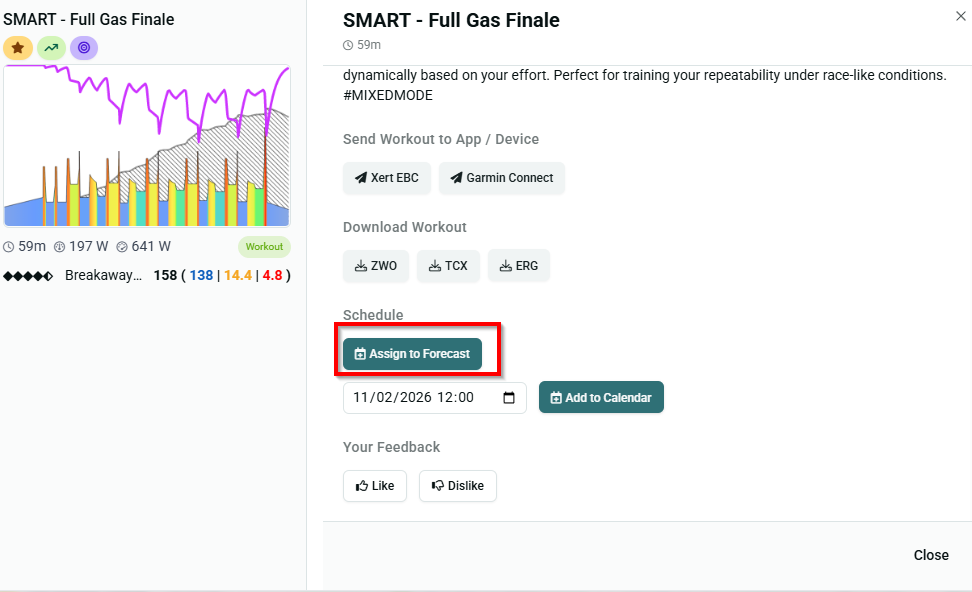
What should be the effect of the button ‘Assign to Forecast’? When I click it, nothing seems to happen.
Having problems populating the remote player in Xert. When I do a workout, I use the Android app to populate the workouts. In one session, I will do 2 or 3 different workouts. Since the upgrade, the Android app no longer populates the remote player.
Updates
- We have identified and fixed an issue where XPMC chart & planner would also display XSS from merged, hidden, or deleted activities. (@colincostello )
Most everything should be working as expected! We are still investigating issues & squashing a few other bugs related to this major update.. I’ll share more details as assorted bugs are resolved  Thanks for your patience!
I think we can further refine/enhance this feature. This effectively changes your targets for today’s training. E.g. Forecast AI says you need to do 120 Low XSS, but you find this workout & you really want to do it (because it’s such a “fun” workout  ). The ‘Assign to Forecast’ essentially updates your XSS targets today to align with the XSS of that workout (or Outdoor/Virtual activity).
Here’s an example:
- Targets from XFAI today are ( 135 | 11.9 | 2.9 ):
- But let’s say today I really want to do the SMART - Body Movin’ workout, so I Assign to Forecast:
- Now when I go to the top of the Today page, I can see that the workout is now assigned as the training for the day and the daily XSS targets have been updated to use the values from the workout ( 130 | 13.1 | 6.4 ):
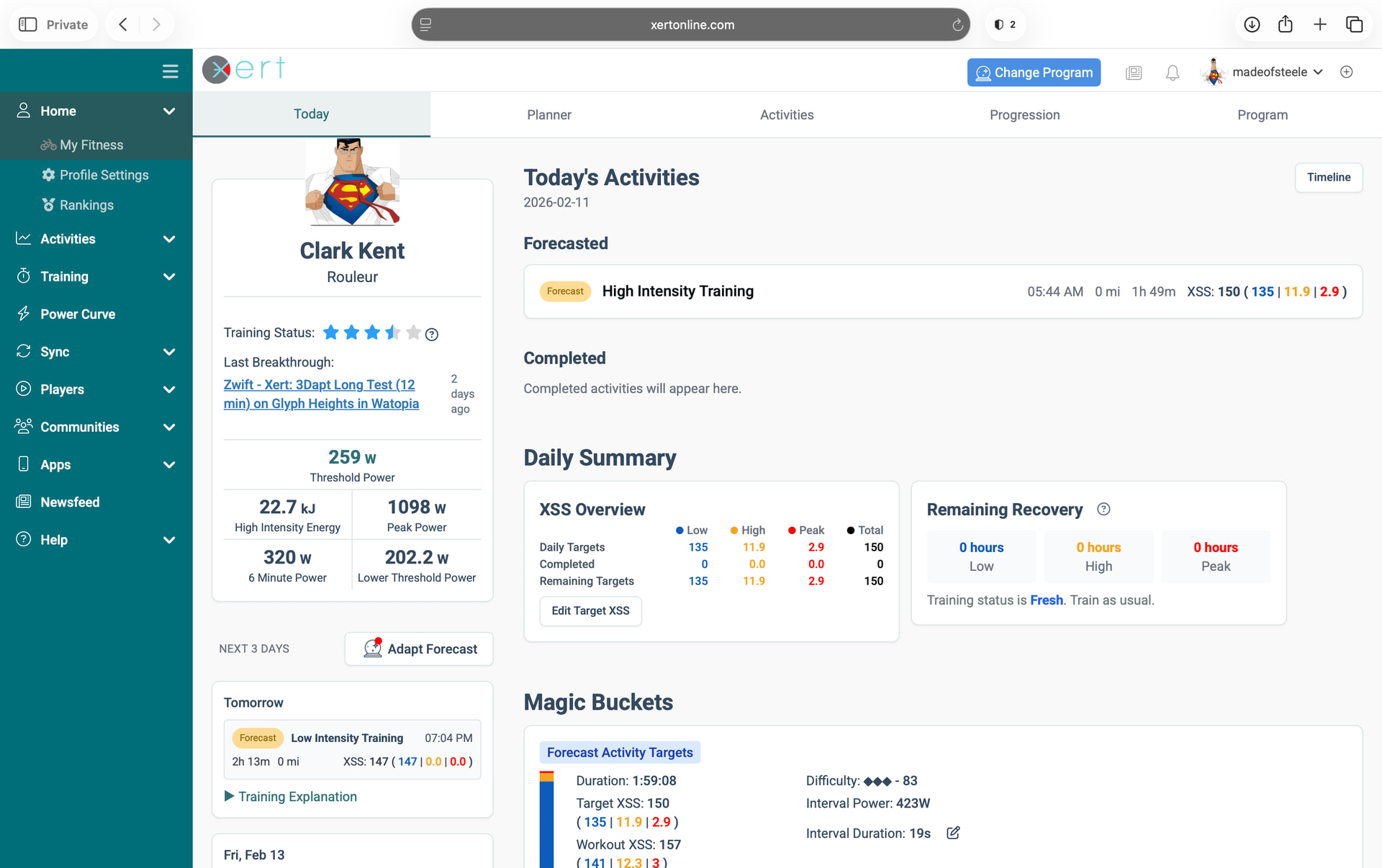
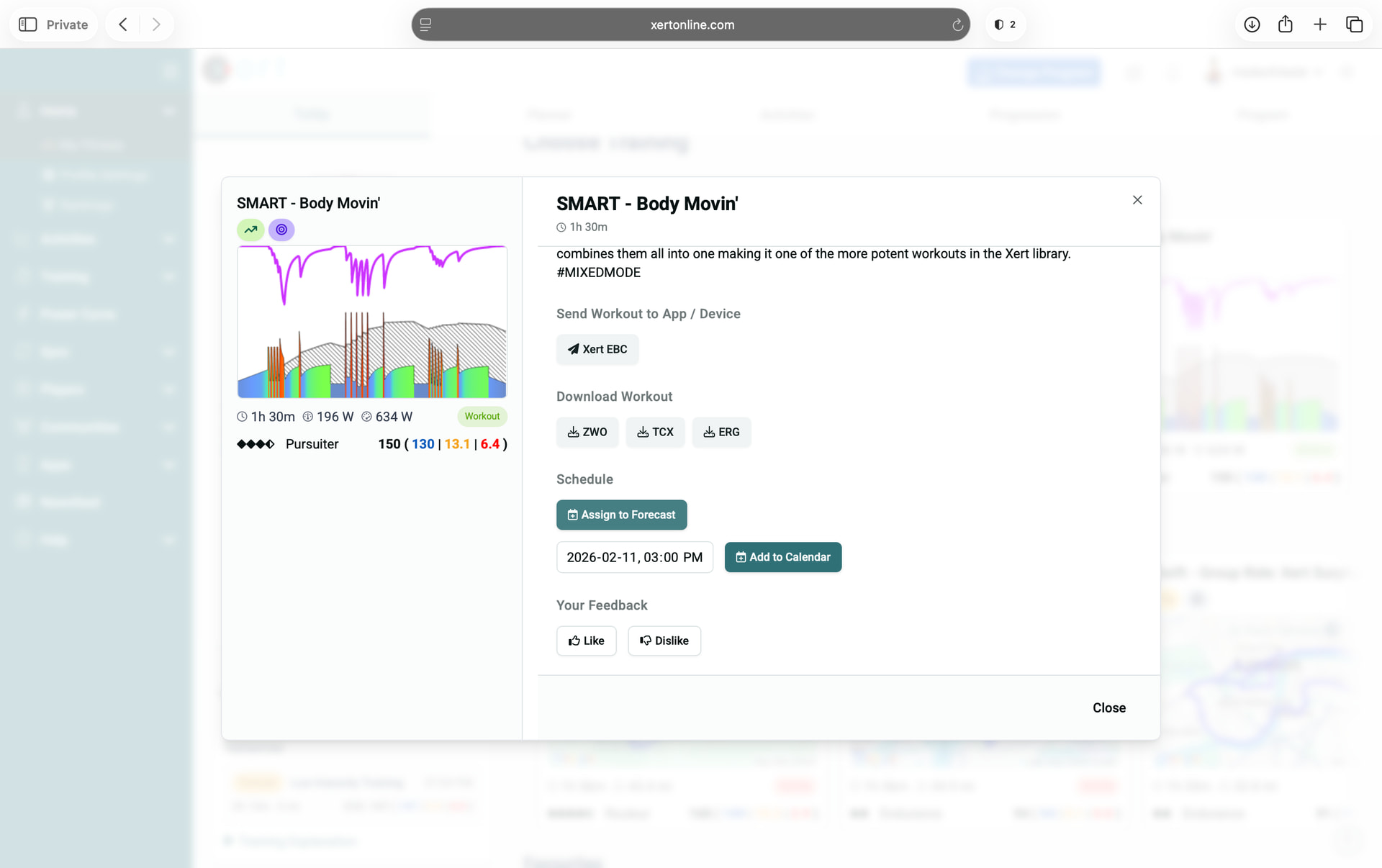
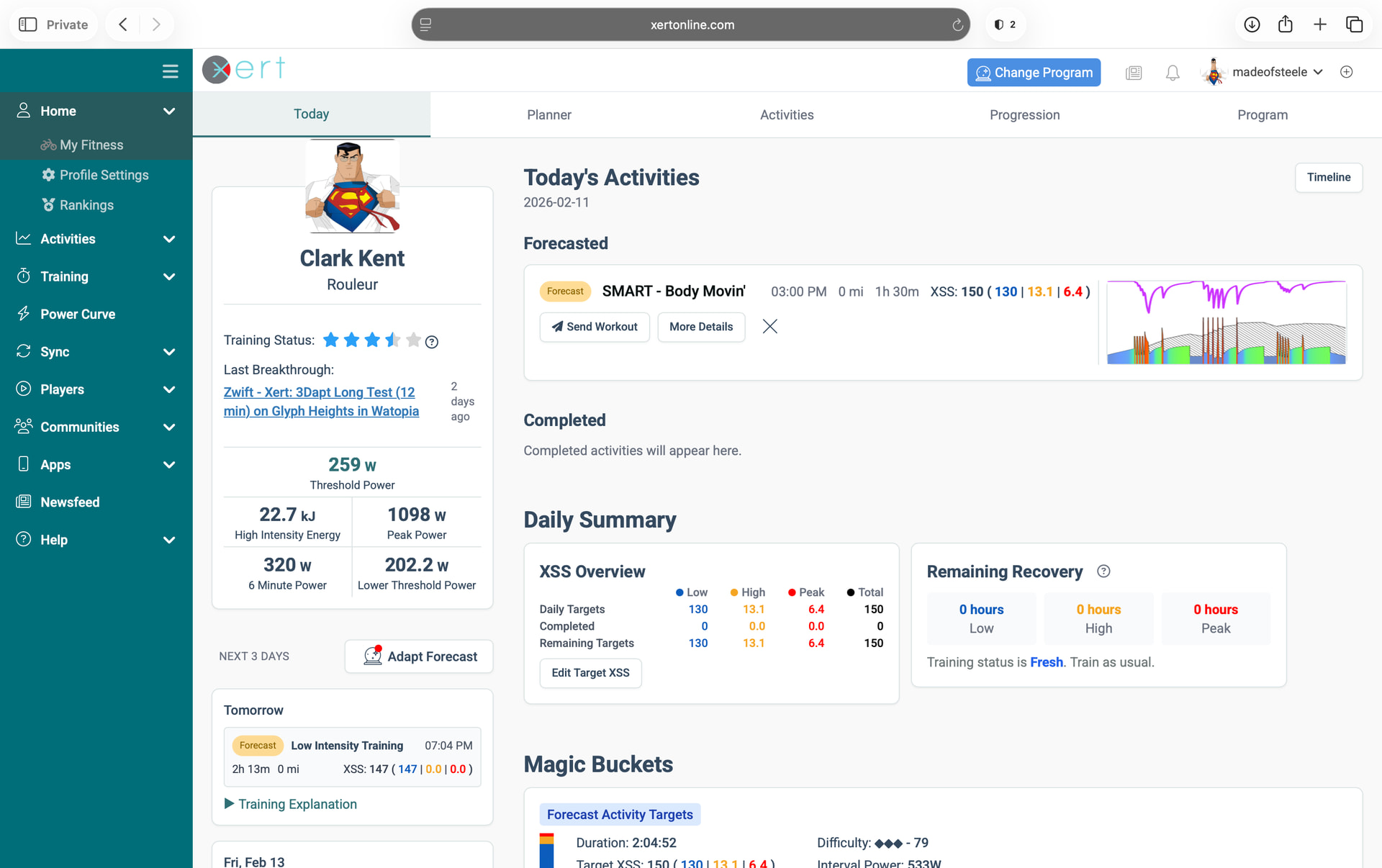
In the future, perhaps we could prompt the user (or automatically?) have XFAI run Adapt Forecast, since the athletes change might deviate significantly from the planned training such that a forecast update would be appropriate…
3 Likes
Great work; I can confirm the XPMC chart is displaying correctly!
1 Like
the page looks great in iOS Mobile. love it.
1 Like
Oh, so that’s what ‘Assign to forecast’ means. Would never have guessed that. I suggest changing the text to ‘Assign workout XSS to Forecast’
Thanks for the super fast response. Appreciated. I understand the filter is there, and it is how I get to the workouts. Could a feature be that we can select a ‘Default’ filter, so we can see pre-filtered ‘Workouts’ (less clicks).
Also to add, that completed IRL and Zwift rides rarely make for good workouts, due to there unstructured power profiles (especially if racing, using Zwift draft, traffic, etc). These can be converted to Magic Bucket XSS, but that then makes my programme less structured and (IMO) less intelligent. Again great update. Thanks in advance for replying. M
Any issues with merge ride. I did 5 rides from Day 5 of RAGBRAI ( on FulGaz) but I cannot merge all 5 or even just 2 rides. It just keeps on showing the merge rides button.
Hi John,
Can you send us an email with the .fit files of the 5 rides from Rouvy so we can take a closer look? It’s much easier for us to help when we can reproduce the issue on our end. Cheers
Thanks for the feedback. The EBC app should include the selected workout in the telemetry payload (with Power, cadence, HR, etc.), so it should be possible to have the remote player update based on the workout(s) you’re doing from the app. We’ll take a look at this.
Is it possible to choose the master file for a duplicate activity after the day it happened?
I found it and got it to work on the ‘Today’ screen, but I’m stuck on how to do it for past days.
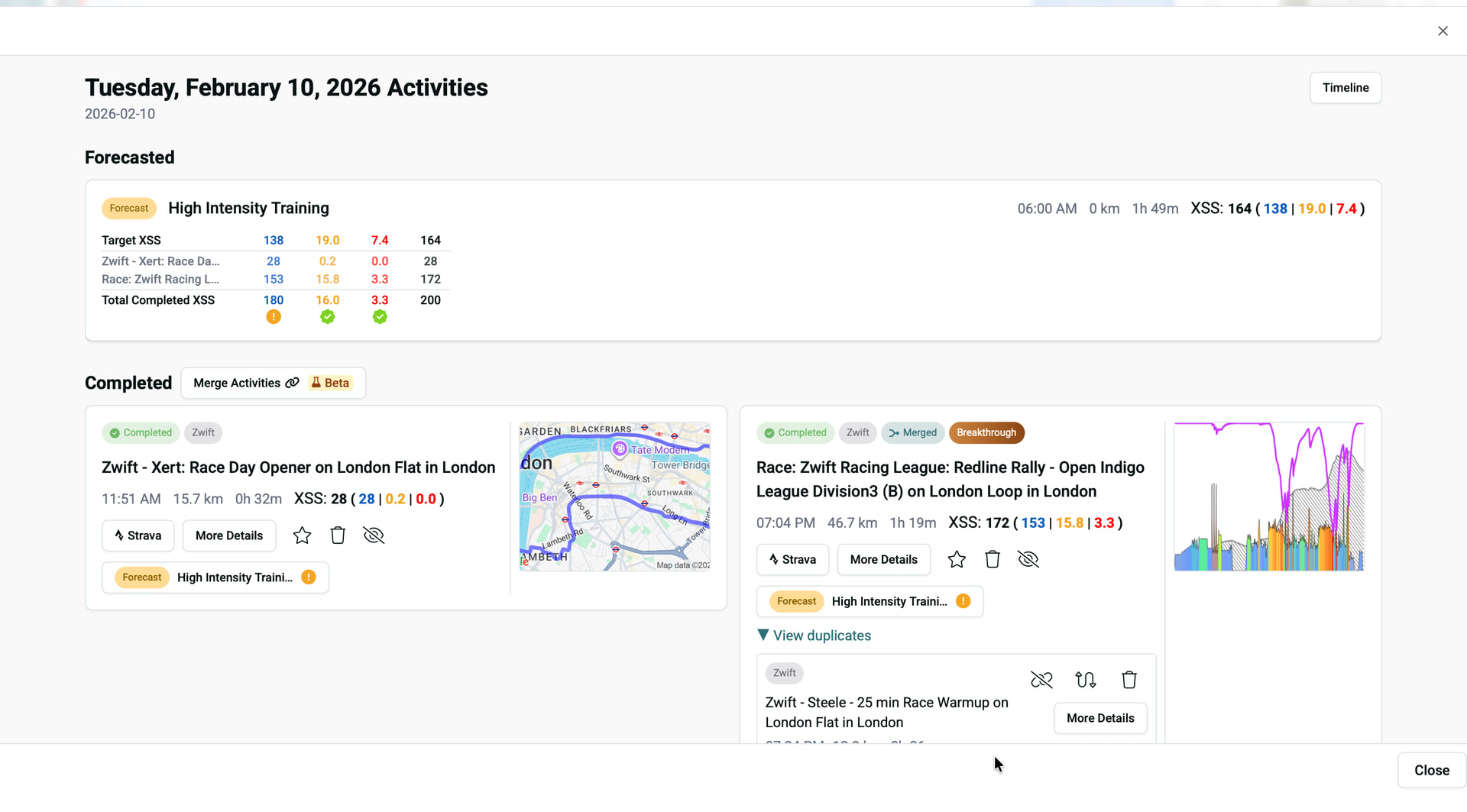
Great question. Yes! If you go to the planner on a day in the past, use the Magnifier Icon to bring up the “Today” view for that day. From there, you can merge, hide/un-hide activities, resend to Strava, etc.
Review Day’s Activities:
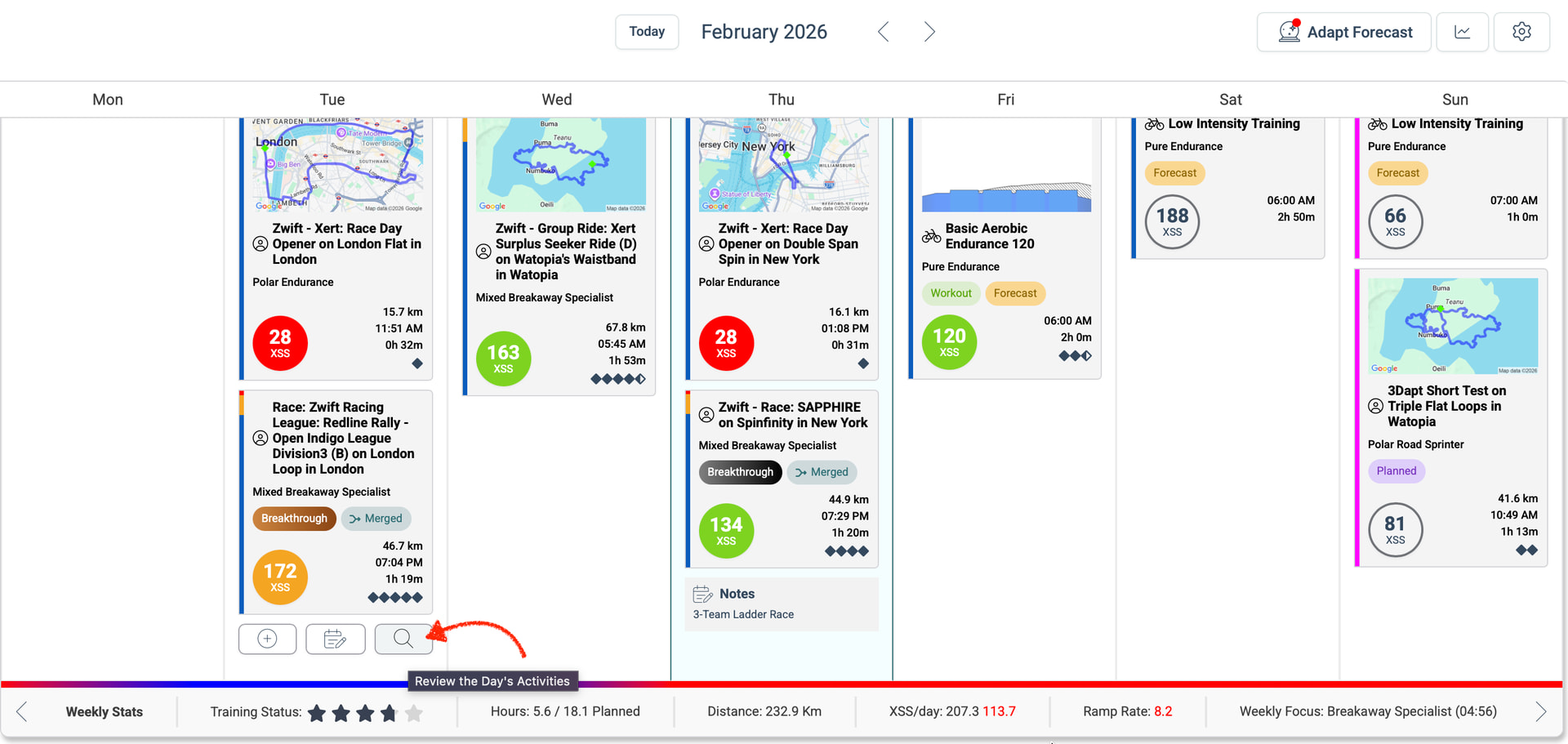
From there, you get a summary of the day’s activities:
Got it! Nice
1 Like
Hello,
dunno if its because of the new UI since I’m new, but in the planner when hovering over scheduled XSS:
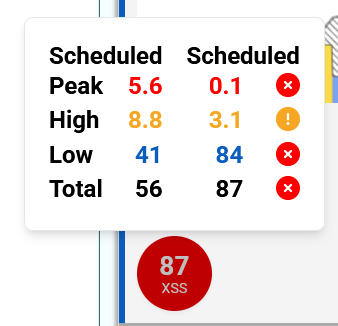
At the present day it always says “Scheduled” in both columns. It seems that it’s only today and tomorrow it will update and correctly say “Completed” in the second column, but it’s the third day that I see that at the same day after finishing a workout.
Cheers
EDIT Feb14: today I reached the scheduled XSS and left column says completed right away. Maybe it was just a bug? Maybe it’s only if you do not reach the daily XSS goal? I’ll keep an eye on it…