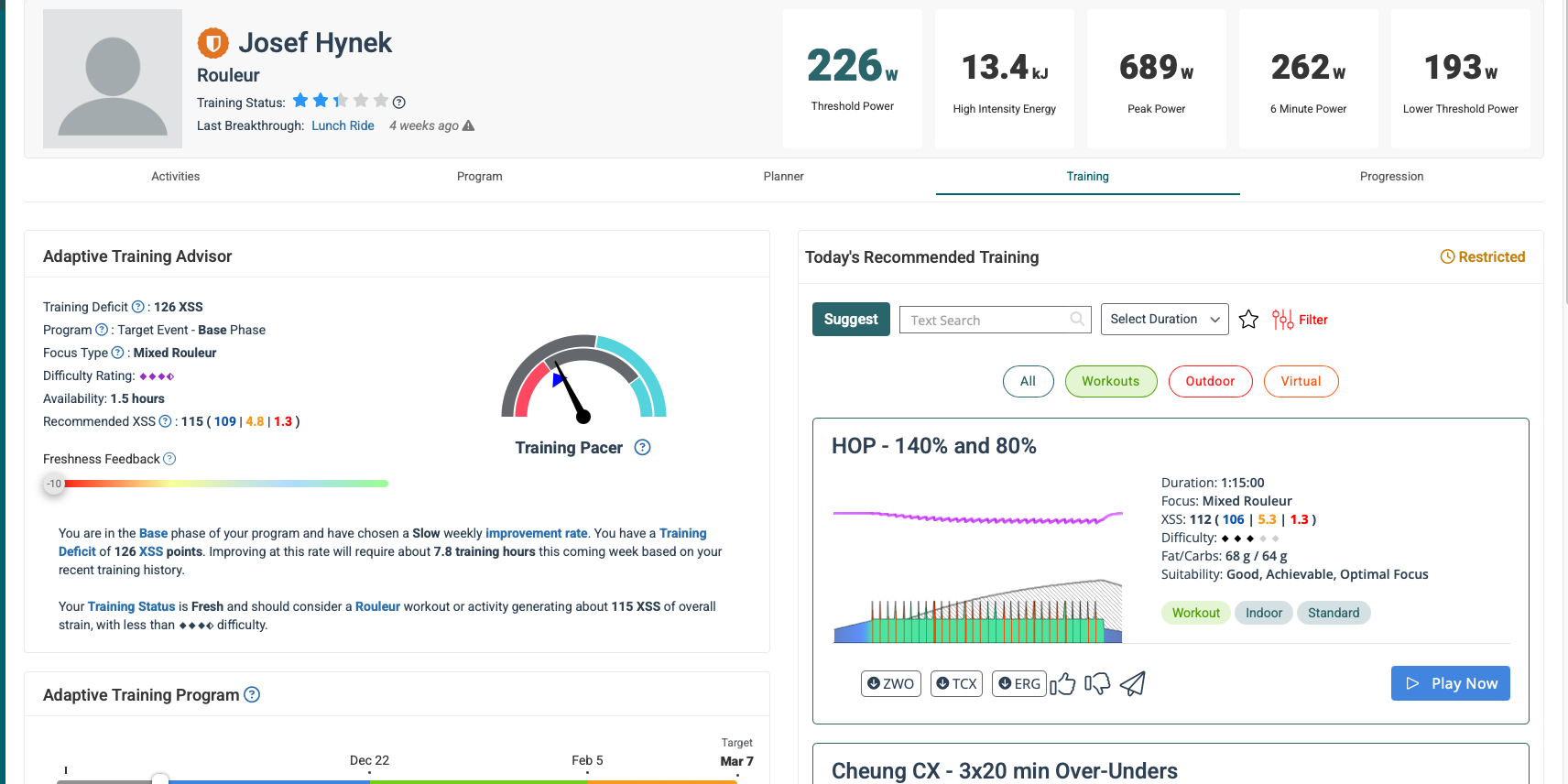
Hi, I’ve recently started using Xert during the free trial and I’m gradually exploring the app to understand how it works. I came across the Freshness status setting in XATA and would like to understand how it functions. I assumed that if I change my Freshness (for example to -10), the daily recommended workouts would adjust accordingly — either in intensity or structure. However, when I change Freshness to -10, 0, or +10, the workouts remain exactly the same, including duration and intensity. So what is the purpose of the Freshness control, and how is it intended to be used? In Xert, I have two separate profiles: one for cycling (where I follow an XFAI plan towards an event) and another for rowing (set to XATA Continuous). I experimented with the Freshness setting in my rowing profile. Interestingly, when I set Freshness to -10 in the rowing profile, the training status in that profile doesn’t change — it stays “Very Fresh.” But in the cycling XFAI plan, my training status switches to “Very Tired.” Is this the expected behavior? What does it mean? Shouldn’t the change in Freshness affect all profiles equally (e.g., both show “Very Tired”)?
Freshness Feedback (FF) slider is used only with XATA programs to temporarily override caculated form to generate a harder or easier list of recommended workouts. Slam the sider to left or right to see the differences.
For example, form indicates Fresh/Blue (HIT workout) today but you prefer to ride easy.
Or you’d like to tackle an even harder than normal workout and want to quickly see some choices.
On an XFAI plan you can use Filter to accomplish the same. If you stray too far “off course” the Adapt Forecast warning will appear after the completed activity is uploaded. You can then investigate what the imbalance is and decide whether to adapt the forecast.
If you need more or less recovery on a continuing basis you should adjust the Recovery Demands slider instead.
Freshness Feedback – Xert
Recovery Demands – Xert
You may find my newbie topic of value (some content is outdated) –
Onboarding steps for Xert trial users and newbies - General - Xert Community Forum
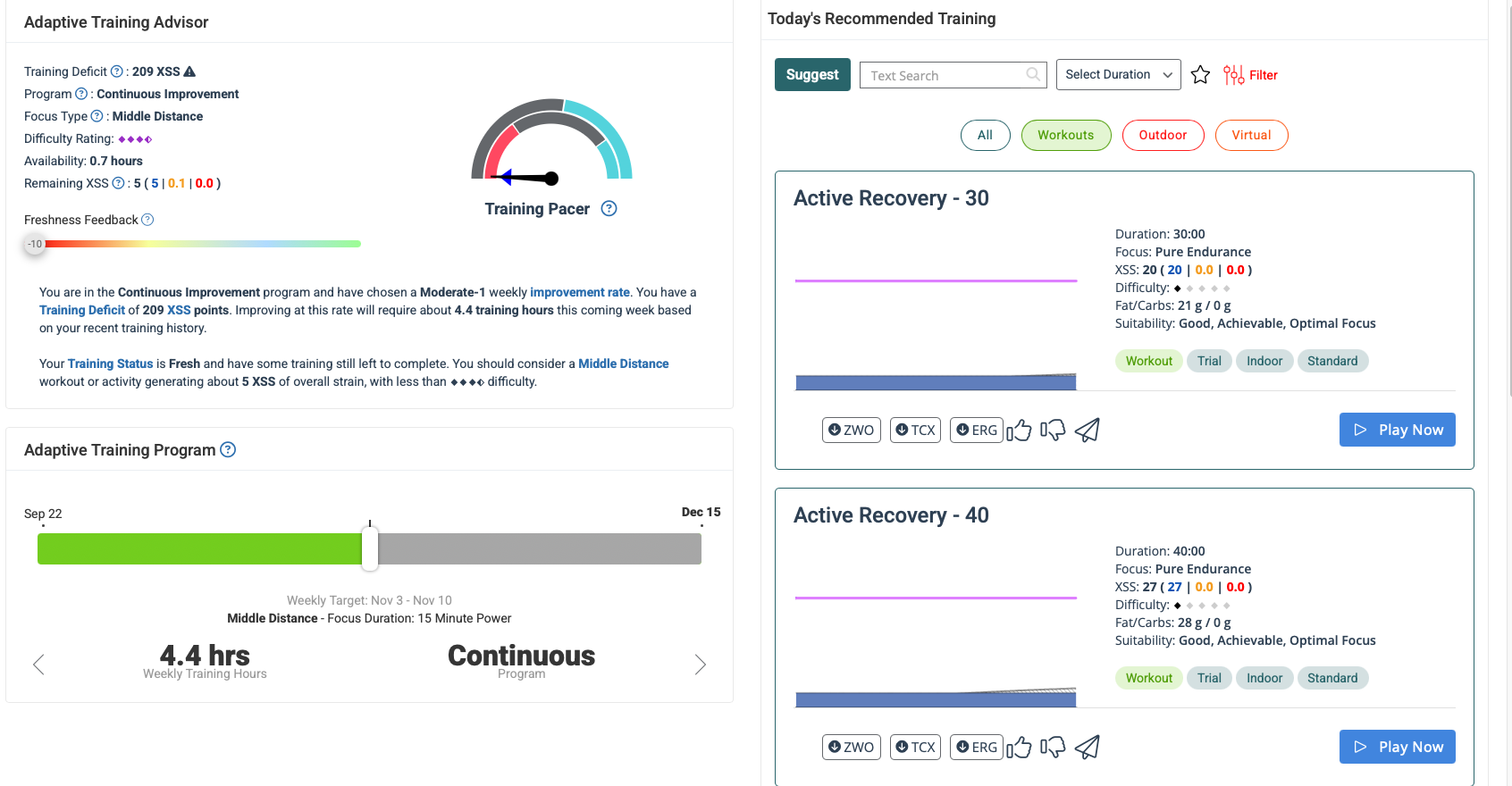
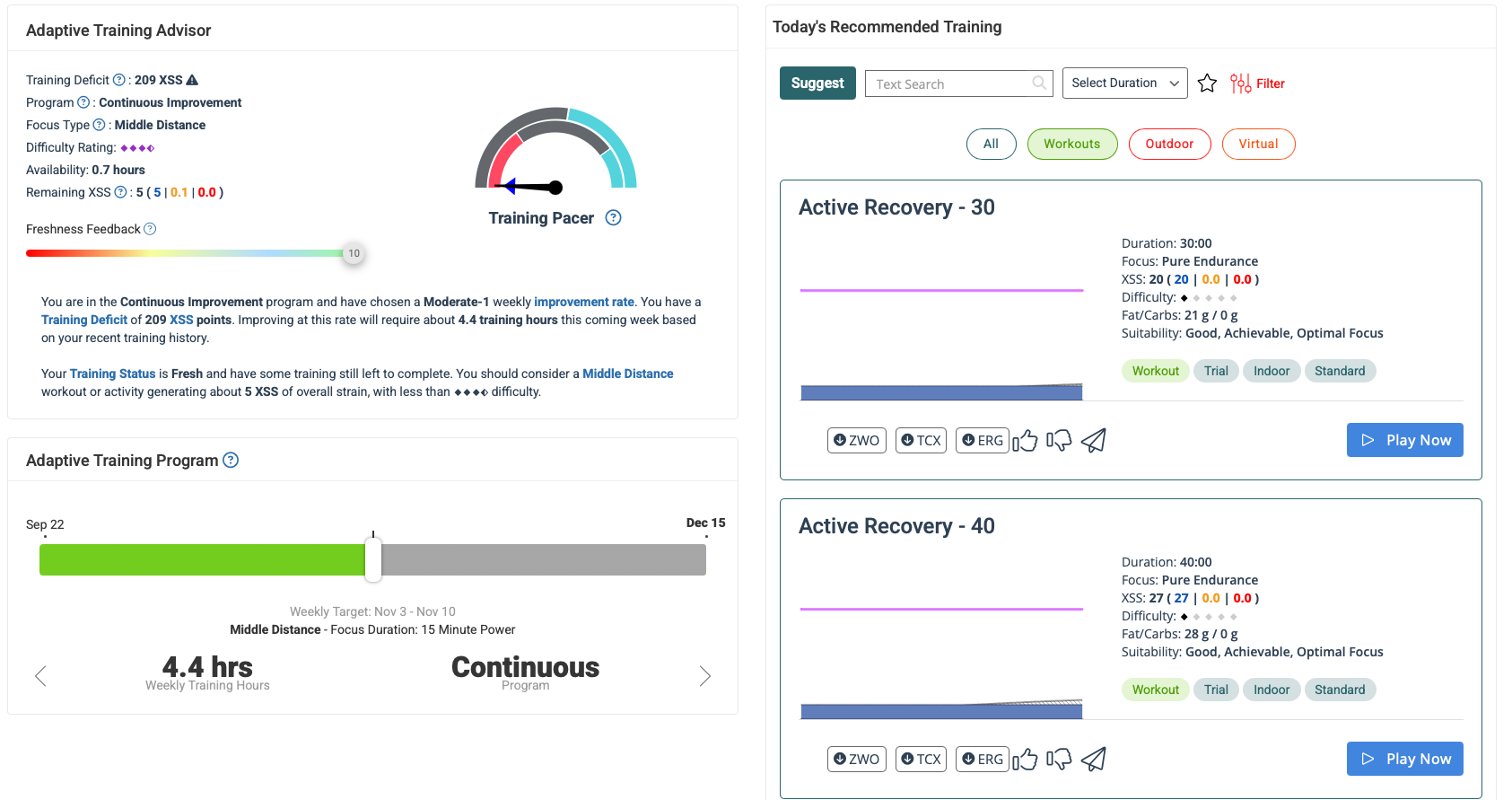
Yes, as I mentioned, when I change my Freshness setting in XATA, the workouts remain exactly the same — their intensity and duration don’t change at all.
I’ve attached some screenshots for clarity. I thought the workouts should adjust when changing Freshness, but I don’t understand why they stay the same.
What is your Status Stars count?
How much history have you imported?
XATA needs enough activities on file to determine starting training load and if any consistant pattern to it.
That’s also why the Training Pacer needle is pegged to the left.
Does needle rise at all if you change Improvement Rate to to Slow or is there not enough history?
Normally Active Recovery is shown if you have completed recommended workout activity and form has gone to red/tired.
View the Planner and note the calculated form gradient color which is also reflected in Status Stars color (as of right now).
You only have 5 XSS remaining for the day. There’s not much high intensity you can fit that number.
Try changing the FF slider when you have a higher XSS number for the day.
Edit: You also have an active filter, that can skew the recommended list (red Filter button).
Hi,
I’ve been experimenting with the settings and changed my Improvement Rate from Middle to Slow.
I haven’t started or completed any workout today — I just set the Freshness to -10, which displayed a list of recommended workouts on the right side.
However, when I change the Freshness to +10, the workouts remain identical with no changes.
As for history, I assume it’s around 3 months since I’m still in the trial period.
Period Statistics (Aug 3 2025 - Nov 3 2025 : 41 Activities)
This is my rowing profile, which I created separately and plan to use for cross-training alongside my cycling profile.

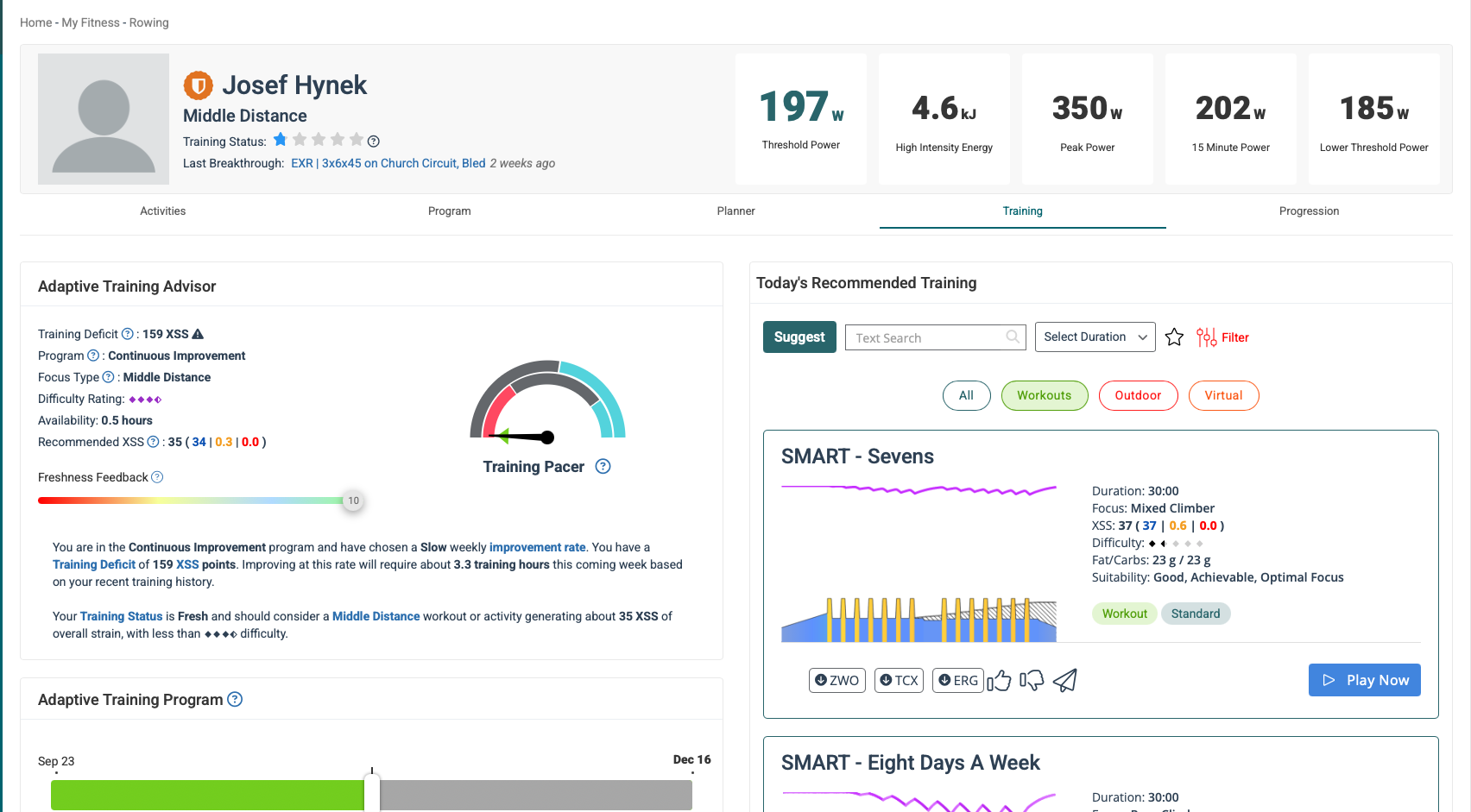
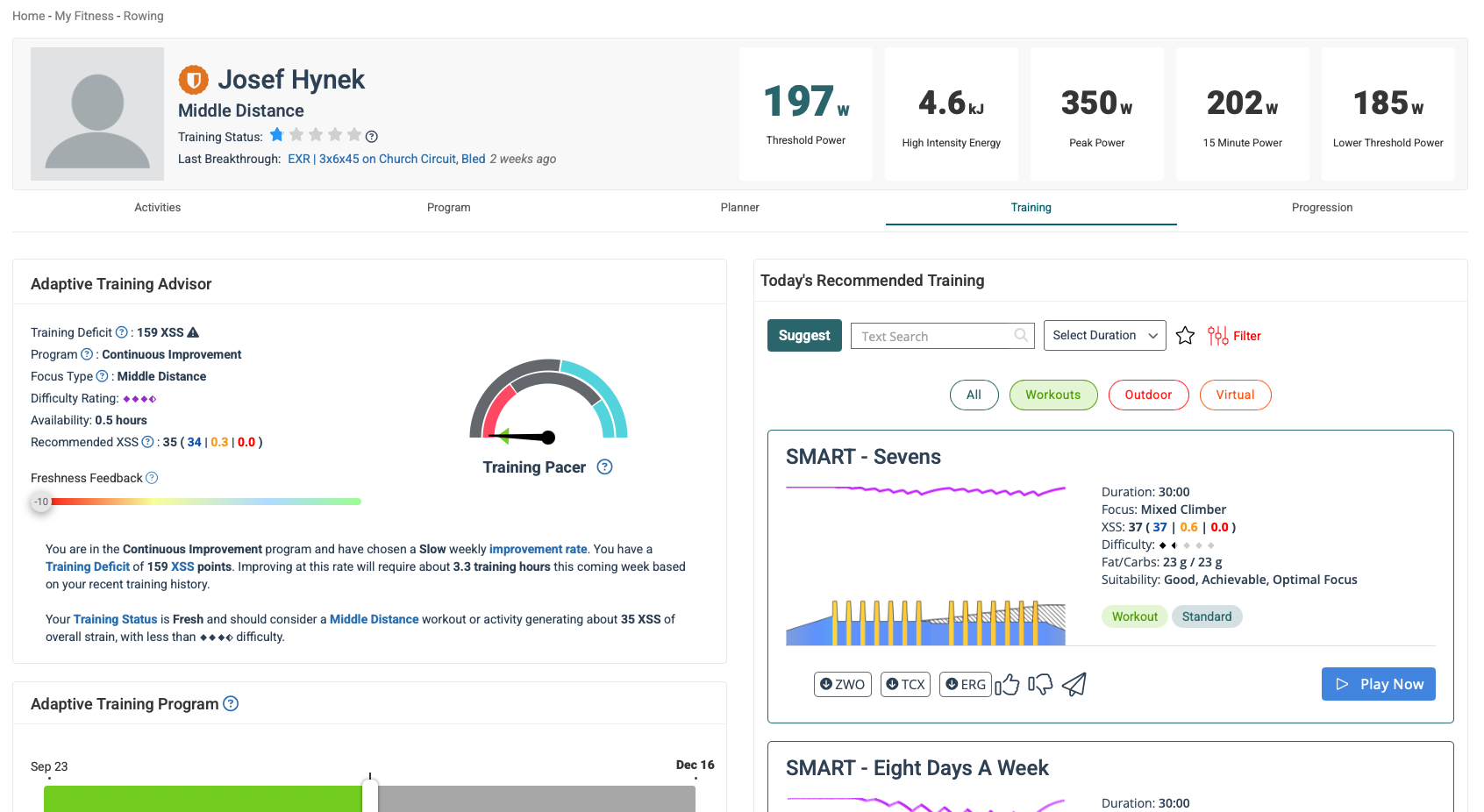
Hi,
I’m still having trouble with workouts generated based on the Freshness Feedback setting. When I change Freshness Feedback to -10, my Training Status stays the same, and the workouts do not update accordingly. Right now, I’m testing this on my cycling profile, which is set to XATA Build/Base/Peak mode.
I also tried using the mobile app, where setting Freshness Feedback to -10 did update the Training Status and suggested workouts. However, when I switch back to the web interface, the mobile app overwrites my selected program from XATA Build/Base/Peak to XATA Continuous.
I’m not sure if this is intended behavior, but it seems like a bug to me.
I know the iOS app is not currently compatible with XFAI. A pending update will address that as well as add XMB support.
In the meantime, I suggest using the web interface to modify any program settings.
I haven’t been able to duplicate the Freshness Feedback issue, but I can replicate the Continuous/BBP discrepancy.
Go ahead and file a support request with support@xertonline.com and reference this topic.
Xert will take a look at your account.