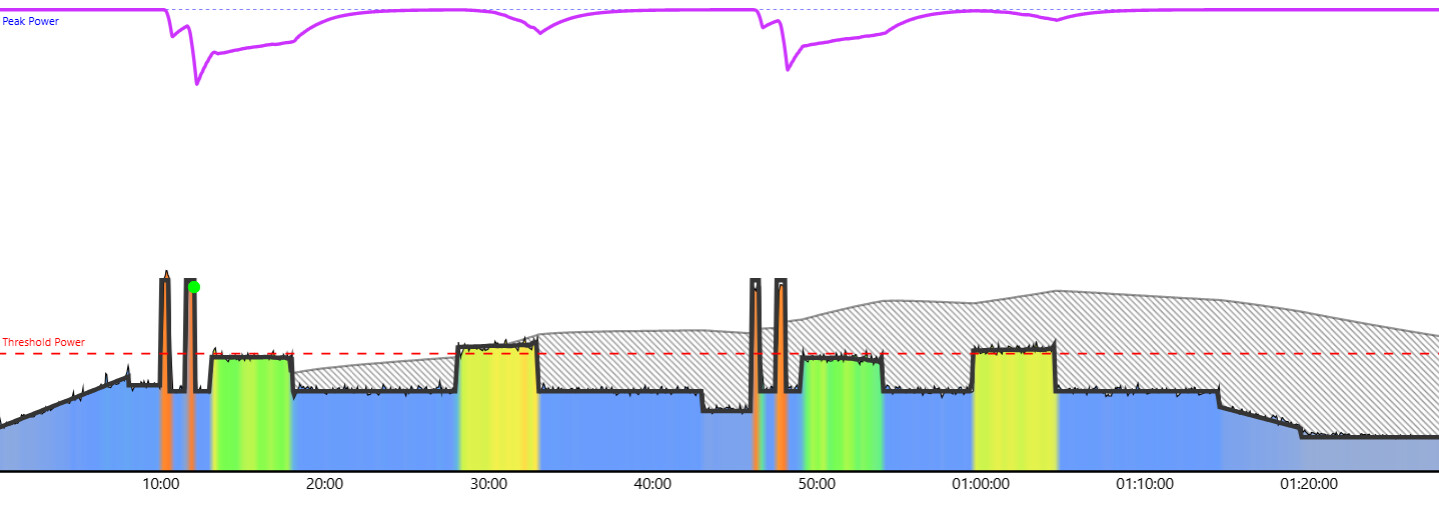
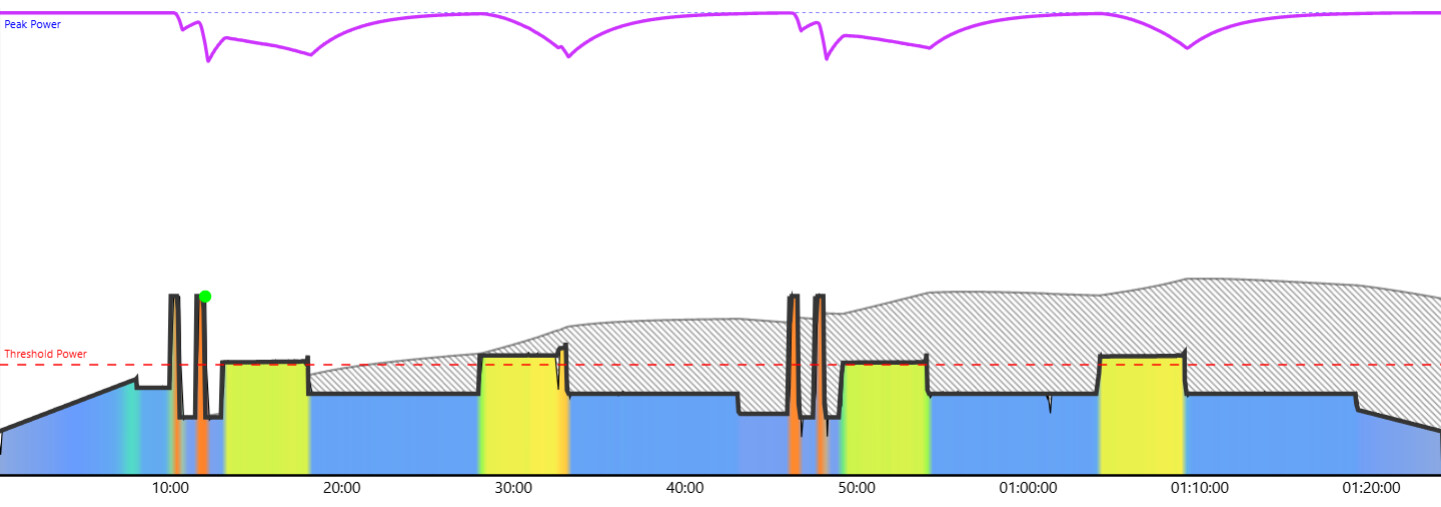
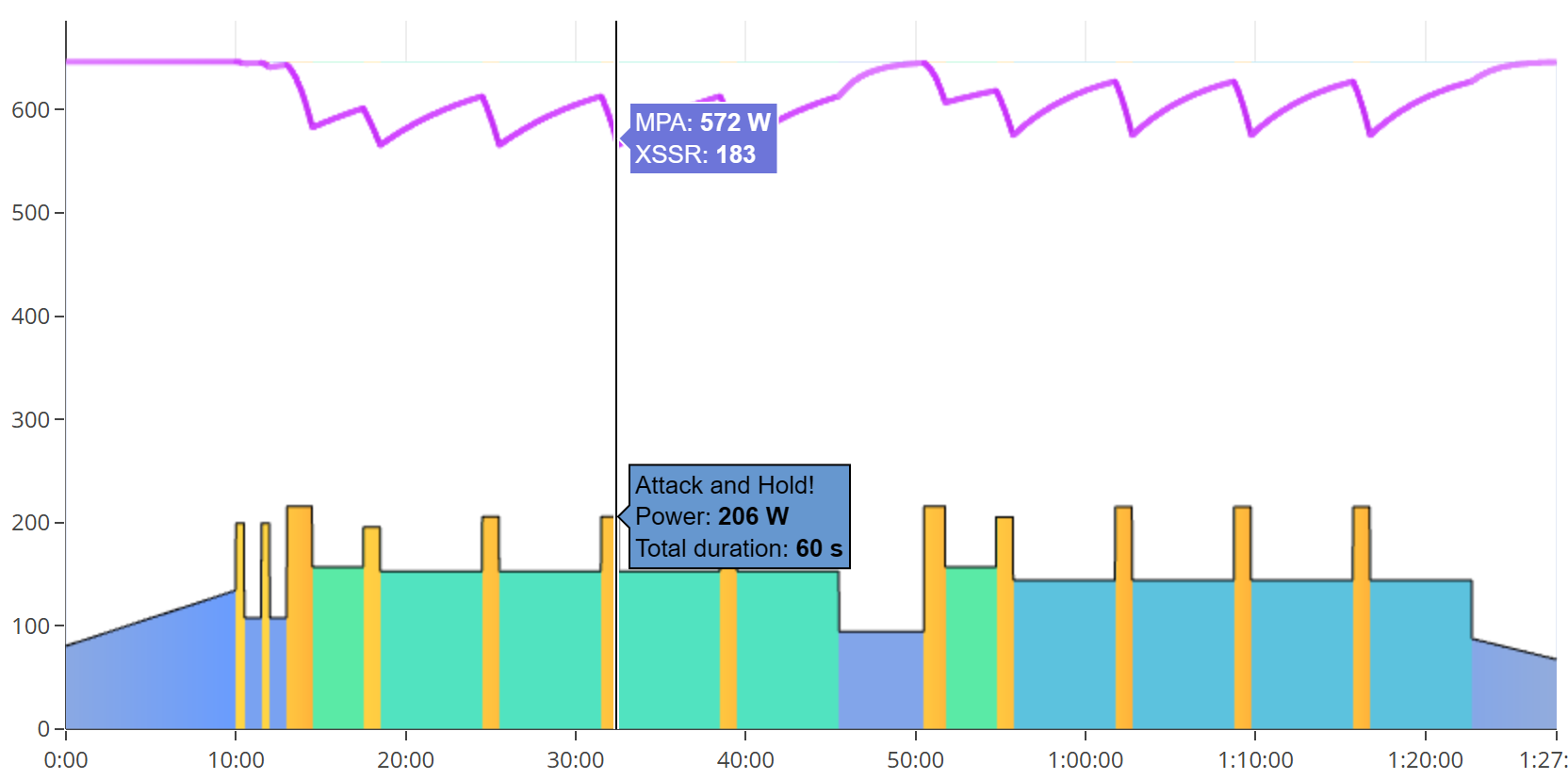
I just did the workout SMART - The Beauty of Suffering - 120 which uses dynamic power intervals. I did the workout using the EBC app on Android, connected to the Xert remote web player. The entire workout was done in “auto” mode setting, which means ERG mode for this workout.
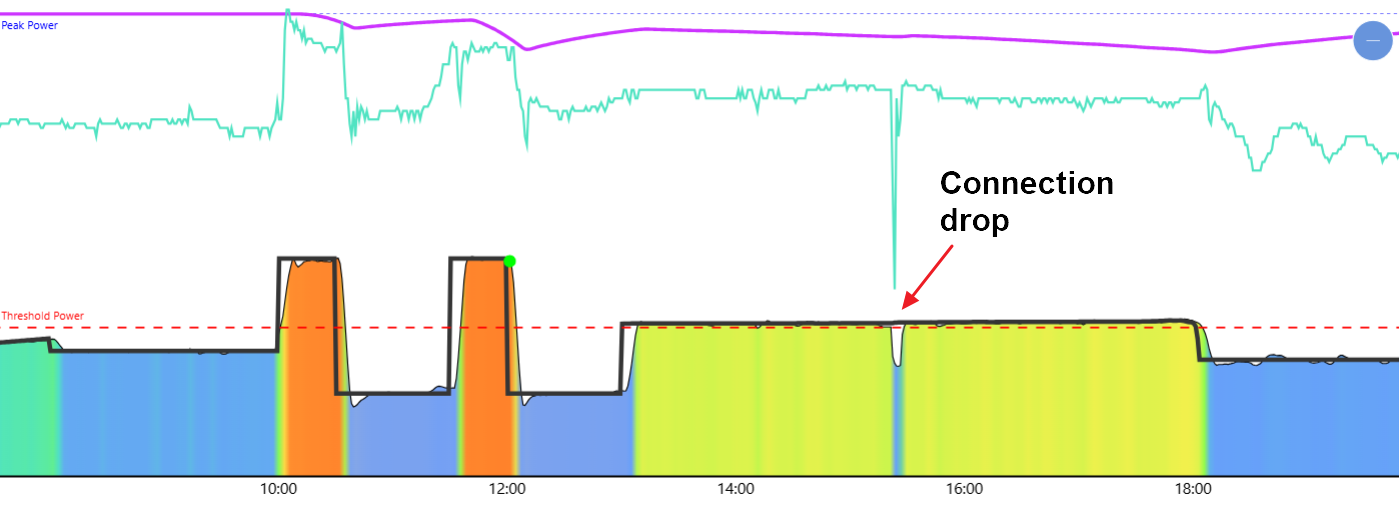
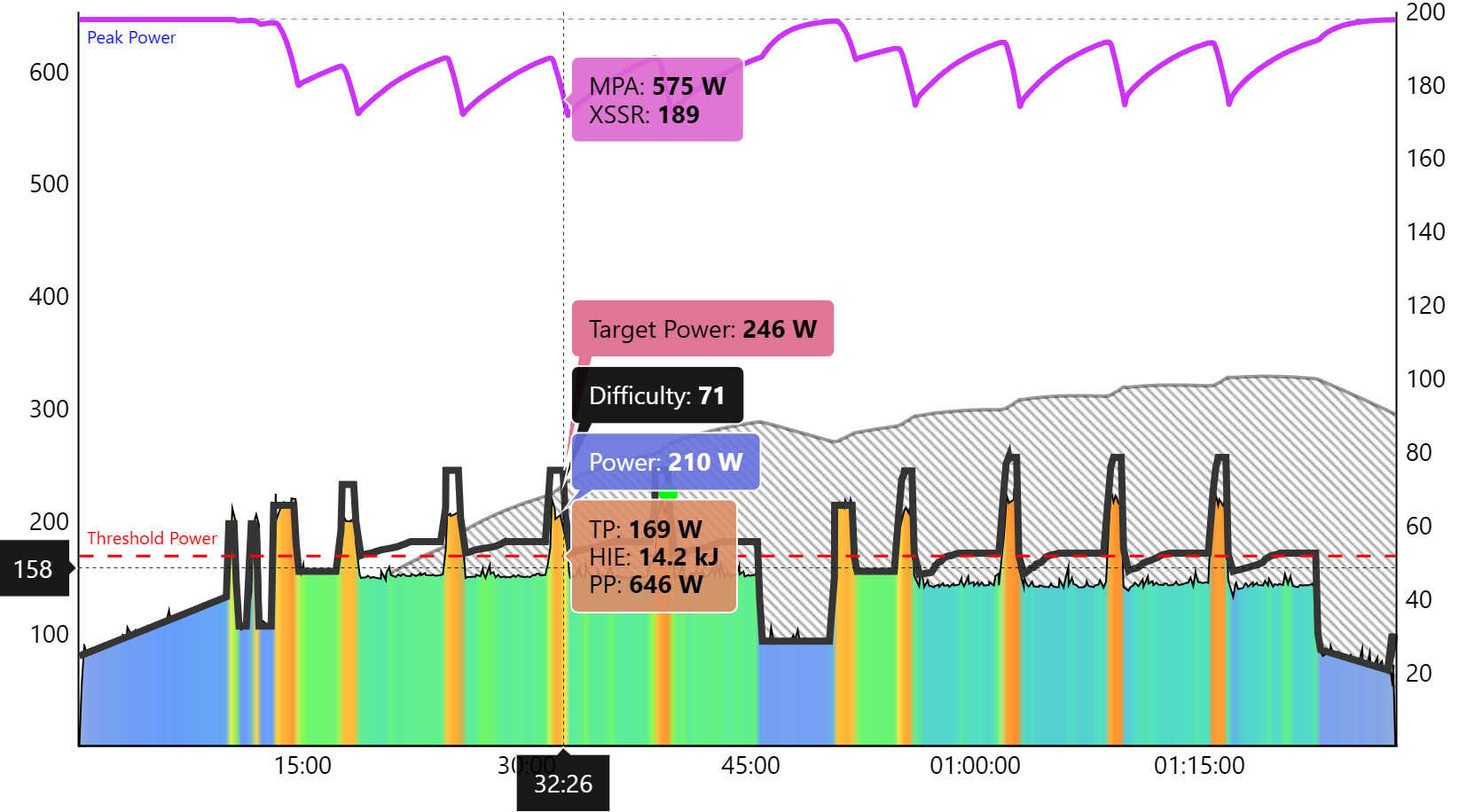
It’s the first workout where I really noticed variance in and paid attention to the SMART interval metrics, and saw that they were very small and never met the declared MPA targets. When looking at the charts of the completed workout the dynamic target power shows it could or should have been greater, and didn’t match the power values during the workout.
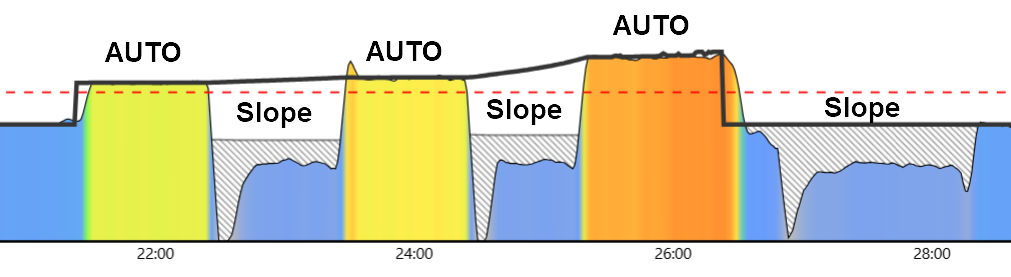
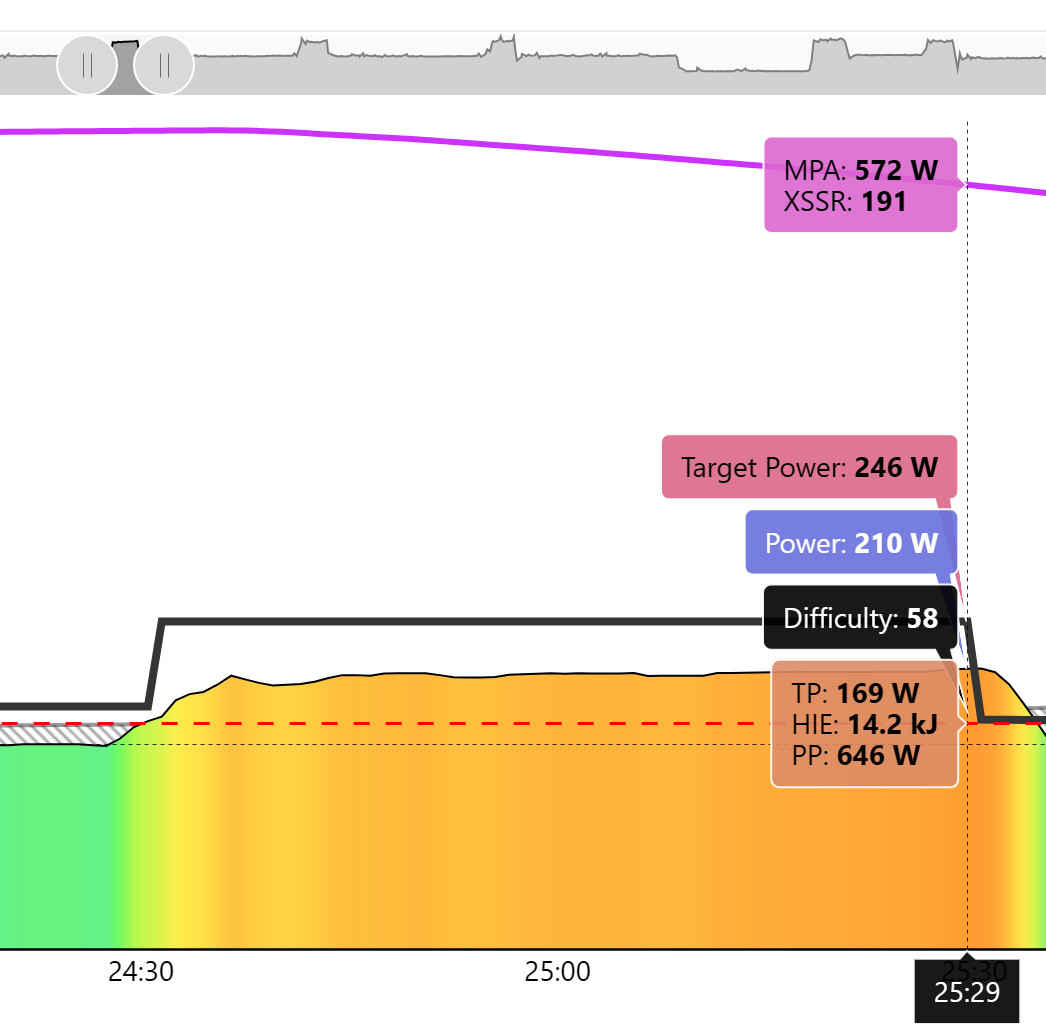
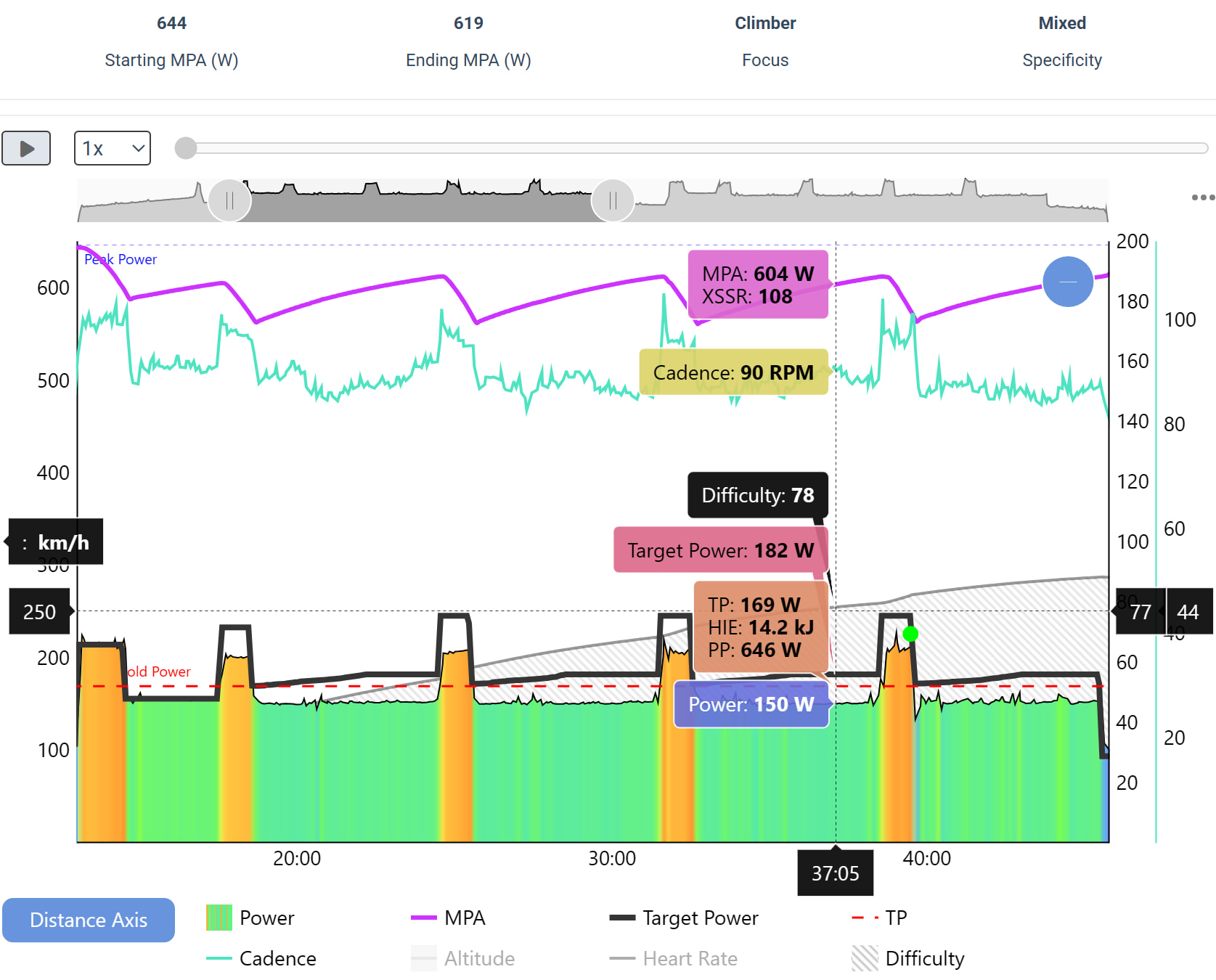
Here are screenshots of the last dynamic power interval from my workout, which was defined in the workout file as “Intervals under Fatigue - 93% Reserve MPA - 05:00 minutes.” The first screenshot shows instance values from the middle of the interval with “baseline” values before the dynamic power changes kick in, and second screenshot shows the values at the very end of the interval, where the dynamic power increases were at maximum.
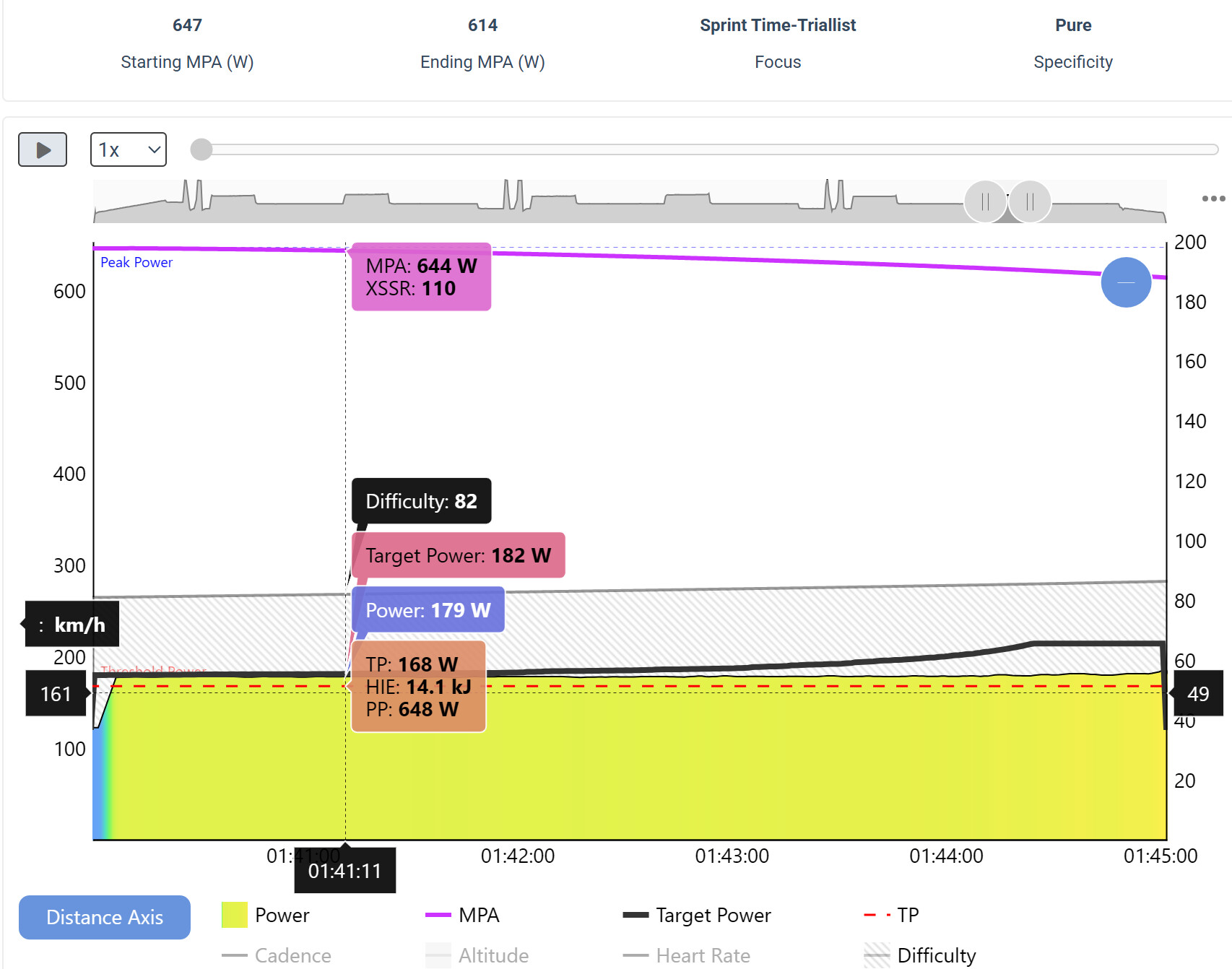
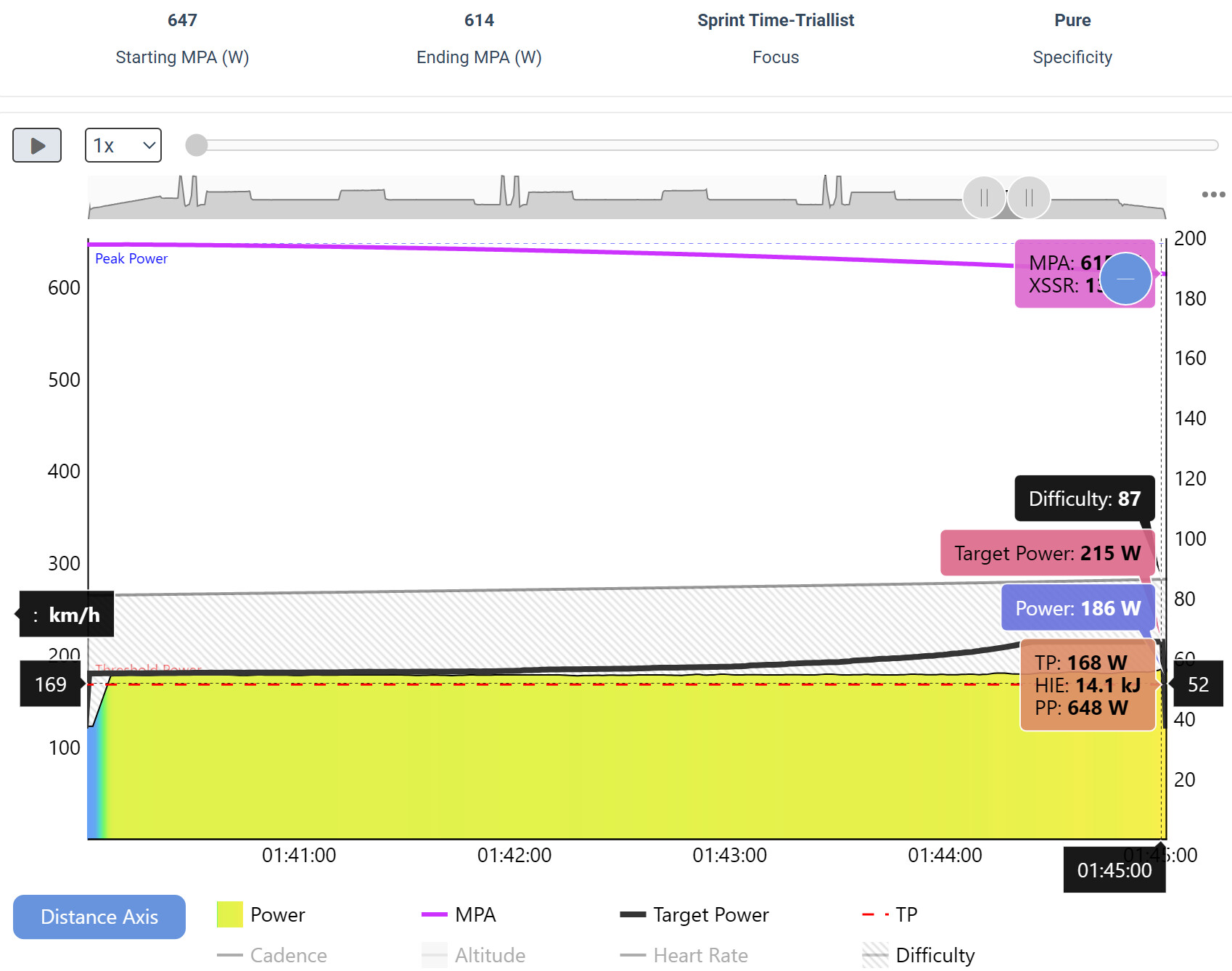
During the workout the ERG power for the interval was very consistent with a target power of around 181-182 W, with the actual ERG power fluctuating between 179-181 W, which is a typical range for ERG mode. This power remained consistent for about 90% of the interval, after which in the final 10-15% the target power began increasing until it maxed out at 186 W at the very end. The target MPA for the interval was 605 W, but MPA only got reduced to 614 W.
I thought there would be a more significant change in target power during the workout, especially since the reported MPA never reached the target MPA. You can see in the charts that the dynamic target power line increases both much earlier and much higher than what was actually given during the workout.
So what is this discrepancy and why does it exist?
From the support article Advanced Workout Design using SMART Intervals, this interval’s power should be defined as “Target MPA %Reserve – The interval power is calculated such that MPA is the TP + the number as %(PP-TP) by the end of the interval.” However the terminology of the definition is a bit confusing to me, so I’m having trouble applying it as a formula to calculate power values for points of time within the interval. What does “the number” refer to? And what does “as %(PP-TP)” mean?
I’m also coming off a several week break and being sick, so my fitness signature probably isn’t 100% accurate, which can account for how difficult I perceived the workout to be but doesn’t explain the chart data.

 It also meant the 60-minute workout you picked could run longer than the time you allocated for your training session.