not working, if I do an adapt, the warning estimated training time is more than your availability appears
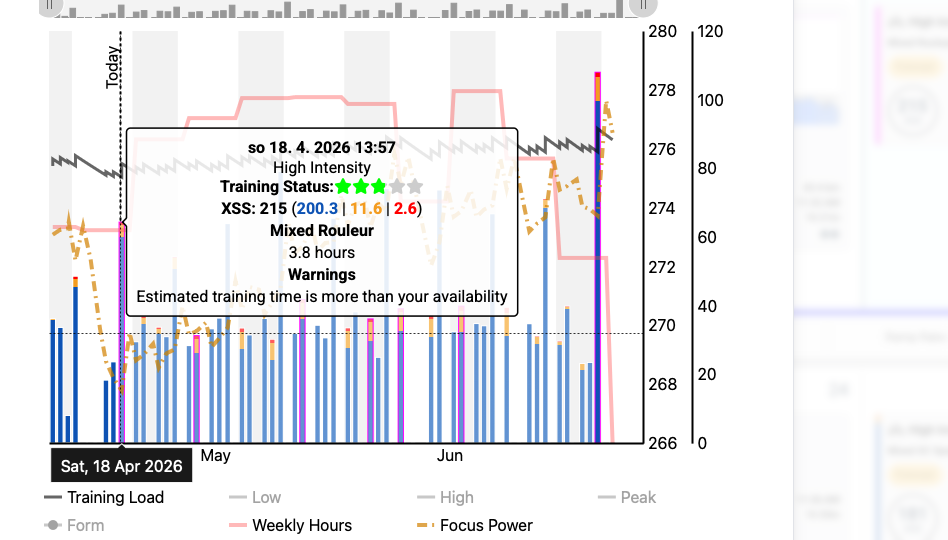
It’s warning you that your Availability settings are creating a broken constraint condition (magenta matchstick).
Can you increase your ride time that day or another day in the week? If Yes, do so.
Are the other days’ warnings also Availability related?
Adapt Forecast first looks at the week ahead to try and rebalance the plan. If that isn’t practical the routine looks further into the future and attempts to reconcile the imbalance.
You have 60+ days until your event to complete your progression.
The forecast is a prescribed amount of low/high/peak strain to accumulate in that time, metered out in a LIT/HIT/Rest distribution.
You can swap days and otherwise adjust the forecast.
However, if you create a shortfall condition as you approach the target date, the forecast will light up with more magenta days indicating you can’t achieve your target values in time. That doesn’t mean to stop training, but you do need to think about the repercussions.
If you are choosing to do something different than what’s scheduled today, there is no need to edit Availability although you can do that for individual days. Otherwise tap on XXX Intensity Training and choose a workout using Duration dropdown and Filter options.
Are your designated off days cast in stone?
I’m curious what happens if you remove all availability constraints (default = use advisor, flex, all days available), set max weekly hours to 15-16, and run a forecast. No need to save it, just preview it.
This feels a bit strange to me, and sometimes the behavior seems inconsistent.
For example, yesterday I tried to change the available training time in the planner from 3.8 hours to 2 hours using Set Availability. I entered the new duration and then clicked Adapt Forecast, which was already showing that a change needed to be processed.
But in the updated forecast, that day was still kept at 3.8 hours, with the warning saying: “Estimated training time is more than your availability.” I had expected the system to adjust the planned workout and XSS for that day based on the new availability I had just entered.
When I try the same thing today on a rest day, Adapt Forecast does generate a workout that matches the available time I set. The same also happens when I change the availability for tomorrow’s workout.
So I do not understand what caused the different behavior yesterday, or why that particular change was not applied as expected.
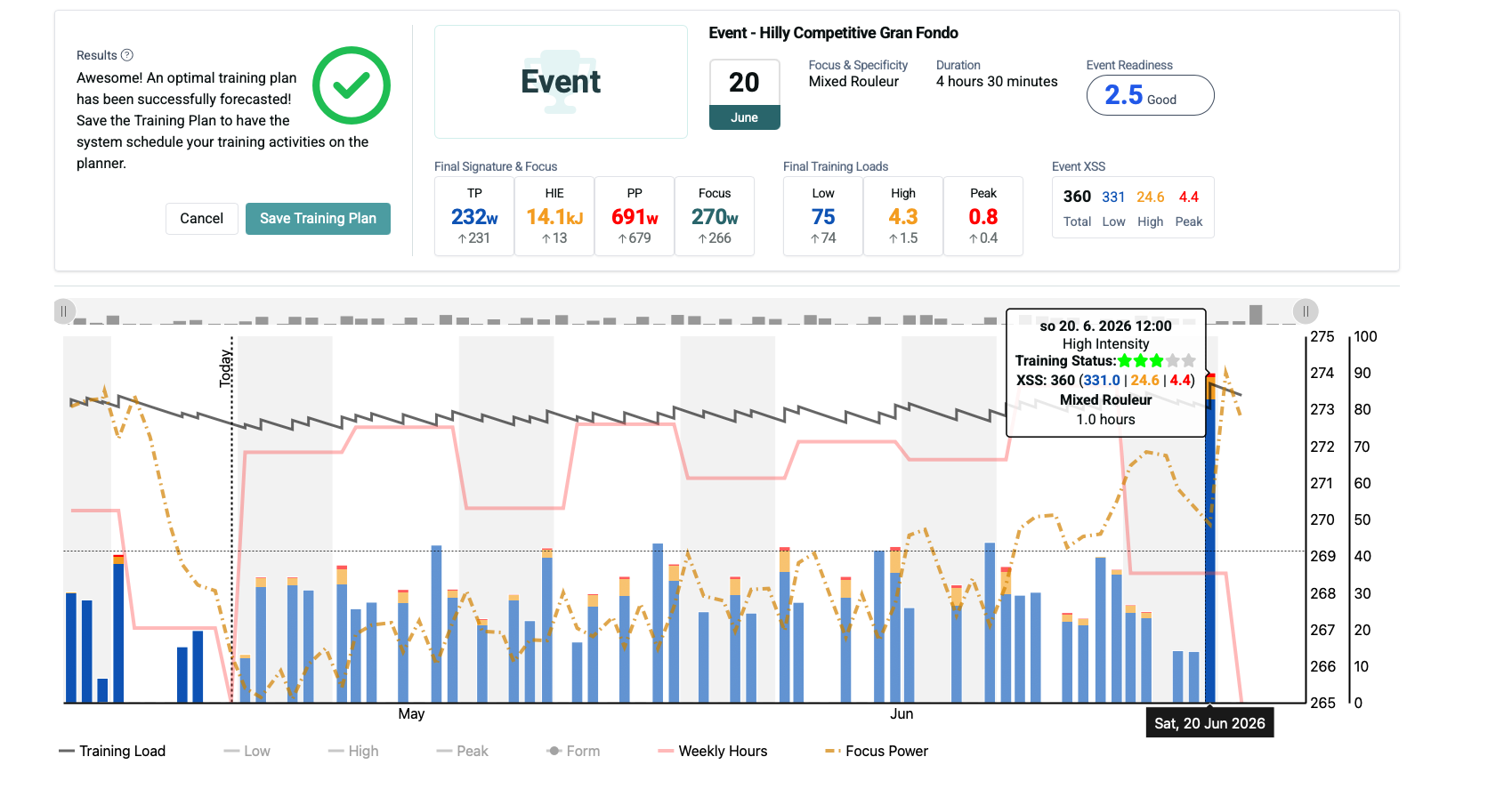
Here is the forecast result with the default settings and with my available days set to Flex mode.
The time requirement itself probably would not be the main problem, since the maximum weekly volume only rises to about 11 hours toward the end, which should be doable for me. My main issue is recovery, because I usually need to keep that set higher than the default.