Matchstick = Low (blue), High (yellow), and Peak (red) XSS.
XSS Circle is green (low/high/peak are all close to daily target), yellow (low, high, or peak is over/under), or red (significantly over/under target for day).
Tap circle for details –

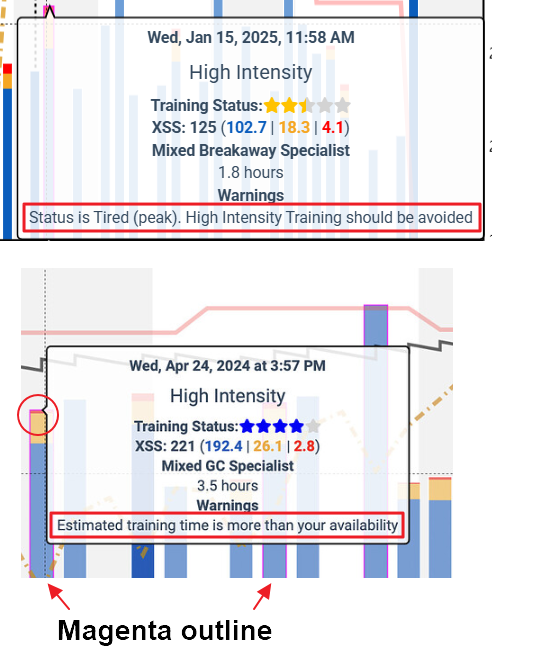
Magenta (pink) matchstick = broken constraint; hover over entry on the forecast chart to read the associated text warning; consider whether to run Adapt Forecast.
Pin a workout/activity to Planner –
HOW TO: Adjust Forecast Around Preferred Workout/Activities - How To - Xert Community Forum
XFAI does not currently recognize pinned activities as events. The forecast will treat your pinned event as HIT activity.
You’ll need to manually taper for that event, ignoring the forecast entries. Or pin an appropriate opener workout and/or rest days prior to the event.