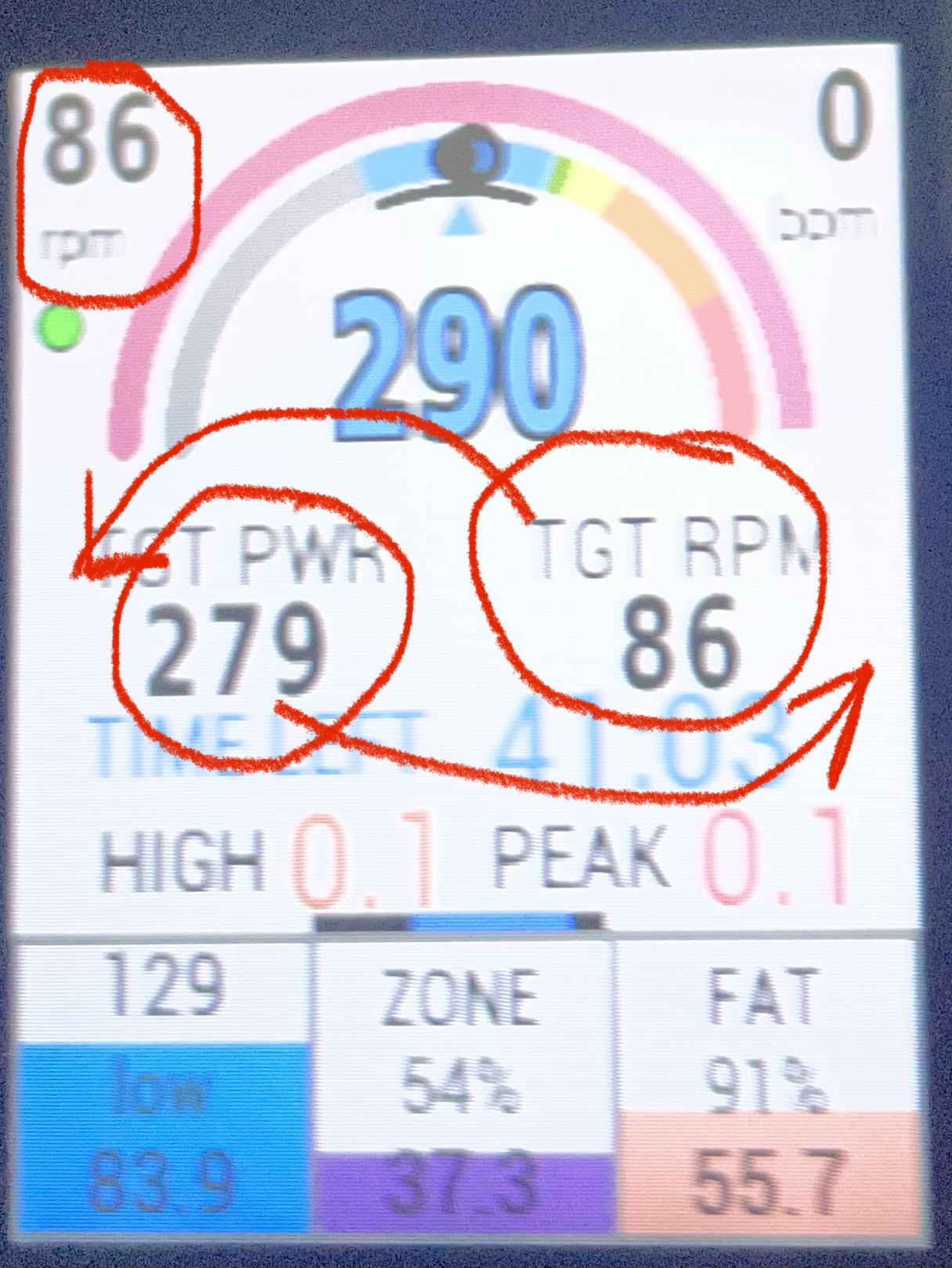
Just an easy (I think from my tech ignorance) modification of XMB screen in endurance mode. Change position of target PWR and rpm. This way the target rpm falls right below the rpm measurement in the top left corner which helps visualizing both rpm data and target at the same time
2 Likes
Makes sense to me.
I always considered target RPM a fairly useless metric to show. I’m ok with having it tucked up in the corner but there’s no need to have it right in the center (when it’s already in the corner no less).
rpm in upper left is your current cadence.
TGT RPM is your usual cadence at torque. I.e. the cadence your naturally prefer at X watts.
The two combined can be used to:
- instruct you to gear up/down to reach your preferred cadence range
- perform low cadence drills
The inner black arc and colored arrow provide visual cues.
In the OP’s example the arrow is green (within range) at the 12 o’clock position indicating an exact match at the moment.
Fall outside the arc and you are spinning above or below your preferred cadence.
For low cadence drills let the arrow drop to the left (go red) and grind away. 