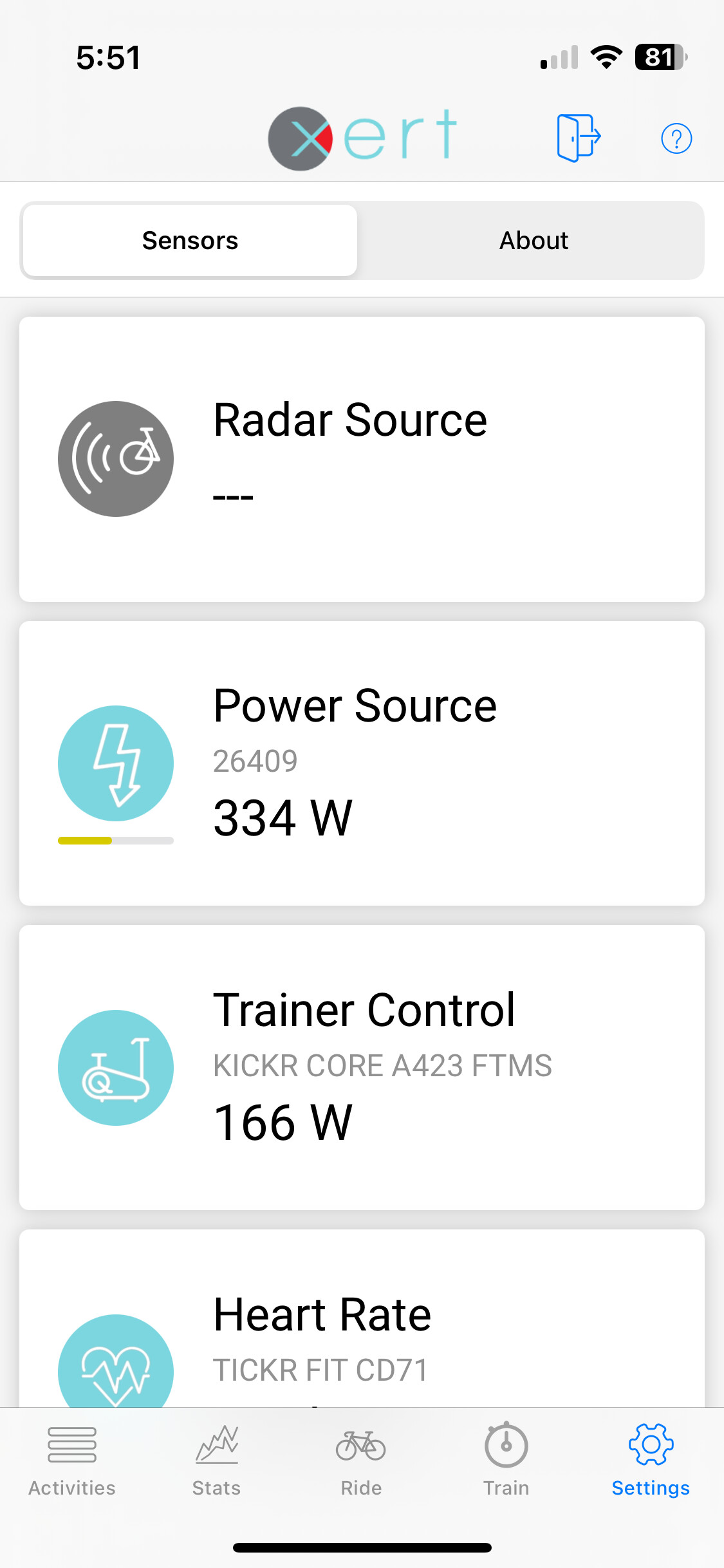
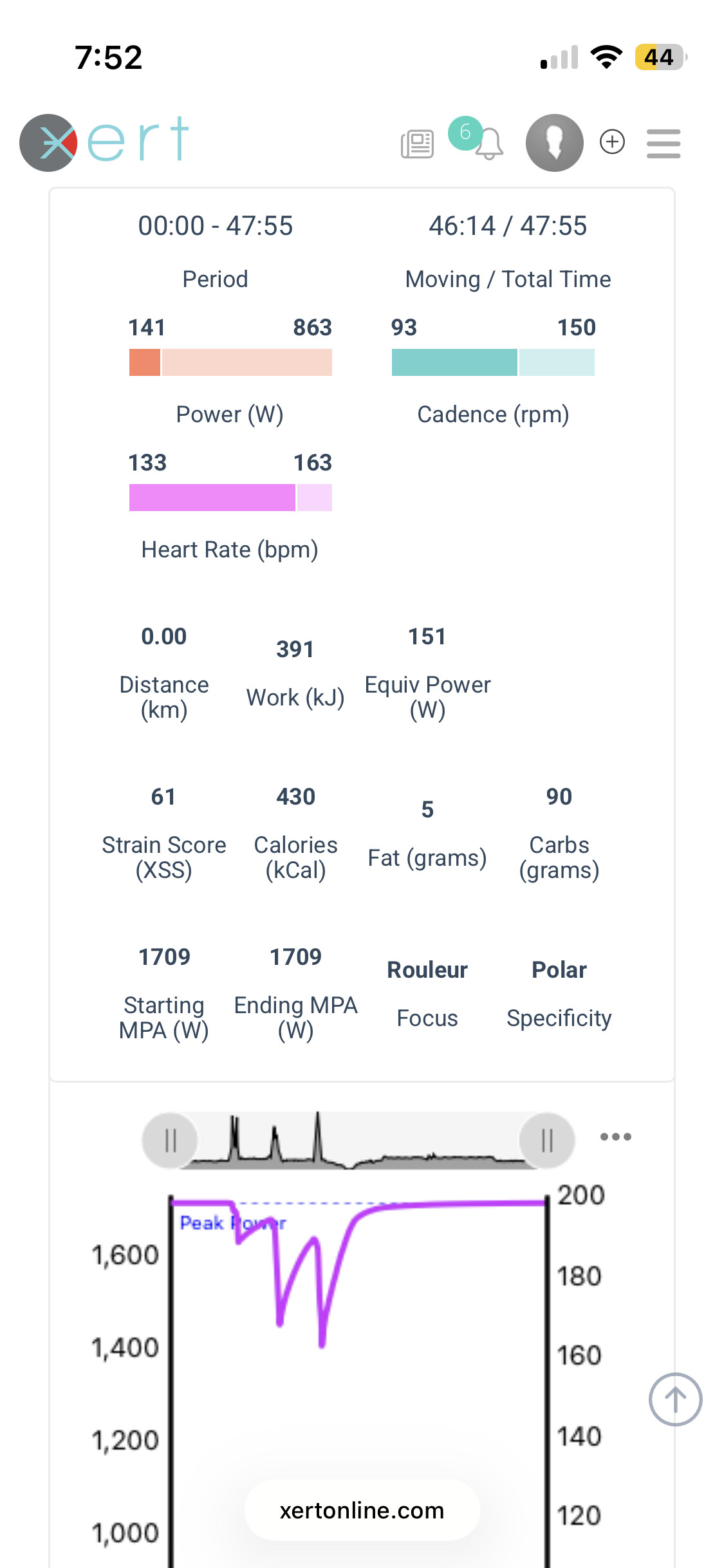
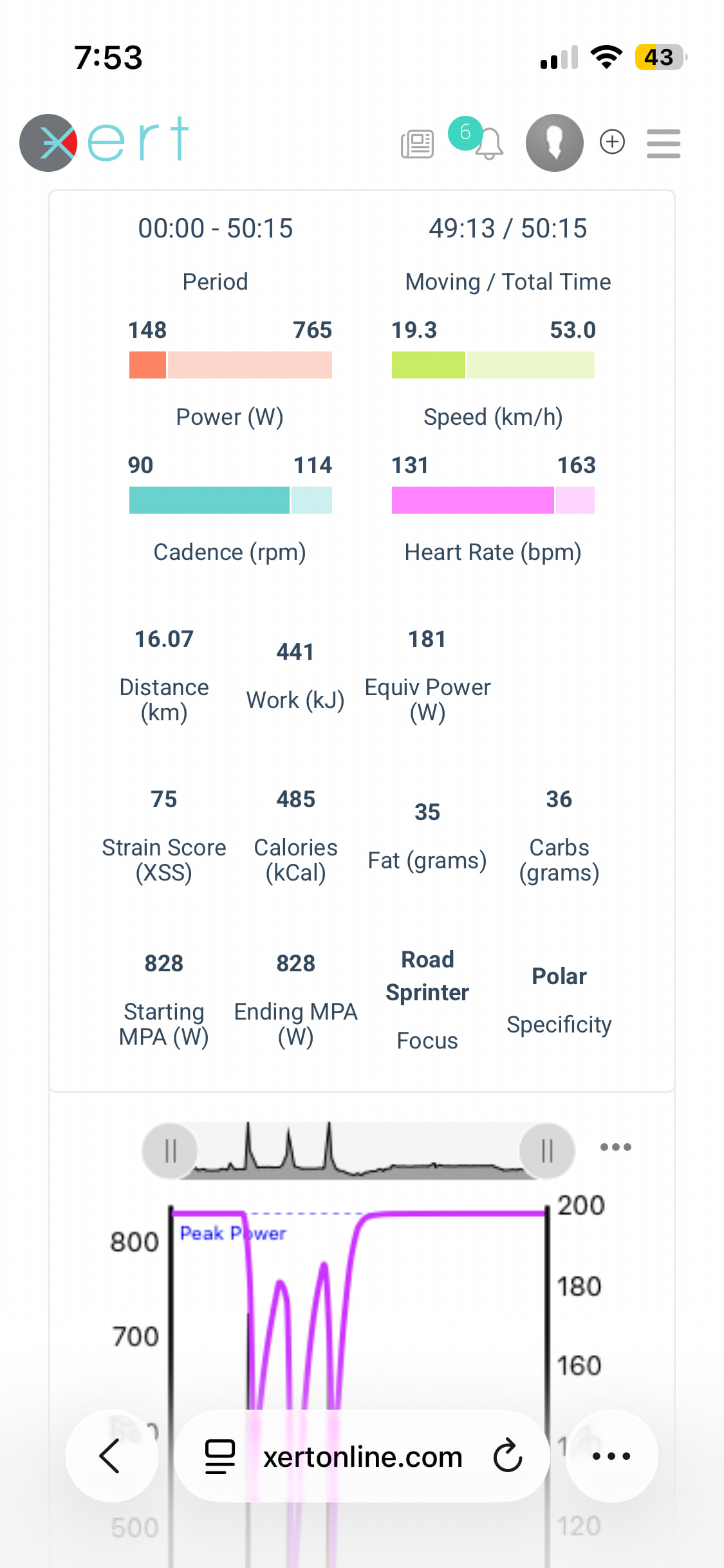
Running Xert EBT on the latest iOS (updated 5/18/2026) and having run a spin down on the wahoo app for my Kickr and a calibration on Garmin for my 4iiii single sided crank I am generating 3 different power readings:
4iiii according to Xert is absurdly high
Kickr according to Xert
4iii according to Garmin lower
I did not check to see what the Wahoo app said.
The slightly shorter workout with lower power numbers is my Garmin 840 reading the 4iiii and the other is EBT reading the Kickr.
Ironically, the Garmin/4iiii numbers should be slightly higher from drivetrain loss.
This is super frustrating bc I don’t know whether to trust the workout plan being generated, especially since I’m pulling most of my data from outdoor rides this time of year (and who knows what my Garmin pedals I run betweenon my cx and mtb are doing).
You’ll want to dual record and verify results with DCR Analyzer or Compare the Watts for an accurate delta % and determine if that difference exists across the full range of watts.
I’d also suggest using the 4iiii app to check the crank meter firmware and apply zero offset using that.
The two charts you posted show very different signatures.
One shows Starting MPA at 1709 and the other 828.
Is that due to an errant BT detected from the inflated power figure?
What do you think your actual PP is?
Was everything working fine before the iOS update?
The MPA variance is because I had to clear the prior days breakthrough that had my max power over 1,600 watts. Apparently the system did not apply the change to the duplicate workout.
TIL there’s a 4iii app.
No, I saw the variance in the prior days workout which is why I updated.
I’d never previously looked in the EBT settings to see both meters run at once so for all I know it’s been this way for a couple of years.
all of this came about bc the system had dropped my tp to 170 somethng watts, which seemed absurd. So, depute one of the key features of Xert: never having to do an ftp test, after wasting a ton of time digging through here and a bunch of other places it appeared the only solution was to do a breakthrough workout, contrary to the generated training plan. That’s how I got the absurdly high MPA or whatever. Which concurrently dropped my LTP to 115 or something which was also obviously wrong.
At the end of the day my training volume or whatever is over 70 and I’m ostensibly in the best shape of my 50yo life, but for the last 2 months presumably because of a couple of sickness related training gaps Xert has been tanking my FTP and this recommending workouts that seemed too easy, and I presume, overestimating my high and peak outputs when I rider harder than planned.
that the suggestion is to run some other analysis software to somehow self diagnose all this is incredibly frustrating. I’ve been a huge proponent of Xert but now I’m questioning if I will renew my subscription again.
Xert is a mathematical model and you have a data input issue.
I wouldn’t blame Xert for GIGO problems that are hardware based.
Something’s up with your power sensor data.
The fact you can dual record means you can utilize one of the online tools I mentioned to compare two or three power profiles.
Lots of riders interested in their power meters performance do exactly that. FitFileTools.com is also a valuable resource for troubleshooting and fixing errant FIT files.
All power meter brands provide apps to support their hardware.
Didn’t you use the 4iiii app when you first installed their crank meter?
The first thing I would check is the firmware version.
4iiii’s app also includes an option to scale the power output data.
For example, if you believe the KICKR is more accurate you could adjust the crank meter to more closely match that. However, I wouldn’t suggest using the scaling function until you resolve the inconsistent output.
Did you recently change the coin battery? Some users say never install a battery with a bitter coating.
Speaking of KICKR you should disable Wahoo power smoothing if you haven’t done that already. Otherwise, the power profile isn’t accurate enough to compare with the 4iiii crank.
No need for traditional FTP tests with Xert. Occasional maximal efforts are enough to track signature changes especially when performed under fatigue (MPA drawn down).
This happens organically for many users whether on a XATA progression or XFAI plan, especially during Build and Peak phases when performing hard workouts on HIT days.
You can also select a fitness test workout at any time during your training. For example, on a HIT day when feeling especially fresh. Or whenever you notice your signature has become stale (no BTs detected in over 3 weeks) and you want to prove where you’re at.
This is no way invalidates a progression or XFAI plan in progress. It’s simply a HIT workout on a HIT day which you can combine with an additional workout (if required) to achieve the XSS goal for the day.
Of course, there is no point is doing so until your GIGO issue is resolved.
If you’re not up to diagnosing further yourself you could file a support ticket, but I feel like hardware issues are our responsibility to try and fix first. Hence, my suggestions.
Bitter coating symptom is typically power drops, but it can’t hurt to eliminate this as a contributing factor.
If you have purchased these batteries, you can supposedly rub the coating off with a cloth moistened with isopropyl alcohol then let dry completely before installing.
That’s been working for me although I can’t honestly say that fully removes the coating.