Just curious what the Buckettes mean in the release note for v 9.0 of Magic Buckets data field
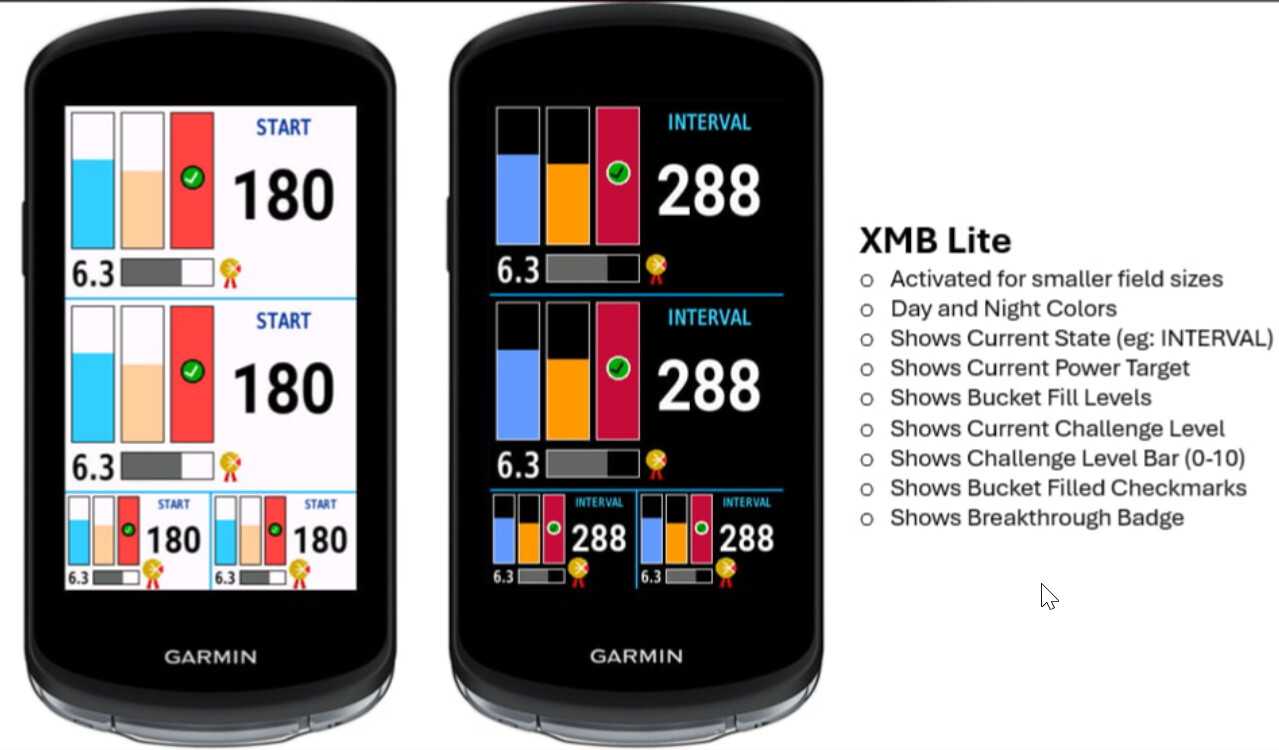
Create a profile with a small data field (or assign Magic Buckets to an existing one) and you’ll see a mini version of Magic Buckets indicating bucket fill status, Challenge Level, and power guidance.
It’s a work-in-progress but if you are familiar with operation of the full-screen app you’ll understand what it’s doing. 
The idea being if you want Magic Buckets added as an ancillary field on Edge devices.
Ah nice, good addition to the field
It’s awesome!
What would be really helpful addition is if you could adjust the dashboard data field to support the size of second biggest data field after full screen, too - so the ones like in the picture. Right now it is only fullscreen or half screen, but not that “40%-screen”-data field.
Also on the bigger data fields it would be helpful to not only have displayed target power, but also target interval duration (since there’s a lot of empty space on the right side, too).
But overall: awesome 