Hi Xert team,
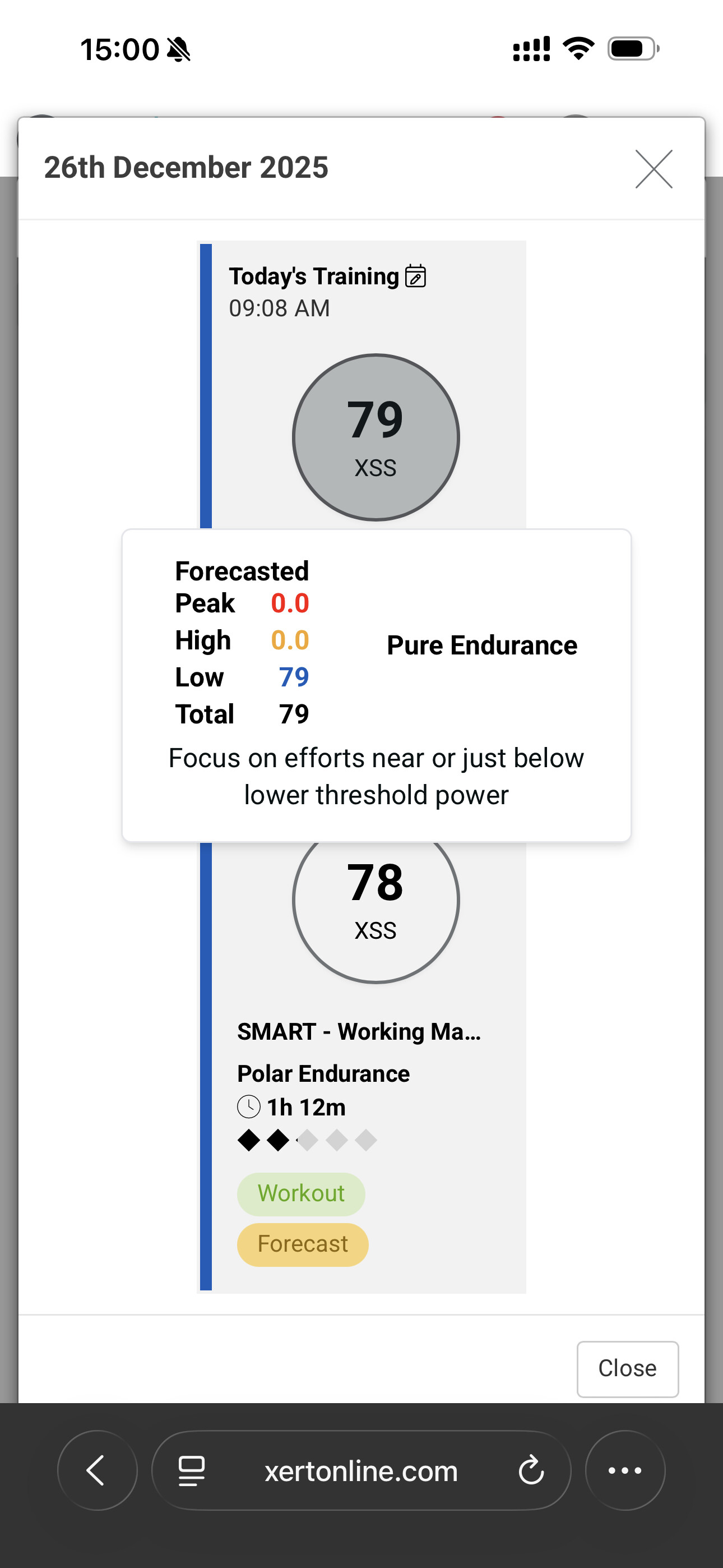
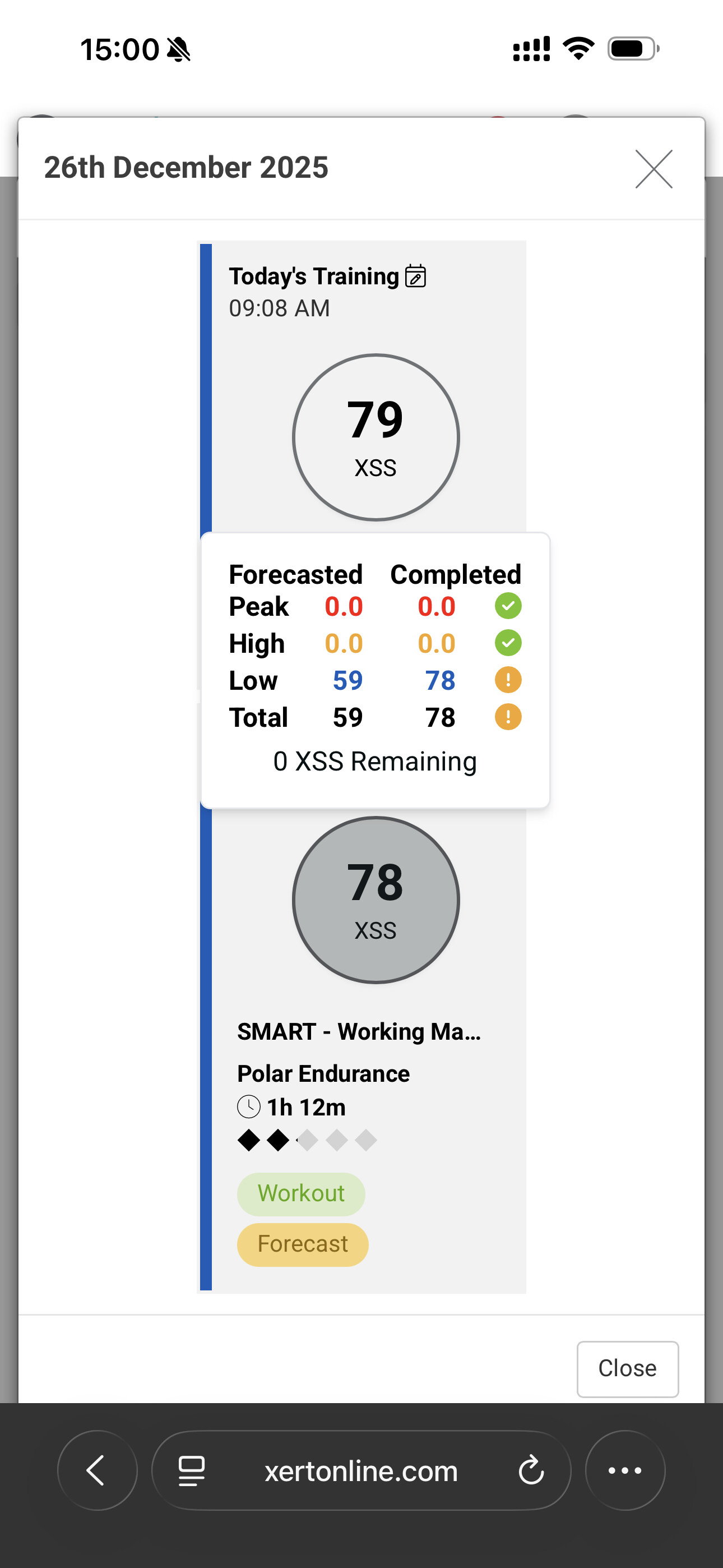
I’m seeing confusing (and seemingly inconsistent) behavior in the Planner when executing Recommended Training via the EBC, and I’m trying to understand whether this is expected or a bug.
Repro steps
-
Use the Planner to follow a structured training plan (no manual edits).
-
On a given day, the Planner shows a Daily Forecast of 79 XSS (Low only / Pure Endurance).
-
Open EBC → Training → Recommended Training.
-
Execute the recommended workout (in this case, a SMART Polar Endurance workout worth ~78 XSS).
-
Upload the activity and view the day in the Planner.
Observed behavior
-
The Planner still shows both:
-
The original Forecast (79 XSS), and
-
The Completed Workout (78 XSS) as separate items.
-
-
When clicking into the completed workout, the comparison panel shows:
Forecasted: 59 XSS
Completed: 78 XSS
-
The Planner then flags this as an over-delivery (
 ), even though:
-
The original daily forecast was 79 XSS, and
-
The recommended workout was ~78 XSS (effectively a match).
-
-
The day ends with 0 XSS Remaining, which suggests the training logic is correct, but the accounting UI is confusing.
Expected behavior (from a user perspective)
If I execute EBC → Training → Recommended Training, I would expect:
-
The completed activity to be bound to / consume the day’s forecast, or
-
The forecast comparison inside the completed workout to reference the original daily forecast (79 XSS), not a reduced number (59 XSS) that was never visible beforehand.
Right now, it’s unclear:
-
Where the 59 XSS forecast value comes from
-
Why executing the recommended workout doesn’t collapse forecast + activity into a single reconciled object
-
Whether this is intentional planner behavior or a missing binding between EBC and the Forecast object
Important note
I believe the training results themselves are correct (fitness signature updates, future forecasts, etc.). This seems to be a Planner / UX / reconciliation issue, not a training model issue — but it’s very confusing when trying to follow a plan day-by-day.
Questions
-
Is this expected behavior when executing Recommended Training via EBC?
-
Should EBC executions be explicitly linked to the daily Forecast?
-
Is the “Forecasted” number shown inside completed workouts supposed to reflect the original daily forecast, or a recalculated remainder?
Happy to provide screenshots or logs if helpful.
Thanks!

