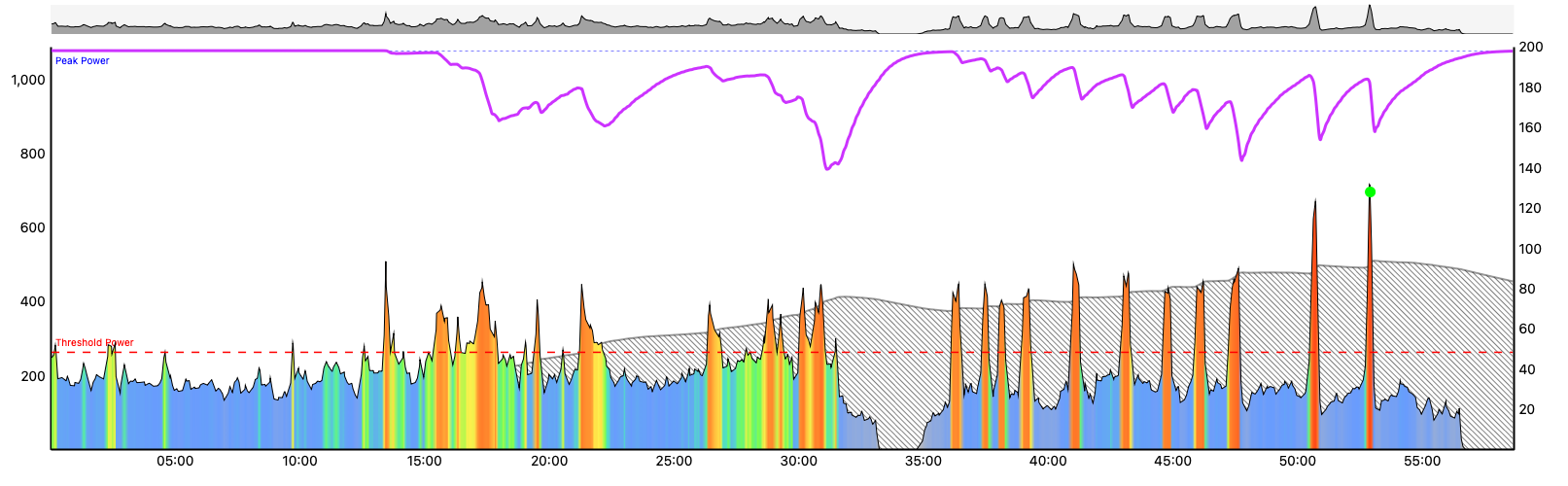
I am adding a previous C ZRL race session into the days in my future calendar for the next round of ZRL. The idea being that any Schedule can be planned around those.
They I go to change program, make a modest chnage to power target (10w Breakaway Specialist and increased end date by 1month)
When I choose “Run Forcast AI” it adds extra sessions on those ZRL nights. There is no way I am racing and then doing an extra session!
Is there a way of saying on this day I will be doing an activity similar to this, do not add other activities on that day just work on the days around it.
If you want, you can choose the past ZRL race as the training for that day & pin it to your forecast, which tells Xert that you want your training adjusted around those specific events.
If you’ve added them using the (+) button on the planner (which is totally okay), just mark yourself as unavailable that day and Xert won’t recommend any additional training on those days.
FWIW, I initially started doing something similar to what you’re describing, but recently decided that I’d pin endurance days before my ZRL days. This often forces High Intensity on the days that I plan to race anyways. I then do the race and if needed top up my High/Peak buckets using the Magic Buckets feature. It’s been some great training for me. Most race days I nearly fill my buckets entirely from the race - but that depends on the length & profile of the race course.
Here’s an example from earlier this week where I raced & then finished with some Magic Bucket intervals
You don’t get detailed guidelines on a watch as shown on Edge devices, but you can see low/high/peak buckets filling along with suggested target power for intervals.
You could ride Zwift as normal while your Fenix is paired to trainer power via ANT+.
When the workout or ZRL event has ended check your watch to see which buckets remain unfilled. Then ride a few intervals at suggested target watts to fill them. You control duration and rests-in-between.