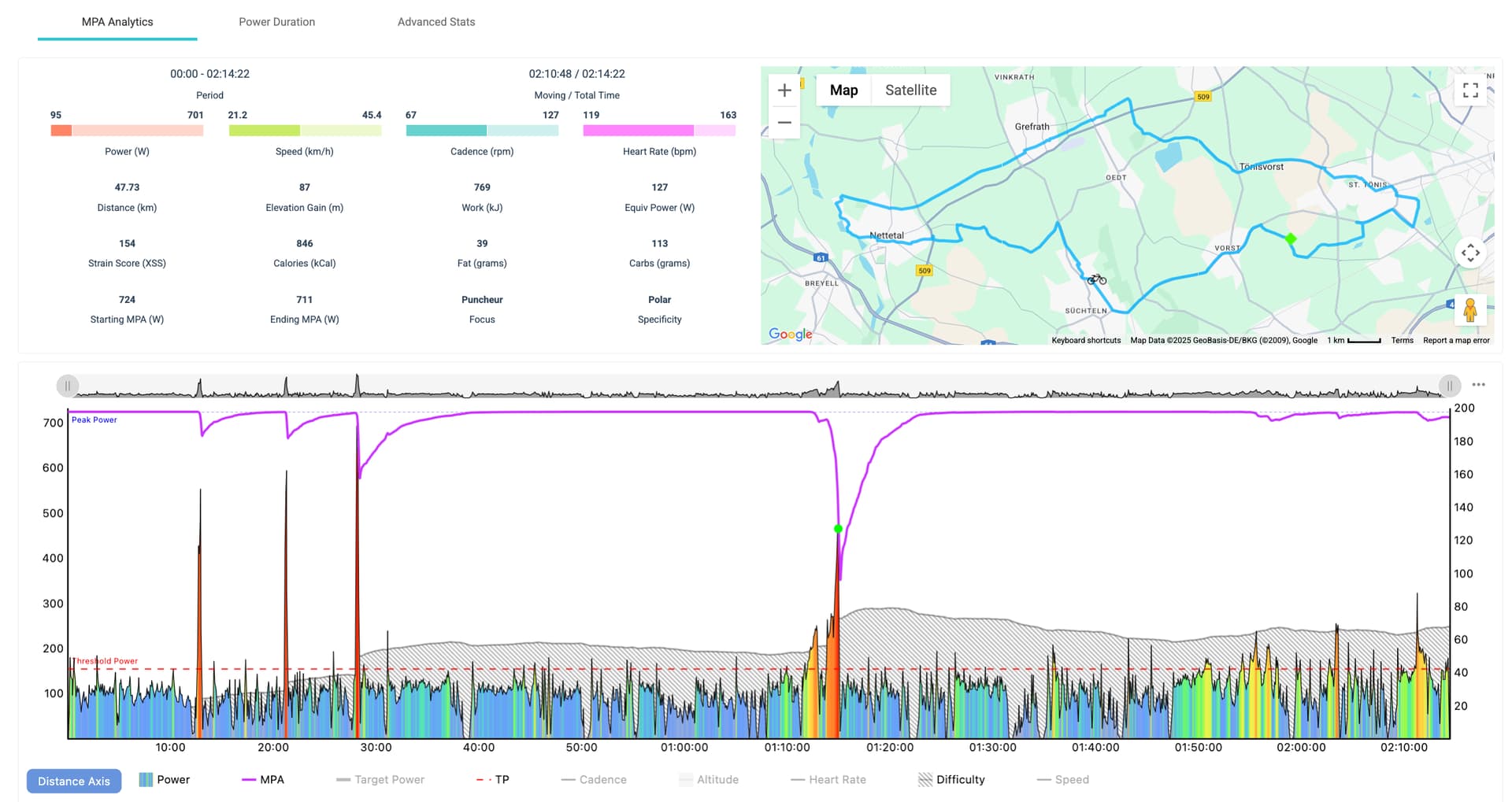
Indeed, a breakthrough! 

I still think I can do more/ better - it was literally my first time sprinting! Need to improve my technique and also my gear selection (and possibly shifting).
I did a third sprint because after the second I felt I could still do better.
1 Like
Perfect!
Now your ride assessments (XSS, Focus, Difficulty) will be more accurate moving forward.
Once your signature is dialed in you can simply ride as you please and signature adjustments will track accordingly by the rise/fall of Training Load alone.
Occassionally make an effort to test various points along your power curve when your form is fresh and you’re feeling up to the challenge.
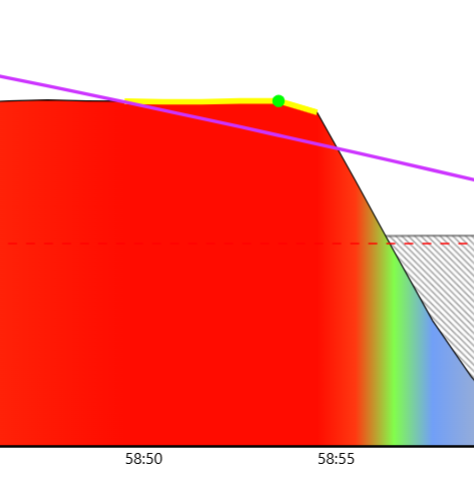
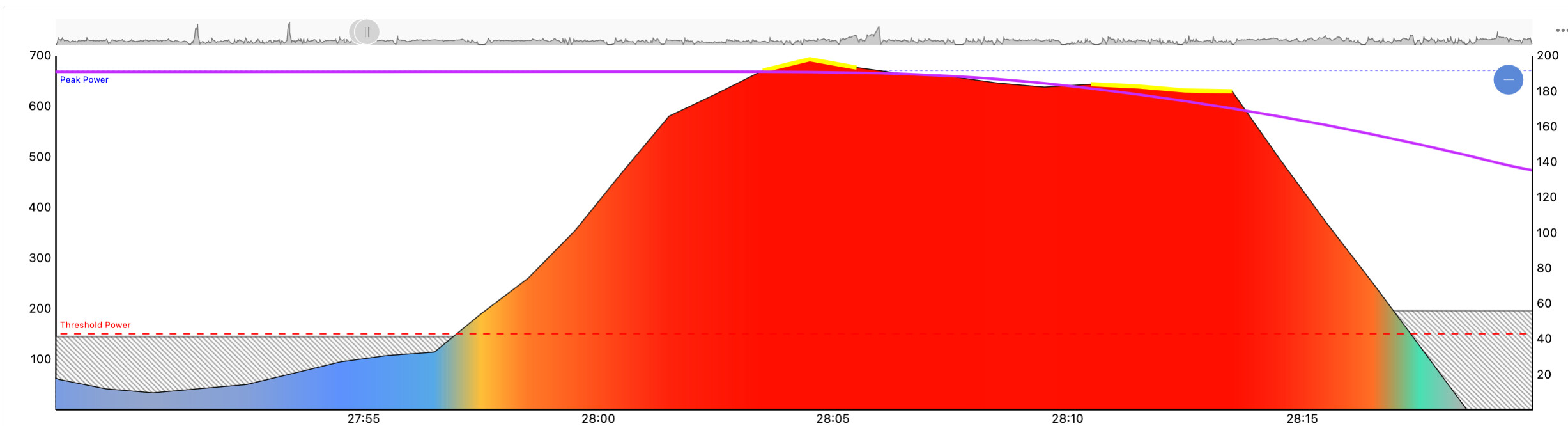
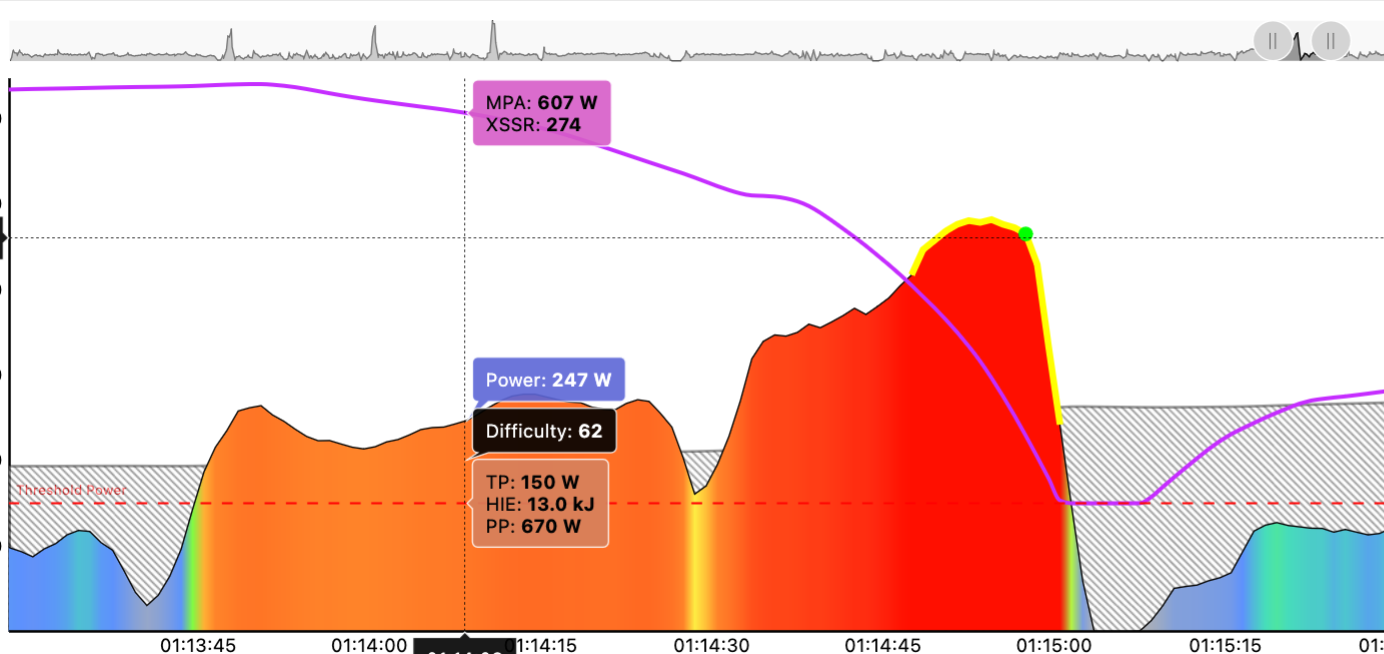
The MPA line on the chart tells the story. On BT activities you can see how you did by viewing the power chart, select Previous button underneath, then zoom in on the MPA draw down sections where you exceeded your prior signature’s MPA line. Examples:
Pull down BT –
Multiple BTs –
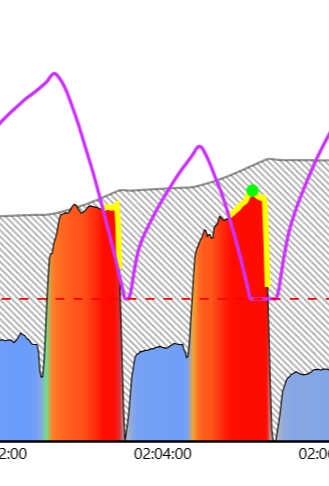
With multiple BTs your best effort  determines the adjustment required so the new signature MPA line only touches that effort.
1 Like
A question that just came to my mind: If I plan a ride for tomorrow and add it to my calendar, will XMB pick it up automatically or am I confusing two different things? I only have Magic Bucket on my Garmin and have no idea how else I would get a workout loaded on it..
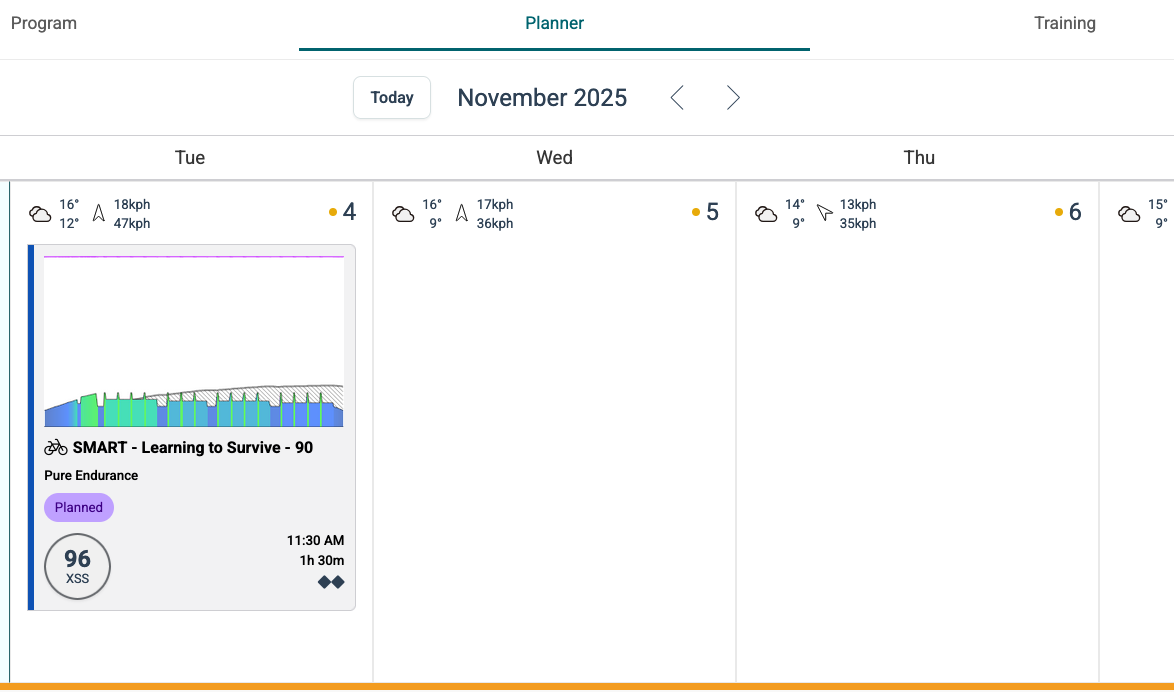
SMART workouts are designed to be ridden indoors under ERG control on a smart trainer.
Since you are riding outdoors exclusively I suggest you disable Automatically Schedule under Planner Settings.
When you assign a workout to the Planner the XSS ratio (low/high/peak) of that workout is fetched by XMB. However, the workout structure is ignored.
If you don’t add workouts to the Planner XMB fetches the top level advice as described on the Training page.
On Endurance days the only bucket to fill on XMB is the Low bucket. Ride easy (Z2 level when you can).
On HIT days XMB displays micro-interval guidelines to execute in order to fill all three buckets (low/high/peak) – as terrain and traffic allow. You don’t need to closely follow the guidelines to fill the buckets, but when you do the buckets will fill at the same rate.
XMB is essentially SMART intervals for the road that dynamically adjust as you fill the buckets.
The other option for your Garmin would be to push simple workouts to your Edge and execute them using the native workout player on the device. You can create those workouts from the Planner by selecting [+] then select the Magic Buckets Workout Generator tab. Save the default which will add that workout to the Planner. Then use the Send icon to push the workout to Garmin Connect. Use Garmin Connect to install the workout on your Edge device. However, that means starting a structured workout and trying to stick to that pattern during a ride. XMB is much more flexible and gets the job done without all the hoopla.  Just jump on your bike, start recording, swipe to the XMB screen and go.
1 Like
Today XMB recommended to me a target power of…. 84!! 84!! What the heck hahaha. I do have legs you know!?!? Is something off with the AI? With me?? hehe. Is it because in my availability today is technically a day off? I scored myself 8 on how fresh I feel…
I ignored XMB, basically went with how I felt. My target was to have an HR under 137 and to focus on my leg/pedal power distribution: I’m practicing the get a feel for 50/50.
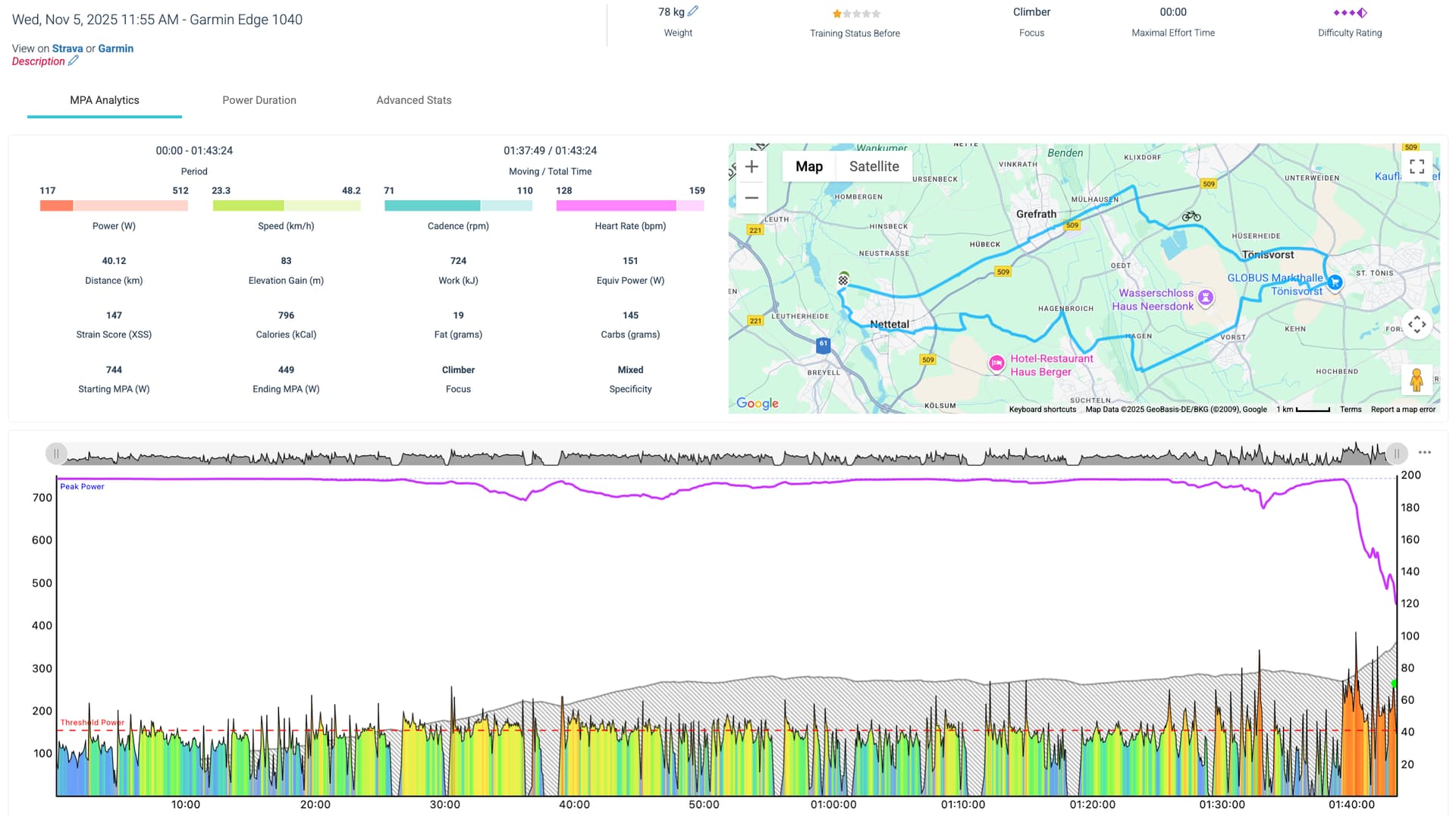
Chart indicates you hovered around TP (yellow) for over an hour then ramped up during the last five minutes driving Difficulty Score upwards of 90.
The TP portion should have felt taxing. Does that reflect how you felt?
What HR zone does 137 represent to you on the traditional 5/7 scale?
What do you think your approximate Z2 wattage range is? (before breathing becomes labored)
1 Like
It didn’t feel taxing as if I was on any kind of threshold for an hour. It actually felt great - a solid, continuous effort. With the right fueling, I could have continued for a good while. The ending push was just for fur  . I was trying to beat my Garmin virtual partner to the finish line hehehe.
137bpm represents the top of my Zone 2 HR.
According to Garmin Connect my FTP is currently 197W. According to Strava, it’s 142W. This is the part which I’m still unclear on, in terms of what is my capability and my zones.
I don’t think you’ve fully fleshed out your fitness signature yet.
While FTP and TP aren’t the same due to how the numbers are derived, they are usually fairly close. +/- 10 watts would be a normal range.
Practice sprinting and see if you can push your PP any higher. Try sprinting into a hill and smash the pedals for 7-10 sec minimum. Stand up if you like.
Plus, the next time you are feeling especially fresh on a HIT day try an escalating MPA pull-down effort using XMB. Warm up, go to Challenge Level 2 on first few intervals. Then shoot for CL4, then CL6, and try to get all the way to CL10 on a final interval. Hold it there as long as you can. Shorten the recoveries while you do this. Ignore the Recovery Timer and watch the CL gauge instead. Go again as soon as CL drops by two levels. For example, when you reach CL4 go again as soon as CL drops to 2. When you reach CL6 go again when CL drops to 4. Continue up the ladder as high as you can go.
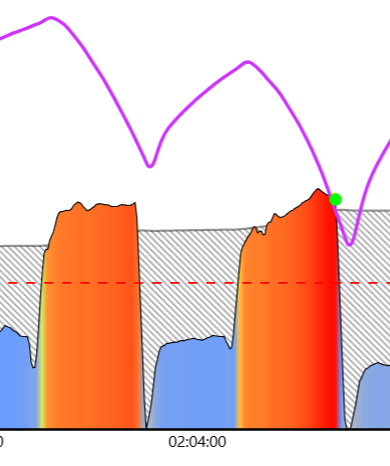
If you have something left in the tank after reaching CL10, try for another CL10 (multiple BTs)
You want the MPA line on the uploaded activity to look like these –
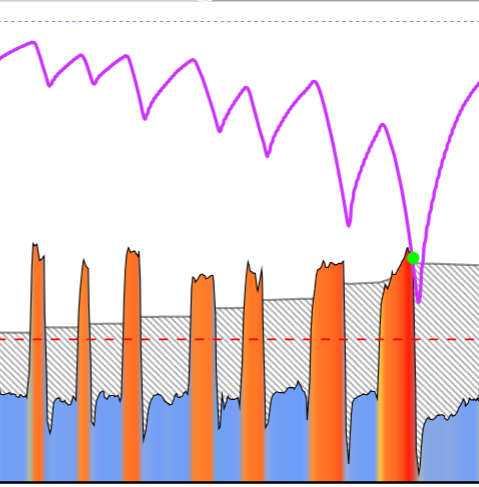
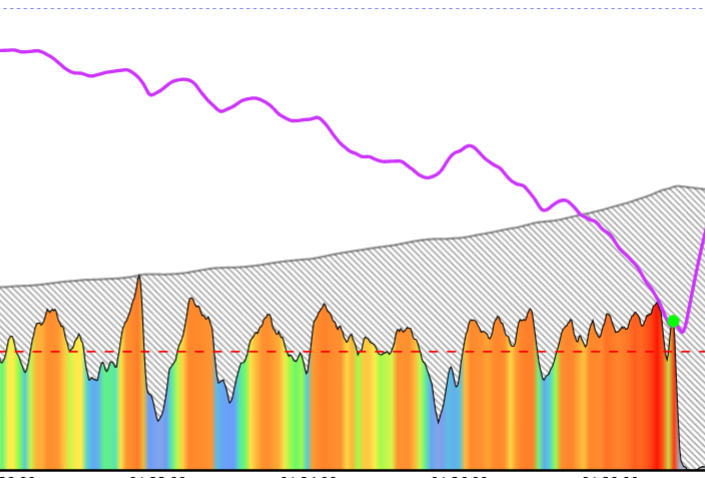
Another option is a set of short hard efforts with even shorter rests. For example, 30 secs on, 15 secs off. Repeat until you can’t do another one.
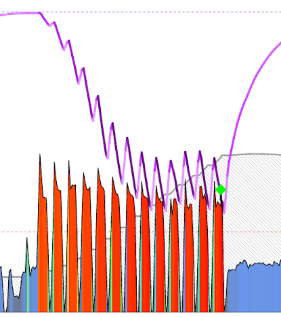
Or try ramping up towards the end of a 5-minute climb and go all-out to failure as you crest the hill.
Once your signature is dialed in power alone should suffice for targeting zones (Focus Durations in Xert). You can use HR for reference when steady-state conditions apply.
1 Like