What is the meaning of the green number next to the XSS/day number in the Planner view?

What is the meaning of the green number next to the XSS/day number in the Planner view?
I think its the change from the previous week.
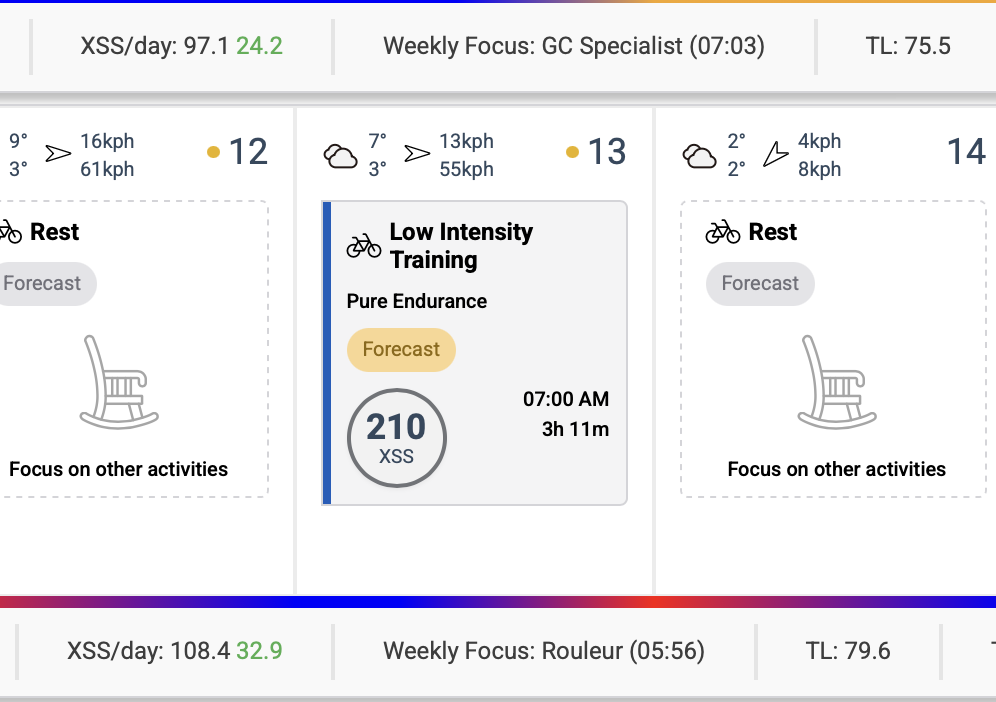
That cannot be correct, as the week before that the XSS/day was almost the same.
you had a total training load of 43 xss/day the week before.
Nope, my training load was almost the same the week before.
Training Load (TL) is weighted average for 42 days, not average for this week.
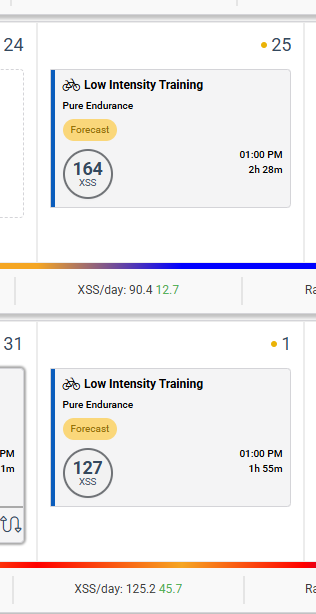
I still don’t think that can be correct. See for example this screenshot. There’s no way the 42 day rolling average training load is 12.7 one week and 45.7 the next week.
Red = a decline from prior week
Green = an increase from prior week
Mystery solved, thanks!
So the green number next to XSS/day actually refers to the difference between the current week’s XSS/day and the previuous week’s Training Load. I can see why that is interesting, but the UI does not explain this at all 
I’ve been trying to understand this for a while. Excuse my ignorance, but how can we use this information? Should there be a general rule we want to abide by? I assume we want it to be green each week, but should we avoid large disparities in the number from week to week? What might be a useful number to be aiming for each week? I know this will be different depending on goals, fitness, etc.