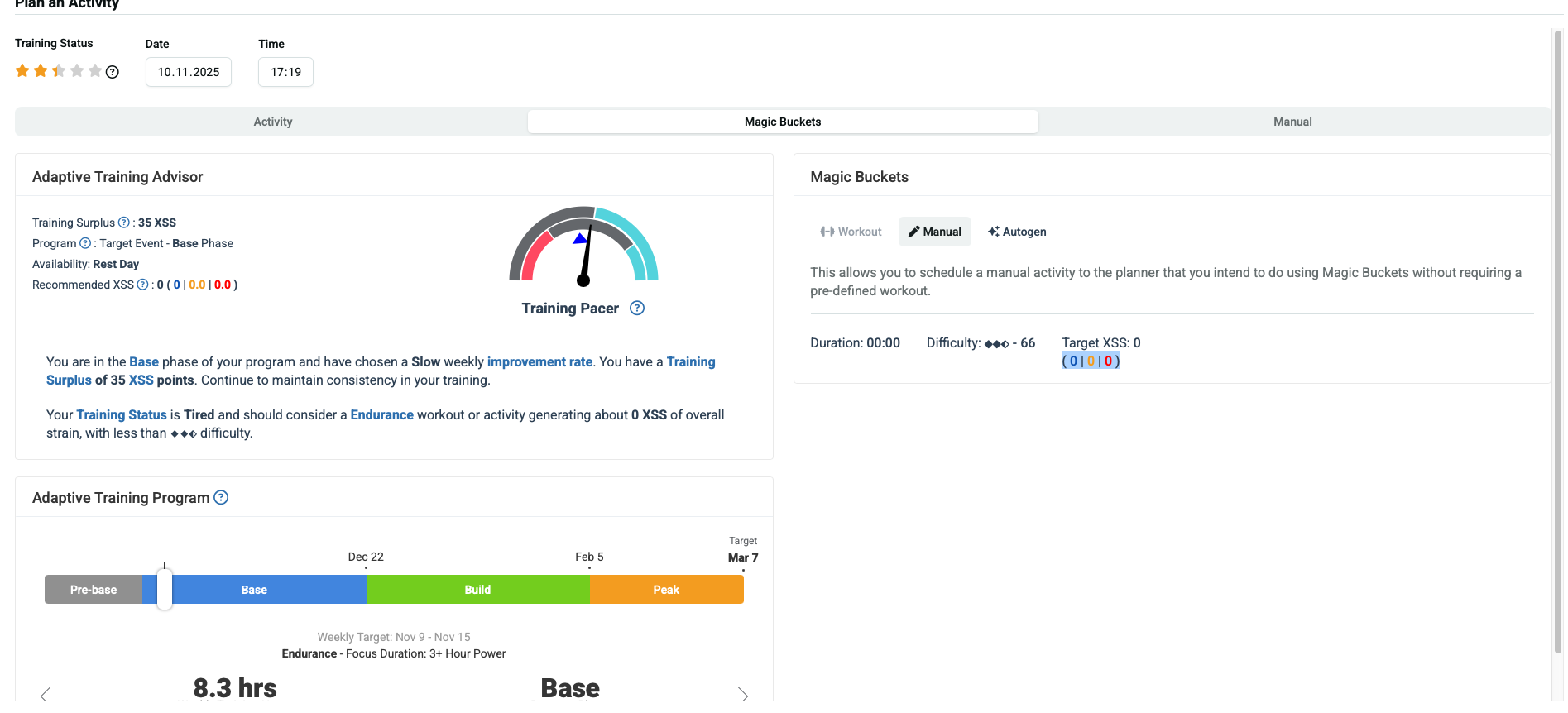
Hi,
what exactly is the purpose of the Magic Buckets feature in the Planner when looking at Forecast workouts?
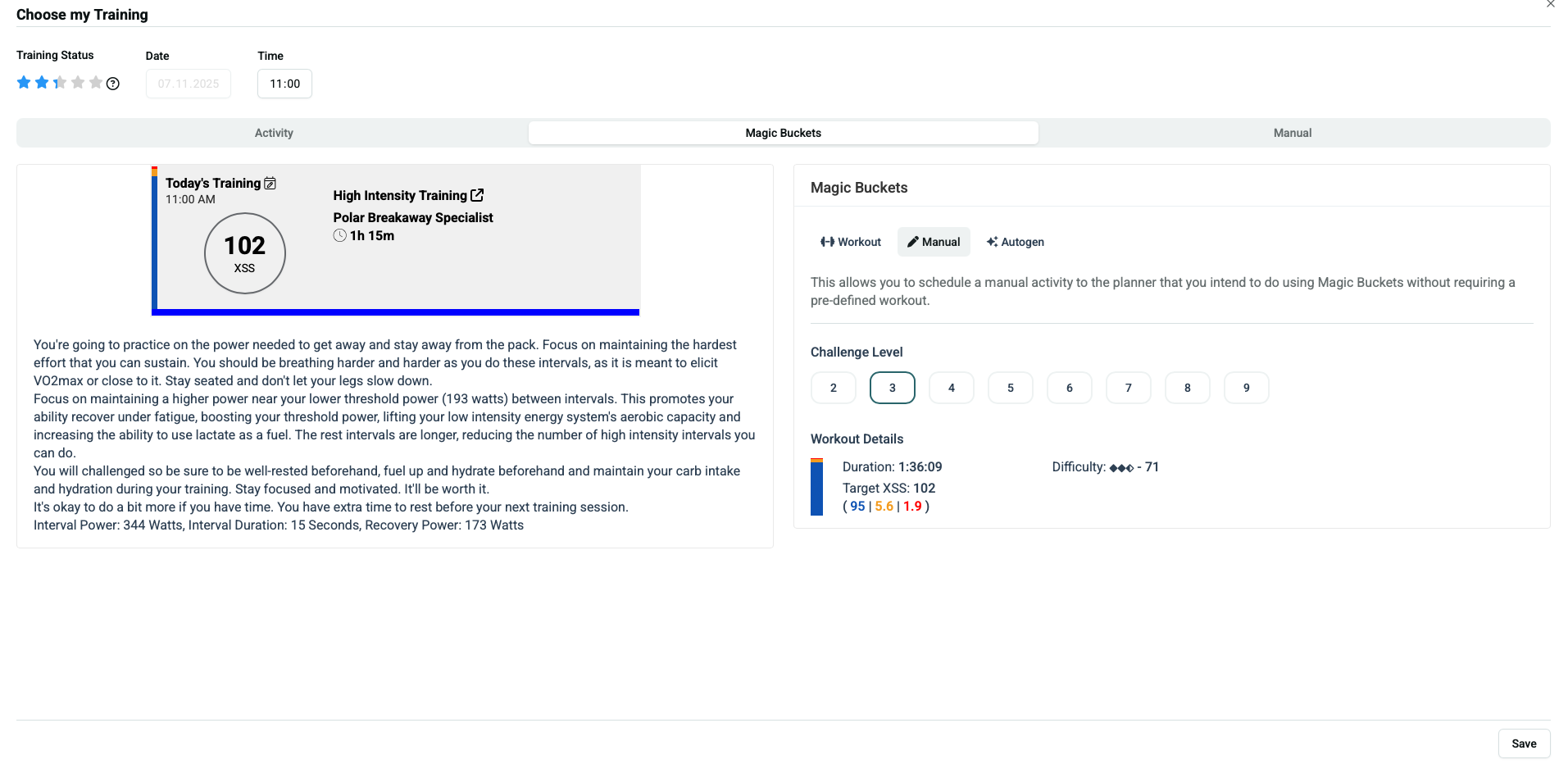
When I click on Magic Buckets and save a workout, it becomes marked as completed in the Planner and can no longer be sent to my device.
Is that a bug, or am I misunderstanding how it’s supposed to work?
I couldn’t find any clear explanation on how to use Magic Buckets correctly — for example, if I select and save a workout from Magic Buckets, how can I then send it to my device?
Hi Joseph, what device(s) are you wanting to use? And are you wanting to follow along a structured workout (like in ERG mode) or do you want to use the real-time Magic Buckets feature on Garmin, Hammerhead/Xert EBC for Android?
For the later, you don’t need to actually generate any workout - they’ll just load the targets for the day and the workout will adapt on the fly as you ride. I’ll often use the workout generator to get an idea of how long it’ll take me to complete the ride based on the various Challenge levels.
If you’re wanting to actually create a workout & follow it as a structured ride, then you can create the workout as you’ve done and it will be available in the EBC app (or can be sent to Rouvy, Zwift, Wahoo, etc.). If using the EBC app, it’ll be available about 30 min before it’s scheduled time.
Are you planning to ride indoors or outdoors?
Magic Buckets (XMB) works with or without a workout assigned to the Planner.
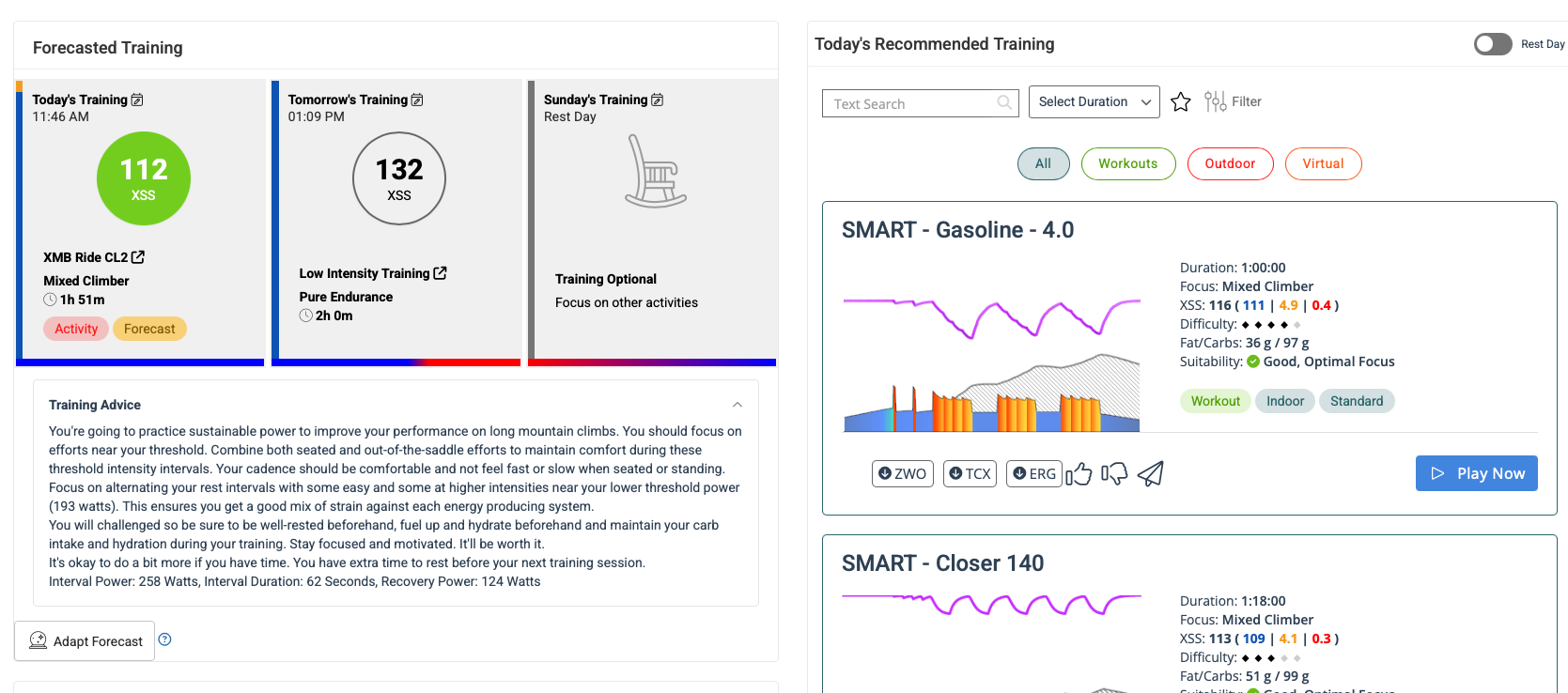
With no workout is scheduled XMB fetches the top-level advice for the day which is the XSS ratio of low/high/peak XSS. On HIT days that will be xxx|xx|xx in proportion to the targeted Focus and Difficulty (ex, 2-diamond Rouleur over ~90 minutes). On LIT days it will be xxx|0|0 (pure endurance). Or a default of 27|0|0 on rest days (active recovery).
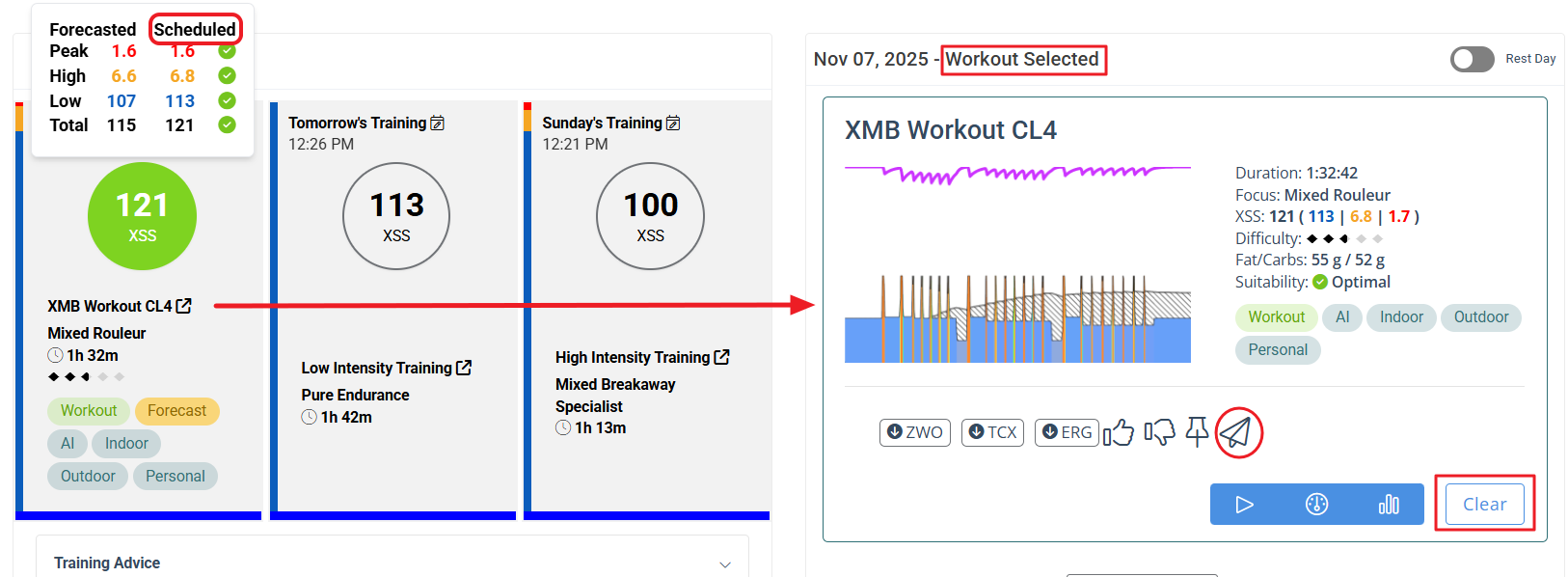
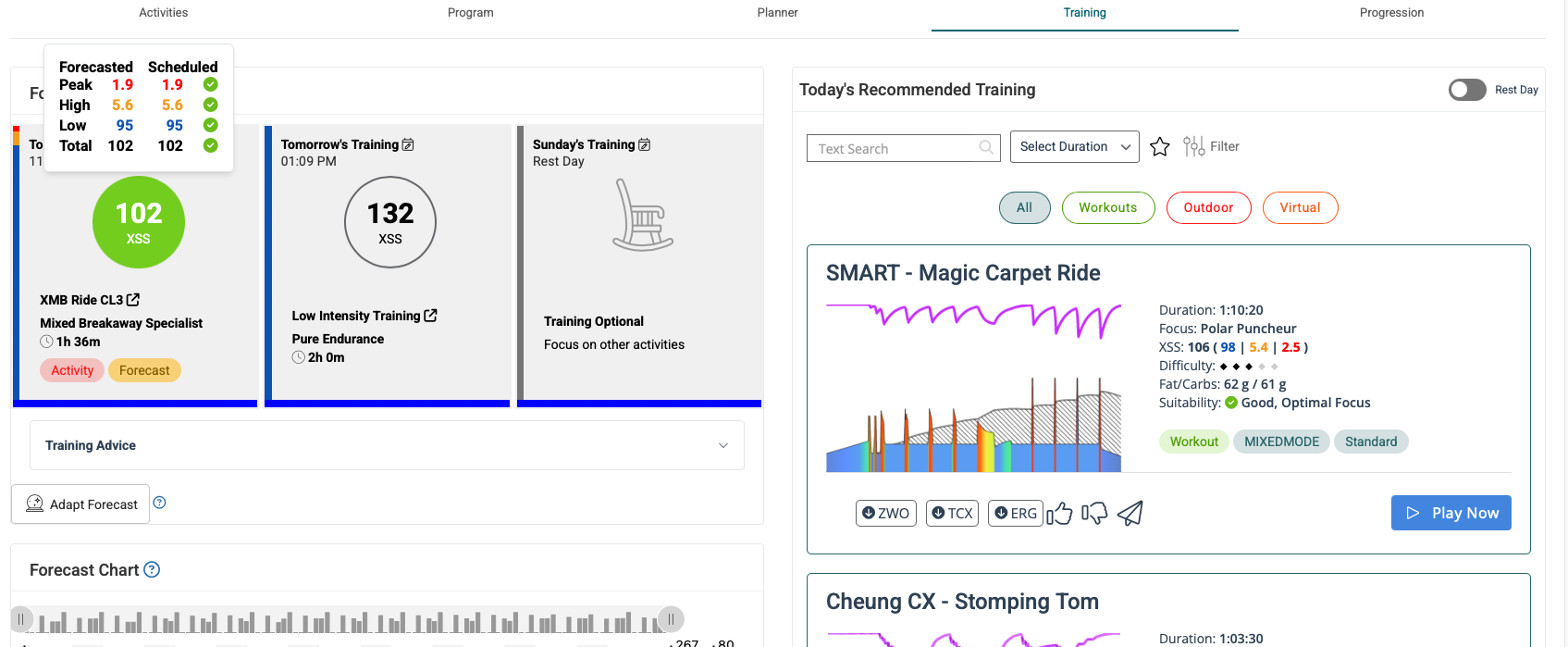
If you use the Magic Buckets workout generator tab to create an XMB-style workout, you can send that saved entry to your device using the Send icon that’s visible on the Training page.
Hi,
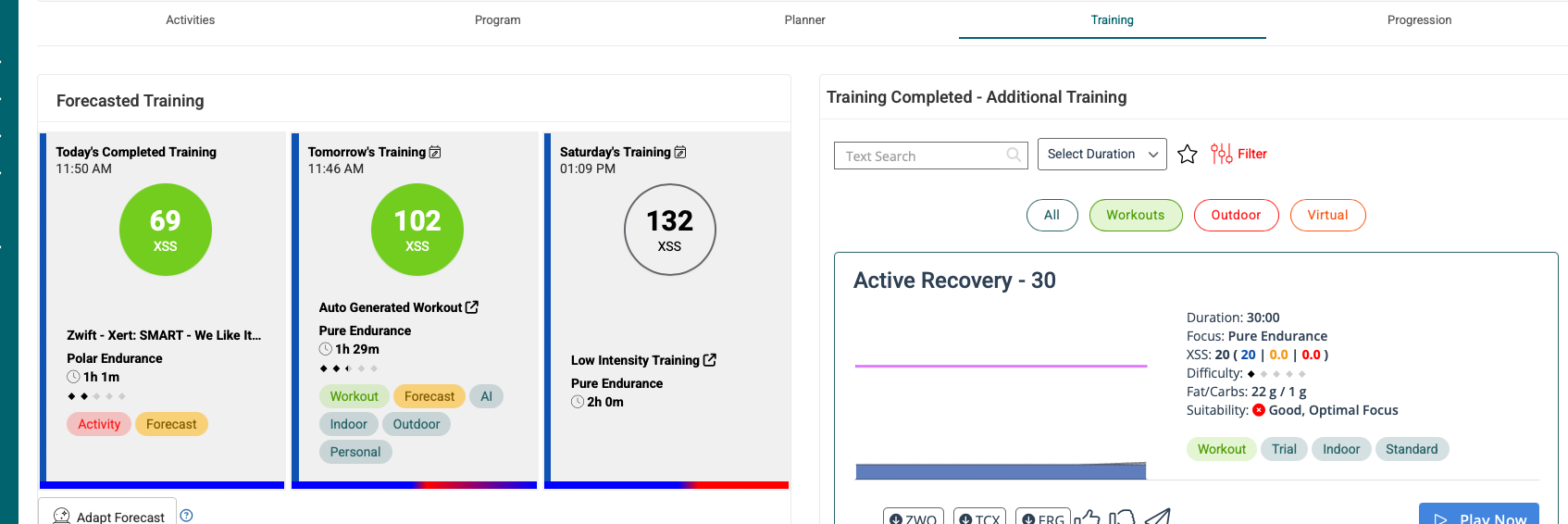
I wanted to send a workout to my Garmin device. My process was: I generated and saved the workout using the Magic Buckets icon, but then it showed up green (completed) in both the Planner and the Training tab, and I couldn’t find anywhere to actually send it to my device.
Just wondering if the time could be causing the problem… Today, when I generated the workout—I’m not sure exactly what time it was—but after generating and displaying the workout, it appeared as already completed, and I didn’t see any icon to export or send it to Garmin. Do the times set in the calendar affect the workouts? I thought they were just indicative, but maybe there’s some logic behind it… For example, if I have a workout scheduled at 11:00 but I know I can only train at 12:00, should I change the time?
If you add a workout (or past ride activity) to the Planner with a Start/Elapsed Time in the past, the Planner thinks you are manually entering a completed activity.
Start Time/Date must be in the future to successfully “schedule” a workout.
As far as scheduled workouts go, you can sync them to Garmin Connect automatically by enabling that function under Garmin Sync.
Otherwise, the Send icon applies to push workouts to Garmin Connect on demand.
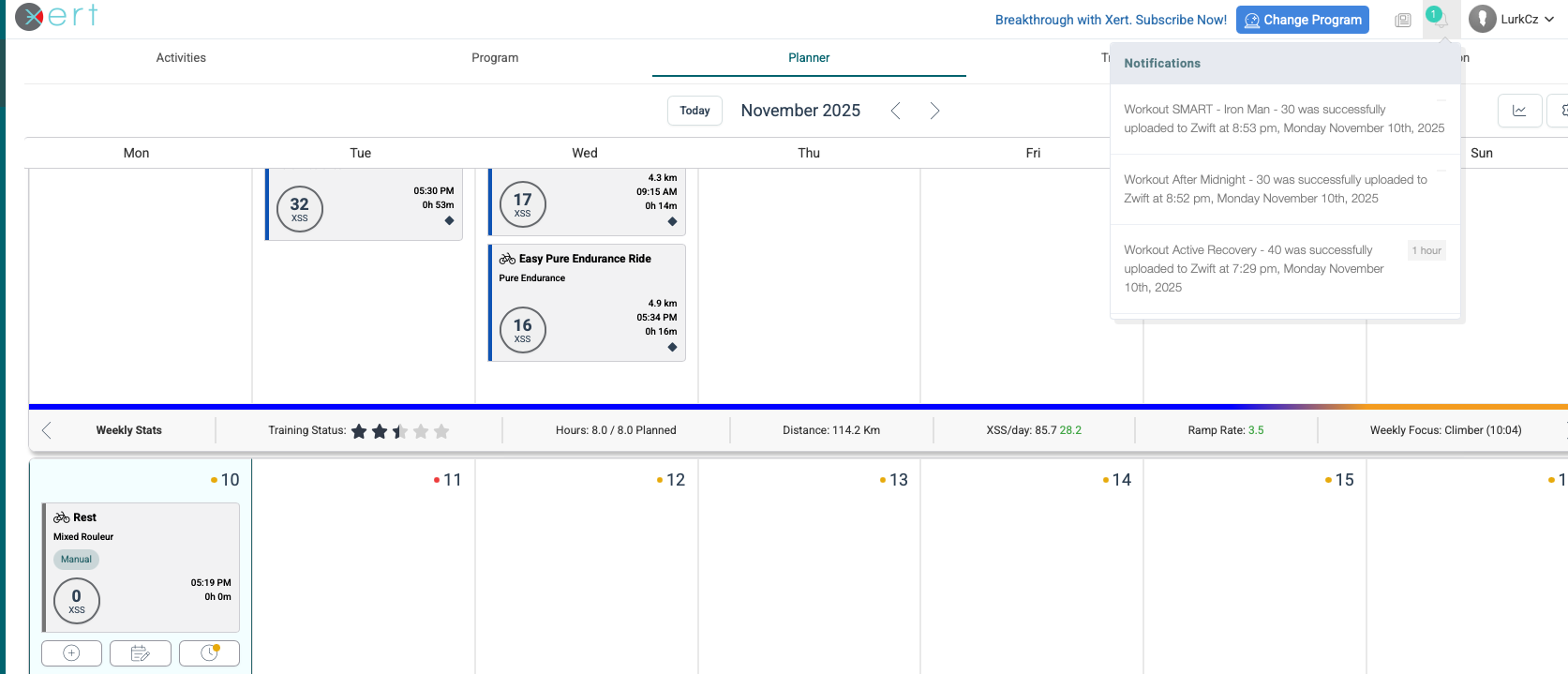
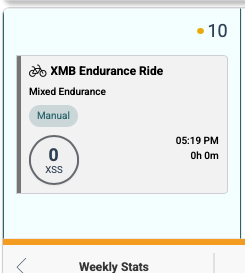
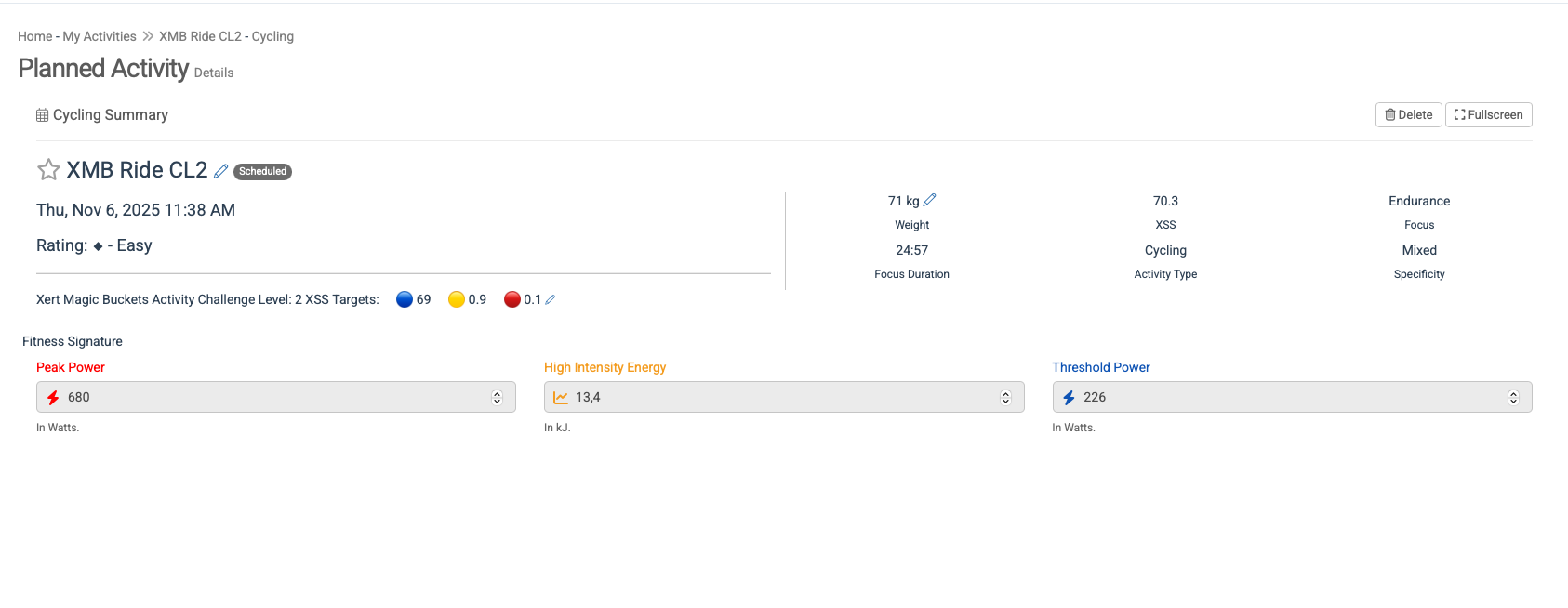
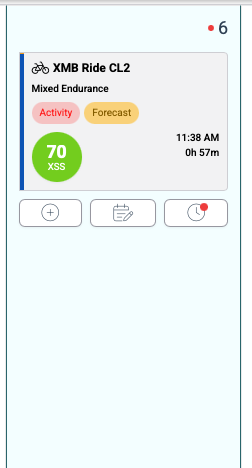
Hi, how does it work with a workout generated using Magic Buckets in Manual mode? I tried this today—the workout was generated, but there is nowhere to send it to my device, and the workout is marked as completed in the calendar even though the scheduled time has not yet arrived, see the screenshot.
In the Planner, I clicked on the Magic Buckets icon, then selected “Manual” and saved the workout. The workout was saved, but it cannot be sent to the device, and in the Planner, it is displayed as completed.
This happens with all workouts regardless of the time when I generated them (whether before or after the workout time) or whether I am planning the workout for the next day.
Option A: Leave the day blank on the Planner. No workout is selected. The XMB app will fetch whatever XSS ratio is recommended for that day. What I call top-level advice.
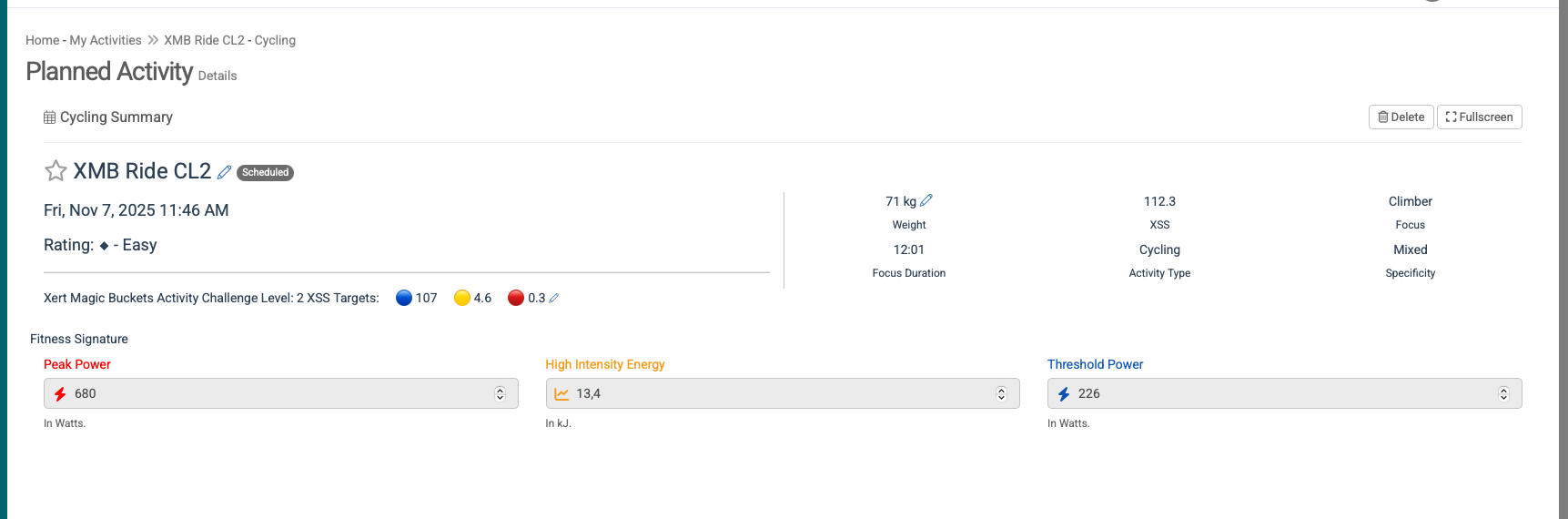
Option B: Use the Manual tab and set your own low/high/peak values. The entry on the Training page will be labeled XMB RIDE CLx. The XMB app will fetch that XSS ratio. No workout is selected.
Option C: Use the Magic Buckets tab to generate a simple workout (like I did). The entry on the Training page will be labeled XMB WORKOUT CLx. The workout can be sent to a compatible head unit and ridden as a structured workout using the head unit’s native workout player.
With A and B no workout selection is required since the XMB app generates workout guidelines dynamically during your free ride. All the app needs to know is the target low/high/peak values for the day.
In your example the manual entry is Scheduled but not yet Completed.
If I generate a workout using Magic Buckets and it shows as “XMB” in the Planner, will the workout automatically be sent to my device?
Today, I tried sending a workout to my device but was unsuccessful. In XATA, I was recommended a workout with 0 XSS. I tried using the generator via Magic Buckets and manually adding XSS, but the values were not editable and the XSS could not be changed. When I saved the workout and tried to modify it to a value of 40 XSS, after saving, the value did not update and the workout still showed 0 XSS.
On Garmin Connect, I tried to launch the Magic Buckets data field, but only a blank screen appeared, although it worked yesterday. When I removed and re-added the data field, all I saw was a stopwatch screen, even though I selected the Magic Buckets field (device: Garmin Edge 830). The platform feels unstable or not user-friendly, or maybe I am a different type of user than it was designed for.
I wanted to review tutorial videos to get a clearer understanding and see if there are any recommendations for platform usage and setup, but all the videos are outdated and don’t reflect the current look of the platform.
After an hour of frustration, I decided to switch to my rowing machine and do a different workout, as I’d had enough for today.
Today everything finally worked… even the Magic Buckets data field successfully activated on my Garmin device and is now displayed. I’m wondering if the issue I faced yesterday was related to the fact that I had Monday set as “Unavailable” in the schedule, and if that might have caused the problems I encountered.
Yes, Unavailable would be the reason.
The day’s advice shows a surplus, calculated form is Tired, and Availability indicates Rest Day which is why the recommendation is 0 XSS. There’s no XSS for XMB on the Garmin to fetch.
Your screenshot shows XATA Base-Build-Peak with a target date 117 days away. That means Base phase for next 42 days where only endurance level workouts would be recommended. Then Build phase would start with HIT workouts being introduced.
 that’s visible on the Training page.
 For example, if I have a workout scheduled at 11:00 but I know I can only train at 12:00, should I change the time?