Help me understand EBC

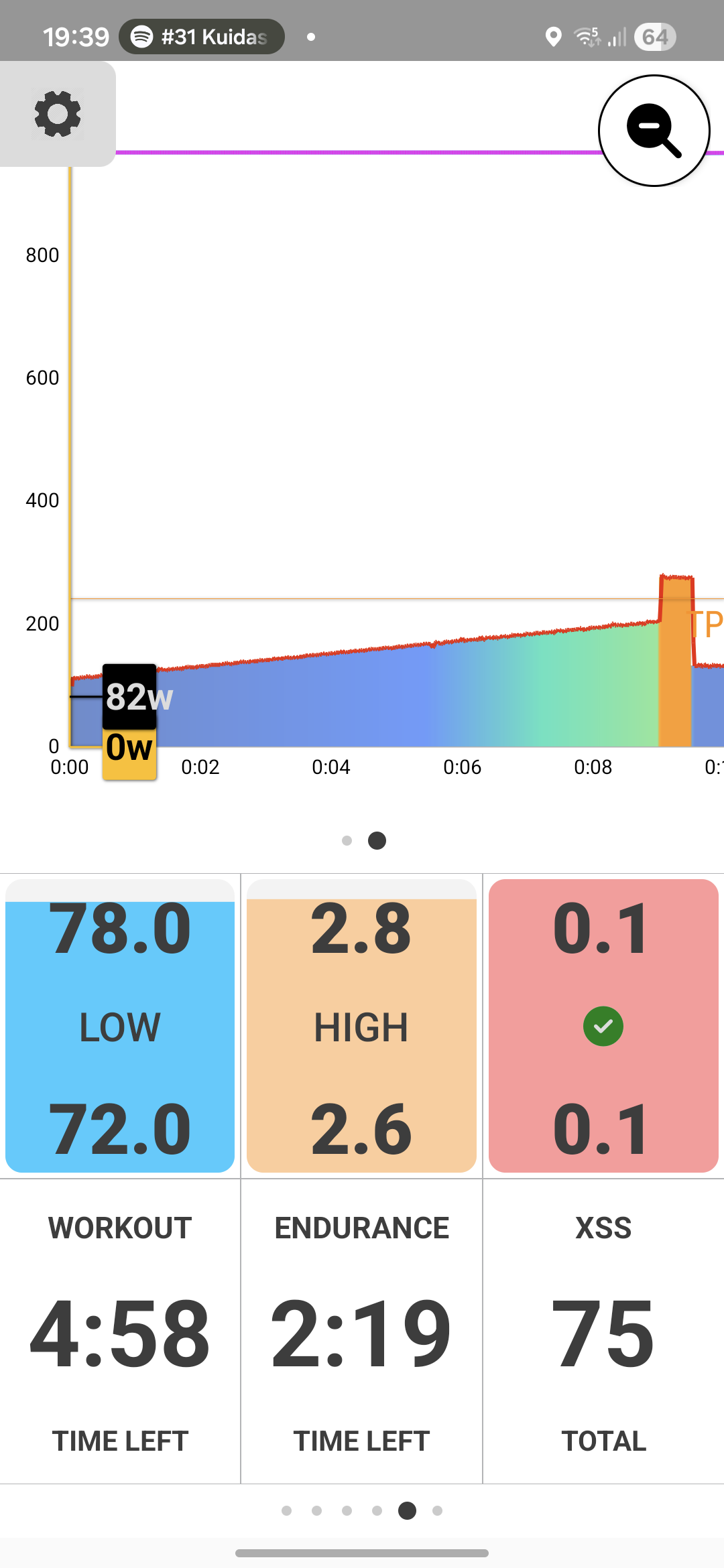
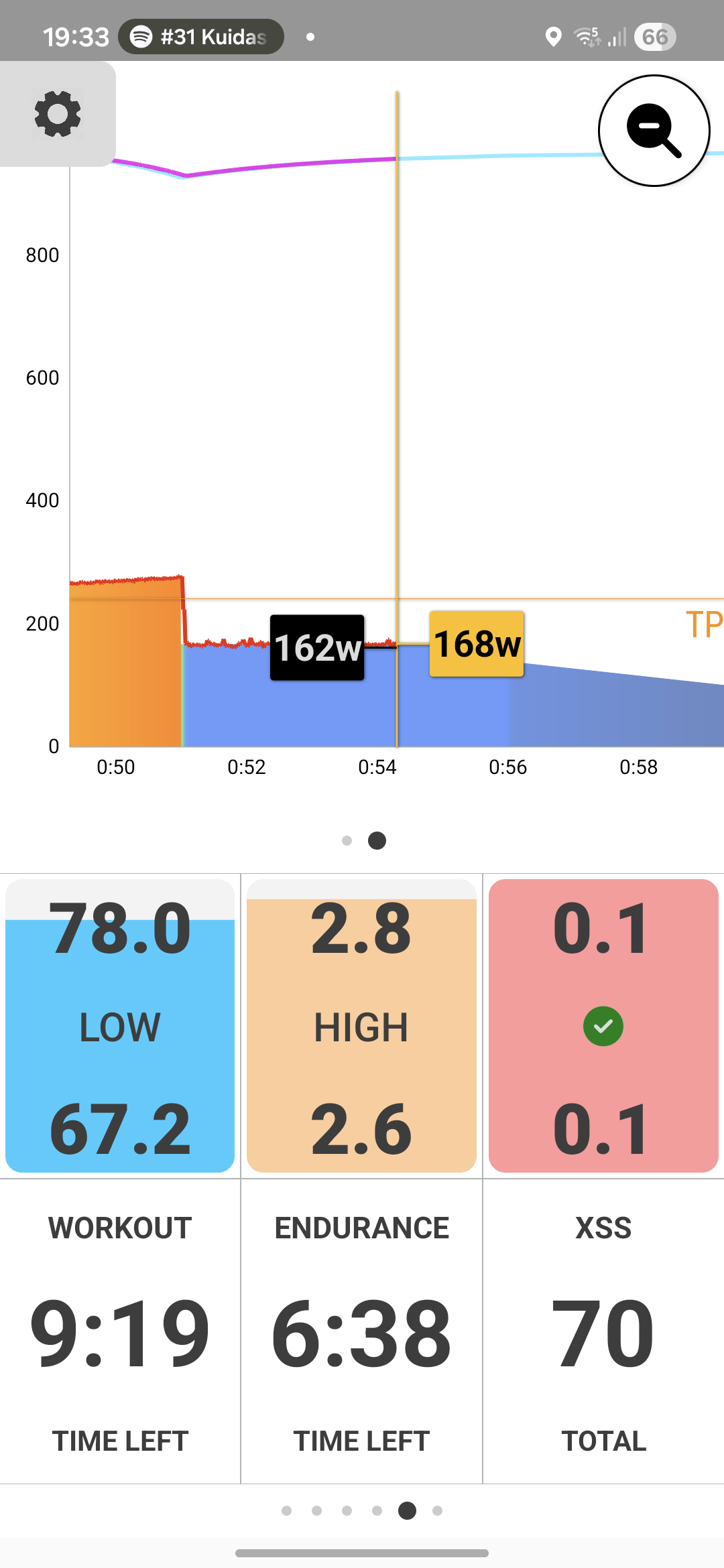
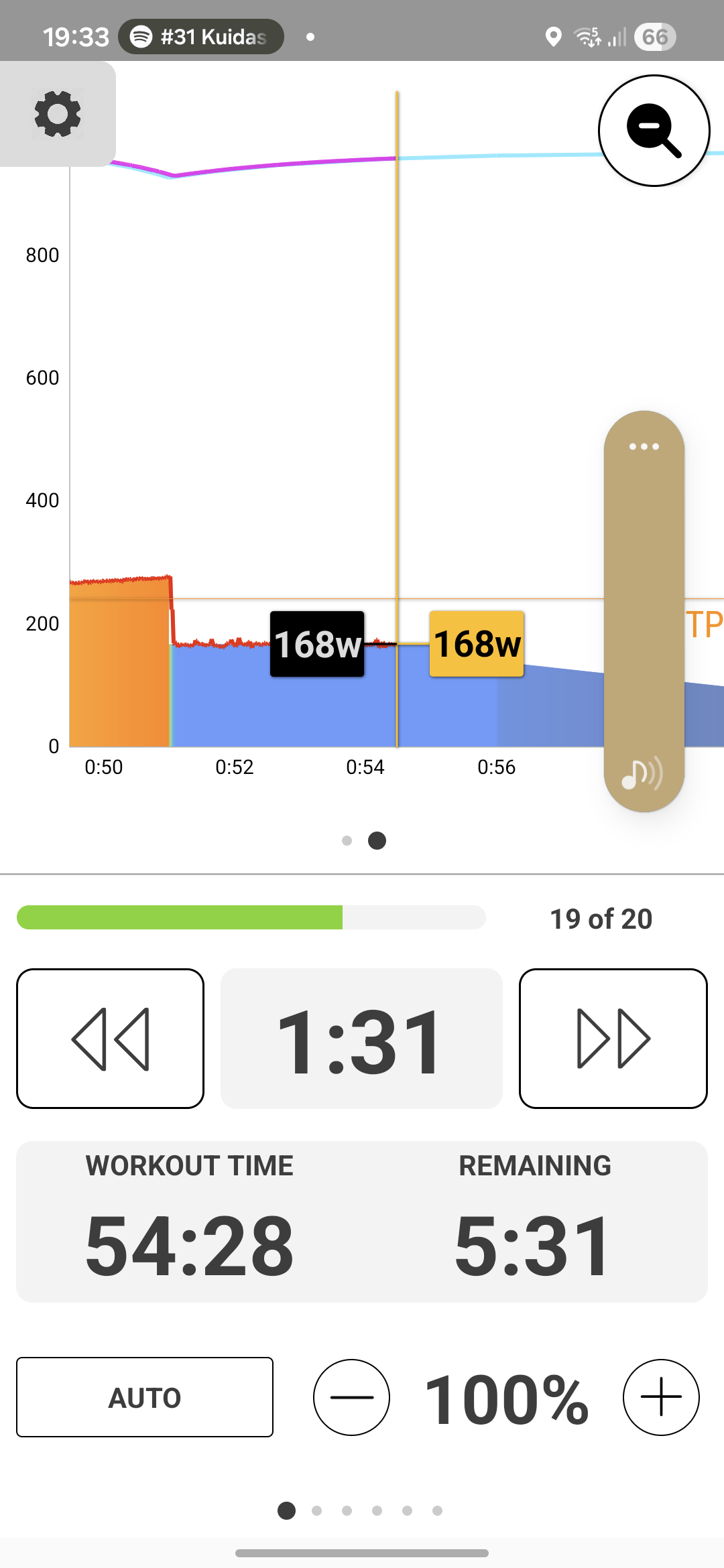
I did a Smart workout (We got this - 60) using EBC app. It was one hour workout and one hour it lasted. However I did not meet my targets. I added some screenshots from the end of the workout.

First two were from same moment. You can see that Remaining is 5:31 and after that time app switched the target power to zero. Endurance and Workout were higher. Third picture shows those two timers after one hour.

You can also see that the targets were not met.

Why is it like this? I thought that Smart workout will adjust the duration if needed.

Also: where can I find out what some fields display? What is the meaning of Workout and Endurance fields? Also on the last page there are Zone and Fat fields with percentage and number. Number under Fat field seems to be amount of burned fat. But wgat does the Zone number show? And what are the percentages?

Thank you in advance.

EBC Android includes both workout player functionality under ERG control (called AUTO) plus the Magic Buckets app and fields.
You can use one function or the other or both during a single activity.
Before I explain the differences and how to use them can you post a screenshot of that activity’s power chart with target watts enabled?
Or view the details on XO under the Activities tab, enable Share, Public in upper right, then post the url.

As we wait for your screenshot or url to be posted, here are some quick answers.

Target power to zero is a Magic Buckets (XMB) function; means workout is over and ride at whatever watts you want.

Most if not all SMART dynamic workouts in the library are power based, not dynamic duration. This is so users don’t freak out if the 60-minute workout they pick takes 66 minutes to complete. :smiley:
You can create dynamic duration intervals using Workout Designer if you’d like to test that concept.
Dynamic power intervals fluctuate target watts depending on compliance to inteval target.
Speaking of which, if you have a KICKR make sure power smoothing is disabled on your trainer.

Explanation of XMB screens and fields can be found here –
Magic Buckets – The Evolution of the Workout – Xert

Thank you for your answers. This is the activity that I did: Xert - Activity | SMART - We Got This - 60

The last link that you posted helped me to understand the Zone and Fat fields. I read this article earlier, but there was so much new information that I just forgot it.

I need to check my Kickr, but I think I have smoothing on.

The workout targets were 77 ( 74 | 2.9 | 0.1 ) and I achieved 76 ( 73 | 2.7 | 0.1 ).

I thought the difference was larger. Maybe the power smoothing is a cause here.

Typically, you’ll ride a workout on EBC under ERG control (AUTO) and leave the workout player pages displayed as you posted above. That means the standard rainbow gauge or power chart above with timers and workout controls below.
The other pages are optional to view while you perform the workout.

That’s close enough to get green checkmarks :white_check_mark: when comparing scheduled vs completed XSS. That’s all you really care about. The bucket values don’t need to be exact to achieve the target for the day.

They’ll always be some difference between calculated XSS on the apps’ fields versus the second-by-second analysis performed on the XO server when the FIT file is uploaded.

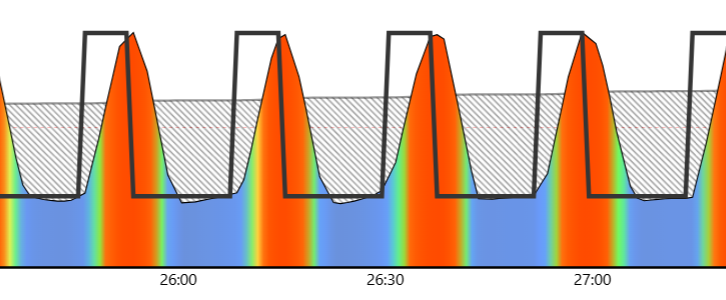
Larger discrepancies between XSS recorded versus workout targets can be explained by trainer responsiveness during interval transitions. This varies by trainer brand/model and flywheel weight. This is most obvious on short spikey intervals as in this example:


Note the delay to target watts at the start of each interval. If you have a long set like this, you can see why high/peak pts will be short of workout targets.
Other times it won’t matter much because the delay to target watts is compensated by an equal delay to rest watts as the interval ends.
You’ll see this best when you disable power smoothing on your KICKR so you can tell what was actually produced.

If there is a significant high/peak XSS gap at the conclusion of a workout you may choose to deploy XMB (Magic Buckets) to the fill any gap. :slight_smile:
During cooldown swipe to the Low/High/Peak buckets and, if necessary, top them off by changing to Slope mode and executing a few intervals on your own. You may need to extend the cooldown interval while you do this by tapping << on the player screen.

Another cool way to use XMB is to switch to it when you’re not feeling up to completing a structured workout under ERG control. Instead, swipe up, Stop, End Workout, Continue, switch to Slope mode, then swipe to the XMB screens (upper and lower pages), and follow XMB guidelines under your control at whatever difficulty level you willing to go that today.
For example, let’s say I’m at 2.5 stars status and select a 3+ diamond workout, get halfway in and cry uncle. I could lower % intensity and slog it out, or switch to XMB intervals to fill the buckets.
Thank you for helpful explanations!

The biggest thing to wrap your head around with EBC is that it isn’t just following a static line. Since Xert uses ‘Smart’ intervals, the app is constantly recalculating your targets based on your actual power output. If you go a little harder in one interval, EBC might shorten the next one or adjust the wattage in real-time. It feels a bit weird at first if you’re used to Zwift or TrainerRoad, but it’s actually much more effective once you trust the math!

Hmm. I am using ERG mode. So I will either achieve the target or fail the interval. It seems that ERG mode is counterproductive for Xert, because I cannot give feedback to Xert by lowering the power during very hard intervals. My feedback is only binary: complete or fail. Switching to slope mode during hard intervals is extra hazzle that I would like to avoid, but perhaps I should try it.

Literally one tap to get there. Returning to AUTO is the hassle. I hope they change that in the future. :slight_smile:
You may need to adjust Slope % the first time but that value is retained the next time you want to use Slope.