Is there a way to disable the Adapt Forecast suggestion (red dot) for when Xert sees I’m riding more (availabilities have changed)? I assume this is the only reason I constantly get the red dot because none of the other situations (group rides, manually changed availability, etc.) apply.
This time of year (winter) I ride outside whenever the weather cooperates because the alternative is indoors on the trainer which I don’t enjoy. I have manually specified the days and hours I want to train and don’t want Xert to assume anything other than what I have specified. When the weather is good I’ll likely be riding more and probably even different days. I may occasionally ride less but that’s less likely because I’ll just hop on the trainer when the weather is bad.
Over the next month or so, I’ll gradually become more “compliant” with my specified availability because I’ll be training almost exclusively indoors (due to winter weather). So do I just NOT click on Adapt Forecast (ignore the red dot) until my goal event (4-5 months away)? Will the red dot go away as on it’s own as this happens?
If relatively benign the dot will disappear if future activities rebalance the plan on their own.
When you do choose to Adapt the routine first attempts to rebalance the week ahead.
I don’t think you’d want to disable this feature as it serves a similar function as the Training Pacer does for XATA programs. I.e. alerting you to training load and surplus/deficit issues affecting your XATA progression. With XFAI it’s keeping tabs on the distribution of LIT/HIT/Rest as originally forecast compared to how well you are executing the plan.
The only message when hovering that I’ve seen is always the exact same message - “Your availability has changed.” No indication of whether I am training more or less than expected but my guess (without trying to figure it out) is I’m getting more hours outside (because training on outdoor rides is less efficient and I always ride longer outside than planned because it’s fun).
Regarding disabling, my question/suggestion would be to disable the dot from appearing under that condition alone but I see your point. Perhaps a slider to adjust the tolerance of that trigger would be useful? If it goes away as winter/indoor training is in full swing, I guess I’ll just ignore it. I just don’t want my whole plan to suddenly change when I finally do hit Adapt Forecast, perhaps for a valid reason like tweaking my schedule a small amount.
When you select Adapt Forecast nothing changes unless you Save it.
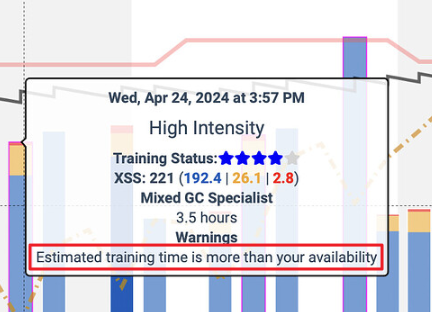
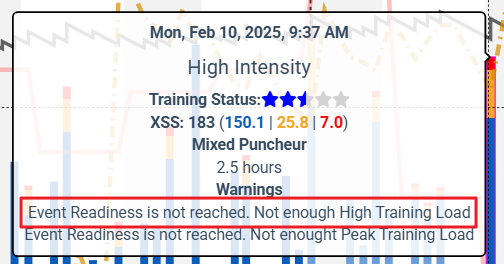
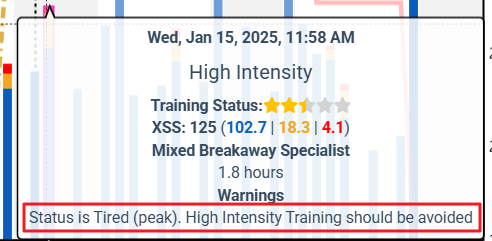
What Xert might do to streamline this process would be display the forecast chart as is when you first tap Adapt Forecast. You could then read the text warning on any magenta matchsticks before you decide whether to run Adapt or not.
Other messages you might see on occasion – (not sure how many are possible)